Add Deceased Loved One to Photo
Bring a reference portrait into a family photo, then review the result with care.
Create an AI-assisted family-photo composite using a group photo and a reference portrait.
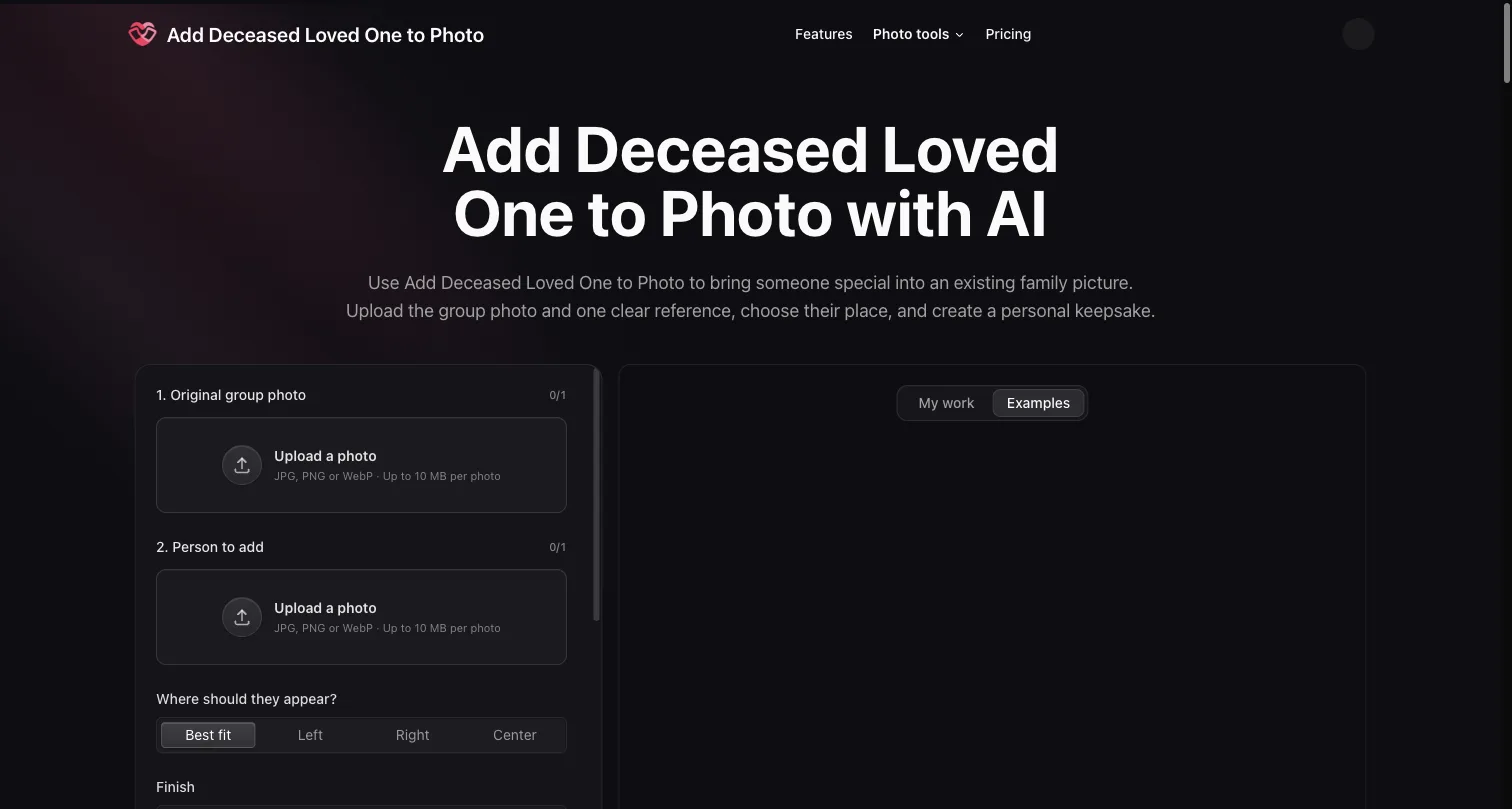
Homepage with group-photo and reference-portrait inputs
Overview
What is Add Deceased Loved One to Photo?
Bring a reference portrait into a family photo, then review the result with care.
Family-photo composition
Add Deceased Loved One to Photo is a browser-based AI photo tool for creating a personal keepsake from an existing group picture and a separate reference portrait. It can help someone explore a composition that includes an absent or deceased loved one. The output is an AI-assisted composite, not evidence that everyone was present when the original photograph was taken.
A practical workflow
Choose a group photo and a clear portrait of the person to add, then decide their place in the arrangement. Review the generated face, scale, placement and surrounding details before deciding whether to use the result. Keep the source photographs separate from the edited version. If you share a composite, explain the edit to its recipients instead of presenting it as an untouched historical image.
Use photographs you have permission to use and consider the preferences of the people depicted. A reference image is an input for the composition; it is not a guarantee of an accurate likeness or an appropriate result. This listing does not claim independent testing, historical authentication or a particular outcome for every photo.
Access and generation limits
Registration grants 10 credits once, enough for one generation. Later generations are paid. Caption, layout and download adjustments consume no additional generation credits. The starter allocation is not unlimited free generation. Review the current credit options before paying for another generation.
Project disclosure
I am associated with this project, and this listing was prepared with AI assistance. It is a project description, not an independent review or testimonial. For the product and its current options, see add deceased loved one to photo.
Platforms and languages
Add Deceased Loved One to Photo Availability
Platforms
Languages
Capabilities
Add Deceased Loved One to Photo Key Features
Reference-guided family-photo composition
Upload an existing group photo and a separate reference portrait to create an AI-assisted arrangement. Review the generated person, placement and surrounding details before sharing.
Plans and access
Add Deceased Loved One to Photo Pricing
Freemium
10 registration credits for one generation; later generations paid.
Registration grants 10 credits once, enough for one generation. Later generations are paid. Caption, layout and download adjustments consume no additional generation credits. This is not unlimited free image generation; check the current site pricing before purchasing more credits.
Add Deceased Loved One to Photo Alternatives
 ChatGPTChatGPT helps you get answers, find inspiration and be more productive. It is free to use and easy to try. Just ask and ChatGPT can help with writing, learning, brainstorming and more.5.0(2)
Reviews
See what the community thinks and share your experience.
—
Based on 0 ratings
Rating distribution
Community reviews
No reviews
No written reviews yet.