Animate your logo with browser motion styles and cinematic AI reveals.
Logo animation editor
1 / 2Overview
What is Animated Logo AI?
Animate your existing logo for videos and social clips
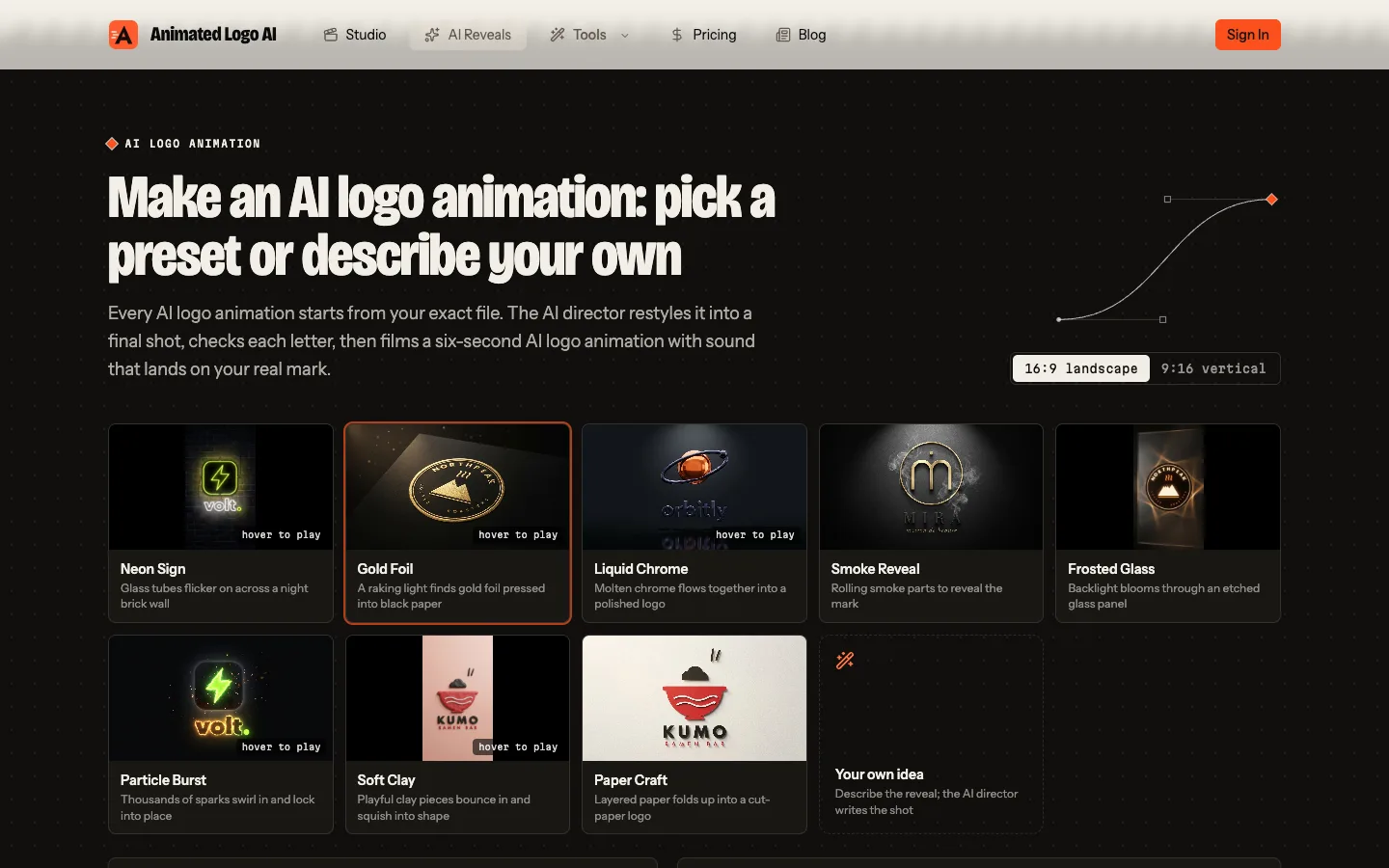
Animated Logo AI helps creators and small businesses turn an existing logo into a short animation for a video intro, outro, or social clip. Start by uploading a PNG, SVG, or JPG. The browser studio previews eight motion styles using that image, so you can compare a light sweep, a 3D spin, or a neon reveal before choosing an export.
In the studio, you can set the aspect ratio for the channel where the clip will appear. A 16:9 export fits a standard YouTube intro, while 9:16 suits vertical video. Square and 4:5 formats are available for social feeds. The animations include sound design.
The free option lets anyone preview the studio styles and download a 720p MP4 with a small watermark without creating an account. Higher-resolution MP4 exports, GIF, and transparent WebM use credits. A separate AI reveal option renders the uploaded logo in a cinematic style such as neon, gold foil, or liquid chrome. One-time credit packs start at $9.99.
Platforms and languages
Animated Logo AI Availability
Platforms
Languages
Capabilities
Animated Logo AI Key Features
Eight browser motion styles
Preview animation styles with sound using an uploaded PNG, JPG, or SVG logo.
Cinematic AI logo reveals
Use credits to reveal the uploaded logo as neon, gold foil, or liquid chrome.
Plans and access
Animated Logo AI Pricing
Freemium
One-time credit packs from $9.99
The eight style previews and watermarked 720p MP4 download are free. One-time credits cover HD, 4K, GIF, transparent WebM, and cinematic AI reveals.
Animated Logo AI Alternatives
 CanvaCanva is a free-to-use online graphic design tool. Use it to create social media posts, presentations, posters, videos, logos and more.5.0(1)
Reviews
See what the community thinks and share your experience.
—
Based on 0 ratings
Rating distribution
Community reviews
No reviews
No written reviews yet.