Always-current project memory for agencies and freelancers, with scope-creep detection and client reply drafts.
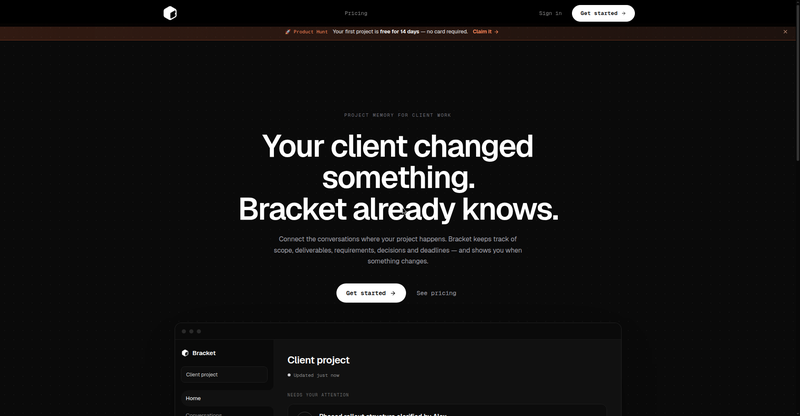
Bracket homepage hero
1 / 2Overview
What is Bracket?
The memory layer for your business
Bracket is the memory layer for your business. It connects to the tools you already use — Gmail, Slack, Figma, GitHub — and keeps an always-current memory of each client project: scope, deliverables, decisions, and deadlines.
Every day it surfaces what needs your attention, detects scope creep, and drafts client replies for your approval. A review flow lets you approve what changed. Pricing is simple: ₹999/month for 10 active projects or ₹199 per project for 60 days, with the first project free for 14 days and no card required.
- Always-current project memory from connected tools
- Daily surfacing of what needs your attention
- Scope-creep detection with client reply drafts
- Review-what-changed approval flow
- 14-day free first project, no credit card
Platforms and languages
Bracket Availability
Platforms
Languages
Capabilities
Bracket Key Features
Always-current project memory
Scope, deliverables, decisions, and deadlines stay up to date automatically from your connected tools.
Daily focus surfacing
Each day Bracket surfaces what actually needs your attention across projects.
Scope-creep detection
Spots when client work drifts beyond scope and drafts the client reply for you.
Review-what-changed flow
Approve updates through a review flow so the memory only keeps what you confirm.
Tool integrations
Connects Gmail, Slack, Figma, and GitHub to build memory from where the work happens.
Best for
Who uses Bracket?
Agencies and freelancers running client projects
Keep an always-current memory of every project's scope, decisions, and deadlines, and catch scope creep early
Plans and access
Bracket Pricing
Paid
₹999/mo (10 projects) or ₹199/project (60 days); first project free 14 days.
Common questions
Bracket FAQs
What does Bracket do?
Bracket keeps an always-current memory of your client projects — scope, deliverables, decisions, deadlines — built from your connected tools.
What are the plan differences?
Monthly at ₹999/month covers 10 active projects with unlimited tools and live memory; pay-per-project at ₹199 covers one project for 60 days.
Can I cancel anytime?
Yes — cancel anytime from Settings to Billing.
How is my data handled?
Only you can see your projects; Bracket reads only the sources you select and does not sell your data.
Reviews
See what the community thinks and share your experience.
—
Based on 0 ratings
Rating distribution
Community reviews
No reviews
No written reviews yet.