A free open-source toolkit that removes ads and bloatware from Android TV and Google TV, without rooting.
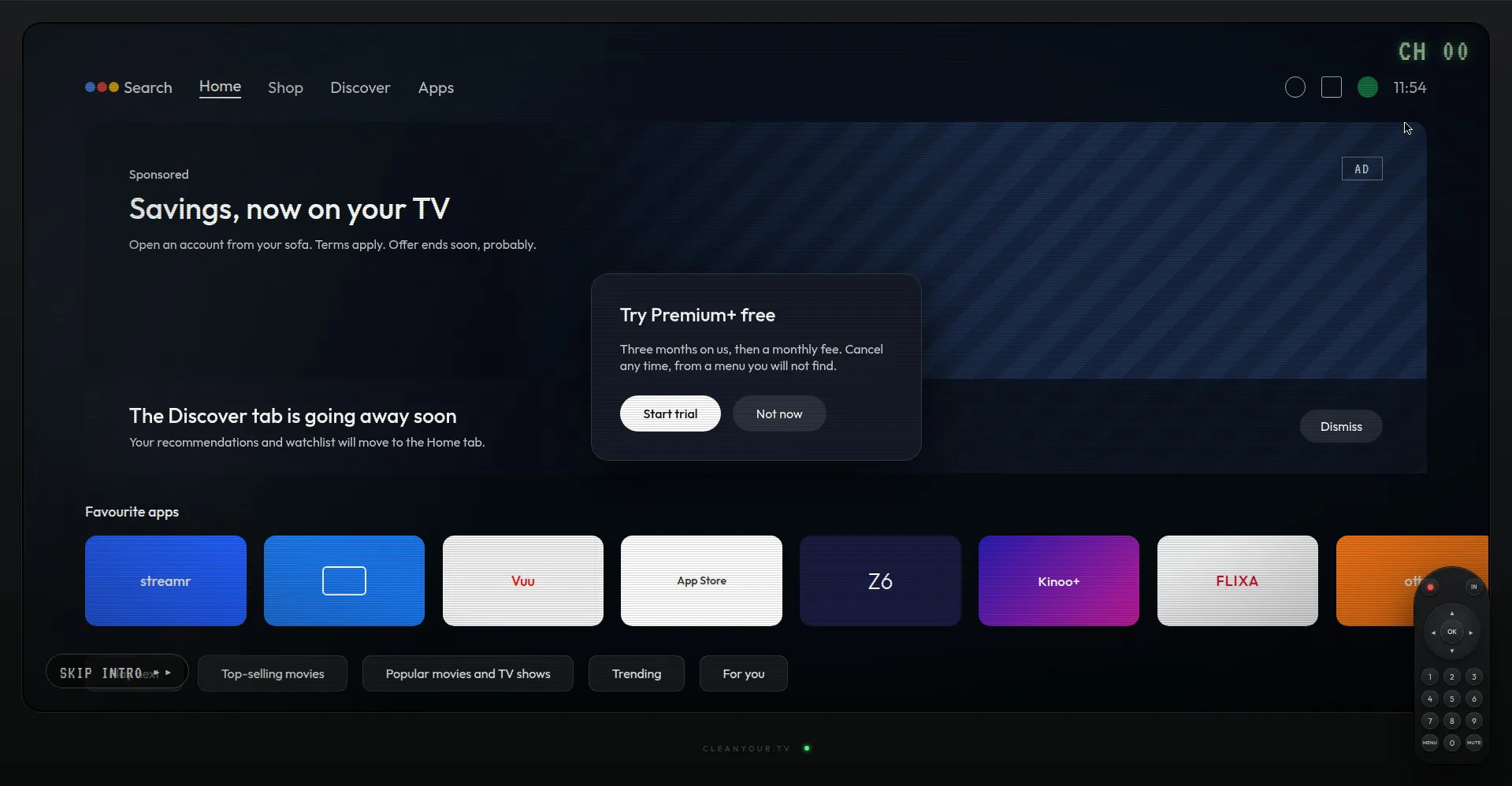
Interactive demo: what an ad-filled TV home screen looks like
1 / 3Overview
What is CleanYourTV?
Your TV, minus the ads. One prompt cleans it in 15 min
CleanYourTV is a free and open-source toolkit that removes ads and bloatware from Android TV and Google TV without rooting, flashing, or deleting anything.
How it works:
- Paste the included PROMPT.md into an AI coding assistant such as Claude Code, enter your TV model, and the assistant walks you through cleanup over Wi-Fi/ADB in about 15 minutes.
- Only packages from a community-tested list are disabled; apps are never deleted. Lists are applied in small batches with a restore script ready, and the TV's own Settings -> Apps page can re-enable anything at any time.
- A backup step saves your package list and settings first, so one command restores everything if needed.
- After cleanup, an Apple TV-style minimalist launcher replaces the ad-filled home screen, with multiple community themes to choose from.
- The community device list covers 213 TV models across 63 brands, with 167 tested in practice.
- Remote help is possible for family in another home via a private Tailscale link (never by opening router ports).
Pricing: completely free and open source; optional "Buy me a coffee" tips support the maintainer.
Runs from macOS, Windows, or Linux. Designed for anyone frustrated with TV ads and cluttered home screens — from non-technical family members to hands-on developers — with no bricking risk. Source code available on GitHub.
Platforms and languages
CleanYourTV Availability
Platforms
Languages
Capabilities
CleanYourTV Key Features
One-prompt cleanup
Paste the included PROMPT.md into an AI coding assistant like Claude Code, enter your TV model, and the assistant guides the whole cleanup over Wi-Fi/ADB in roughly 15 minutes.
Ad and bloat removal without bricking
Only packages from community-tested lists are disabled — no flashing, no rooting, no deleting. Lists apply in small batches with a restore script ready.
One-line backup and restore
Backs up the package list and settings first, so a single command rolls everything back if anything feels off.
Minimalist custom launcher
A clean Apple TV-style launcher replaces the ad-filled home screen, with multiple community themes available.
Large tested device list
Community list covering 213 TV models across 63 brands, with 167 TVs cleaned in practice.
Best for
Who uses CleanYourTV?
Families annoyed by TV ads
Remove pre-roll ads and sponsored rows so watching starts instantly with no interruptions
Parents and grandparents
Get a simple, clutter-free Apple TV-style home screen that's easy to navigate
Hands-on developers and tinkerers
Clean up Android TV/Google TV over ADB with a guided AI workflow and community-tested package lists
Plans and access
CleanYourTV Pricing
Free
Free and open source; optional Buy me a coffee tips
Common questions
CleanYourTV FAQs
Is CleanYourTV safe? Could it brick my TV?
Nothing is flashed, rooted, or deleted. Packages are only disabled in the user profile, applied in small batches, and a restore script is prepared beforehand. You can also re-enable any package from the TV's own Settings -> Apps page without any tooling.
What happens with firmware updates?
Most lists disable the update service, so firmware updates arrive only when you re-enable it. If one does land, the worst case is a package coming back, and you simply re-run the script.
Won't the apps break after cleanup?
No. Streaming apps still update through the Play Store, which is left untouched. The custom launcher only lists installed apps and launches them with intents that have been stable for years.
Can I clean a TV for family in another home?
Yes — instead of the same Wi-Fi, use a private Tailscale link: Tailscale on their TV shared with you, or a computer or Apple TV at their home routing to it. Step-by-step instructions are in the project's docs/REMOTE.md.
How is ADB access handled securely?
ADB is used only over your local Wi-Fi or a private Tailscale tunnel; the project explicitly warns against opening the ADB port on a router. On the computer side you run the commands, and on the TV side you approve the pairing yourself.
Reviews
See what the community thinks and share your experience.
—
Based on 0 ratings
Rating distribution
Community reviews
No reviews
No written reviews yet.