AI web app that scans restaurant menus and explains every dish in plain language.
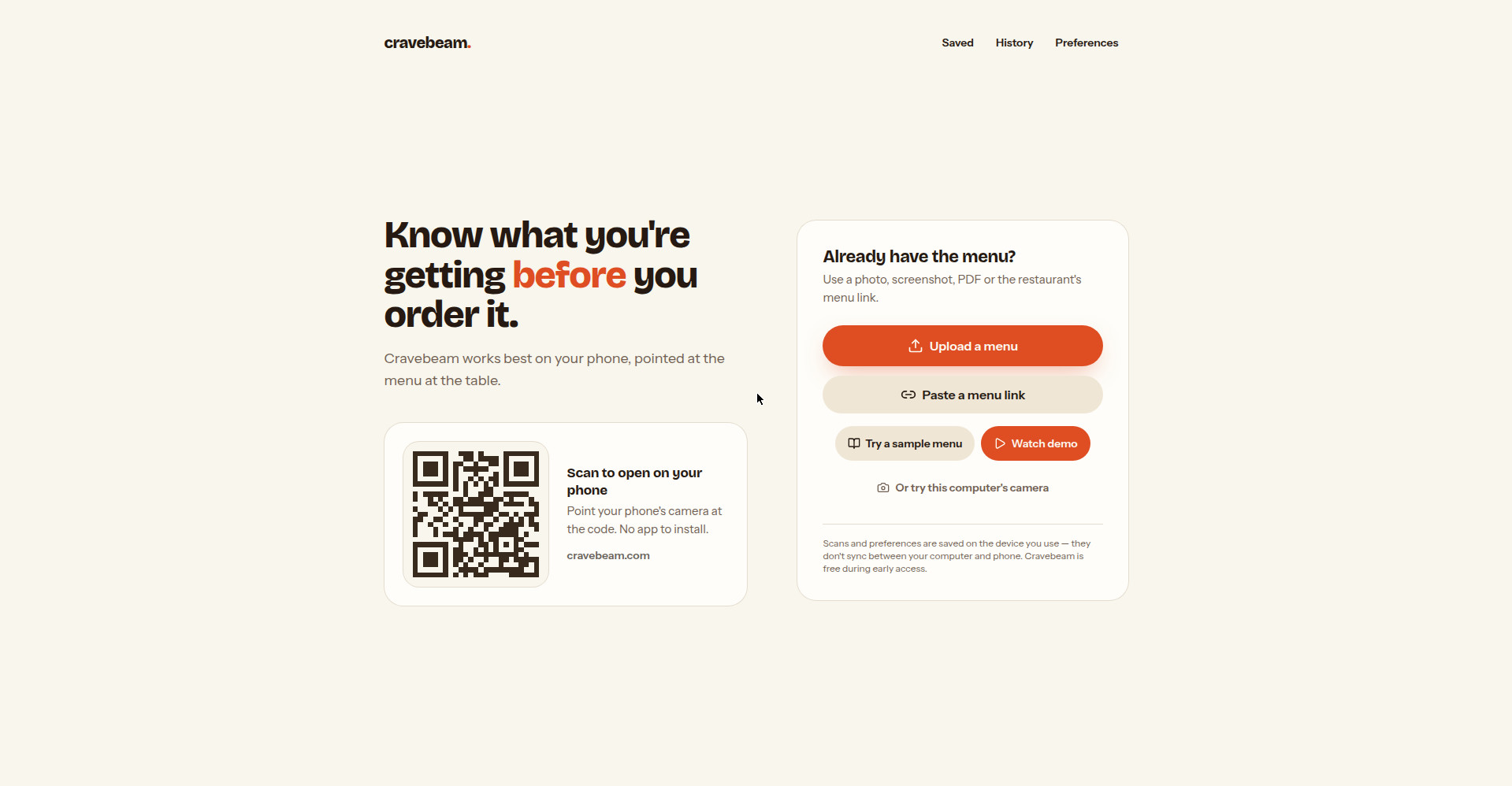
Homepage — scan or upload a menu, no app install
1 / 3Overview
What is CraveBeam?
Point your phone at any menu. Understand every dish.
CraveBeam is an AI web app that helps you understand restaurant menus before you order. Point your phone's camera at any menu — or upload a photo, screenshot, PDF, or paste a restaurant's menu link — and CraveBeam's AI explains every dish in plain language: what it is, what's in it, and whether it fits what you avoid.
Each dish gets a plain-English breakdown with taste tags (Sweet, Salty, Fried outside...), ingredient explanations, preparation details, and allergen warnings (Likely contains / May contain). Set your allergies, the foods you enjoy, and the ones you avoid, and CraveBeam tailors its readings to your tastes with a "Not sure what to order?" recommendation. You can save dishes, mark what you're ordering, and preview AI-generated images of dishes (clearly labeled as approximations).
CraveBeam works best on your phone — scan a QR code to open it, no app install required — but also works with a computer camera. Your scans and preferences are stored on the device you use, never synced across devices, and can be wiped with one "Clear all my data" action. CraveBeam is free during early access.
Platforms and languages
CraveBeam Availability
Platforms
Languages
Capabilities
CraveBeam Key Features
Scan or upload any menu
Point your phone's camera at a restaurant menu, or upload a photo, screenshot, PDF, or paste the restaurant's menu link. Works with a computer camera too.
Plain-language dish explanations
Every dish explained in plain language: what it is, what's in it, plus taste tags (Sweet, Salty, Fried outside), ingredient meanings, what's on the plate, preparation details, and a confidence indicator.
Taste and allergy preferences
Set allergies, foods you enjoy, and foods you avoid; CraveBeam tailors dish readings to your tastes and suggests what to order.
Allergen warnings
Clear Likely contains / May contain warnings per dish, with an explicit reminder to always confirm allergens with restaurant staff.
Saved dishes and AI dish previews
Save dishes you like, mark what you're ordering, and view AI-generated dish previews clearly labeled as approximations.
On-device data with one-tap clear
Your scans and preferences are stored on the device you use and never synced; wipe everything anytime with one action.
Best for
Who uses CraveBeam?
Diners who face unfamiliar menus: picky eaters, travelers, and people with food allergies or dietary restrictions.
Scan a menu to understand what each dish is and whether it fits your tastes and dietary needs before ordering.
Plans and access
CraveBeam Pricing
Free
Free during early access; no paid tiers on the site.
Common questions
CraveBeam FAQs
Do I need to download an app?
No. CraveBeam is a web app — you open it in your phone's browser via a QR code and point the camera at the menu. Nothing to install.
Is CraveBeam free?
It is free during early access. There is no pricing page and no paid tiers on the site.
Where is my scan history and preference data stored?
Your scans and preferences stay on the device you used — they are never synced between devices — and you can delete everything at once from the preferences page.
Can I rely on the allergen information?
No — treat them as guidance only. CraveBeam cannot guarantee a dish is safe for you, so always confirm allergens and cross-contact risks with restaurant staff. AI dish images are also clearly labeled as approximations, not real photos.
Reviews
See what the community thinks and share your experience.
—
Based on 0 ratings
Rating distribution
Community reviews
No reviews
No written reviews yet.