Cutout Free
Remove photo backgrounds and choose a transparent, color or image backdrop.
Remove photo backgrounds online, without sign-in or credits.
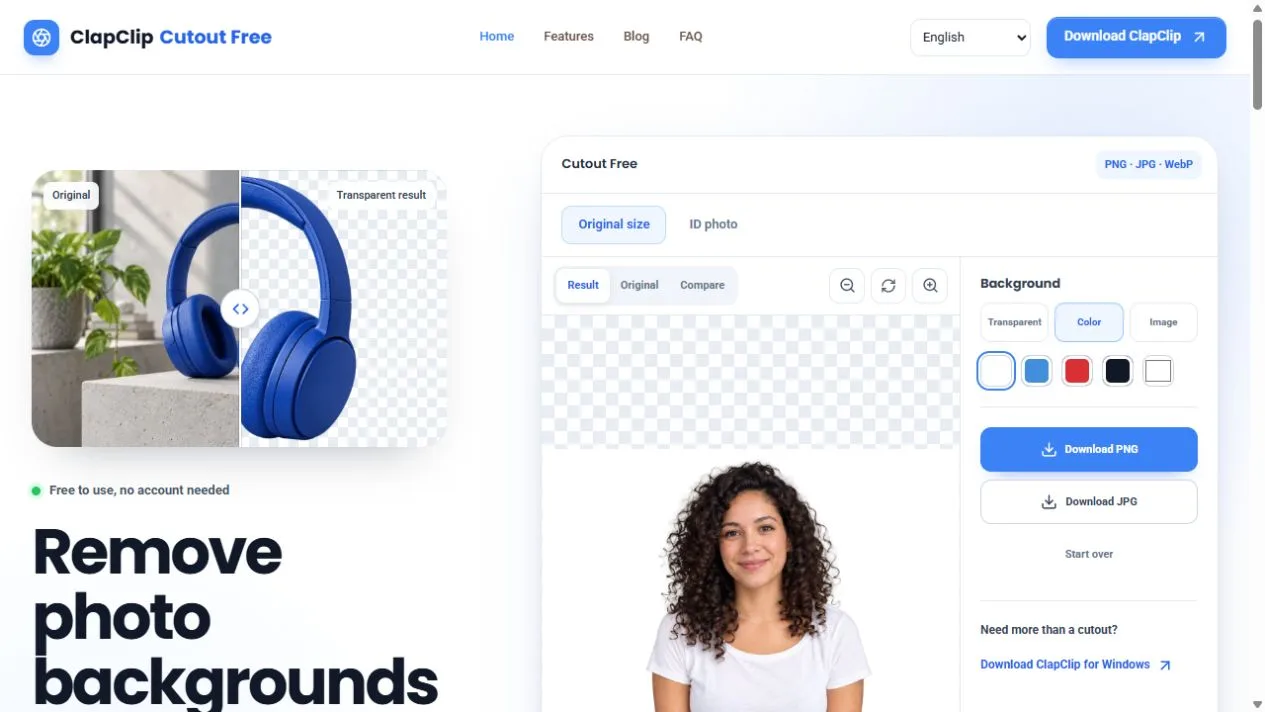
Cutout Free browser editor showing an image cutout and background options
Overview
What is Cutout Free?
Remove photo backgrounds and choose a transparent, color or image backdrop.
Cutout Free removes backgrounds from photos in a browser. Upload a JPG, PNG or WebP image, compare the cutout with the original, then keep the background transparent or replace it with a color or another image. The editor offers PNG and JPG downloads for product photos, portraits and everyday objects.
The service is free to use without an account, credits or a daily usage allowance. Photos are uploaded for online processing. The current per-image upload limit is 20 MB.
Platforms and languages
Cutout Free Availability
Platforms
Languages
Capabilities
Cutout Free Key Features
Remove photo backgrounds online
Upload a photo and let Cutout remove its background in the browser. JPG, PNG and WebP uploads are supported.
Choose a new backdrop
Keep the cutout on a transparent background or choose a color or another image as the replacement background.
Compare and download
Review the cutout against the original image, then download the result as PNG or JPG.
Plans and access
Cutout Free Pricing
Free
Background removal and PNG or JPG downloads are free. No sign-in, credits or daily usage allowance. Upload limit: 20 MB per image.
Compare similar tools
Cutout Free Alternatives
Reviews
See what the community thinks and share your experience.
—
Based on 0 ratings
Rating distribution
Community reviews
No reviews
No written reviews yet.