
Turn images, screenshots and PDFs into Excel with AI
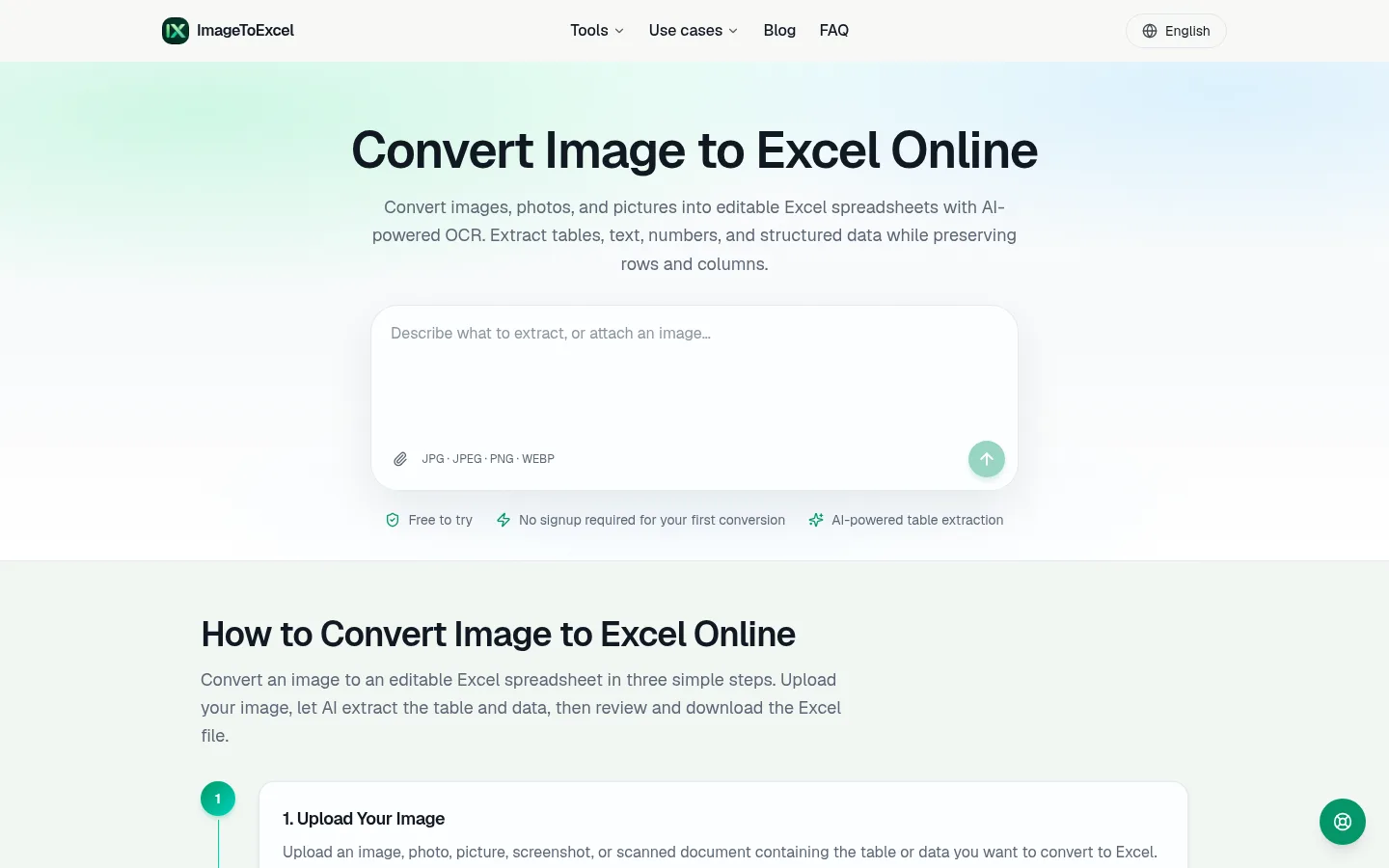
imagetoexcel.io-tool-1440x900.png
Overview
What is ImageToExcel?
Turn images, screenshots and PDFs into Excel with AI
ImageToExcel is a web tool for getting tables out of images and PDFs and into Excel. You upload a JPG, PNG, WEBP or PDF file, such as a phone photo of a printed table, a dashboard screenshot or a scanned document. The service uses AI-powered OCR to recognize the text and work out the table structure, and you download an editable .xlsx file.
Plain OCR stops at extracting text. ImageToExcel also detects tables and keeps the rows and columns, so the result can be filtered and sorted without retyping. Multi-page and scanned PDFs are supported.
There are separate tools for common inputs: Image to Excel, Screenshot to Excel, PDF to Excel, JPG to Excel, PNG to Excel, Image to Text, Online OCR and PDF OCR. For finance and operations work there are flows for bank statements, invoices and receipts.
You can review extracted values before exporting, and the site recommends checking important numbers, because accuracy depends on scan quality and layout. The tool runs in desktop and mobile browsers with nothing to install. Your first conversion needs no signup, and free credits are available to get started.
Platforms and languages
ImageToExcel Availability
Platforms
Languages
Capabilities
ImageToExcel Key Features
AI OCR table detection
Detects tables in images, screenshots and PDFs and keeps rows and columns intact when exporting to an editable .xlsx file.
Plans and access
ImageToExcel Pricing
Freemium
Compare similar tools
ImageToExcel Alternatives

Reviews
See what the community thinks and share your experience.
—
Based on 0 ratings
Rating distribution
Community reviews
No reviews
No written reviews yet.