InkRoom
AI Visual Studio for E-Commerce Product Photos, Reference Editing & Agent Workflows
AI image creation and reference editing, with reusable prompts, MCP connections and Skills.
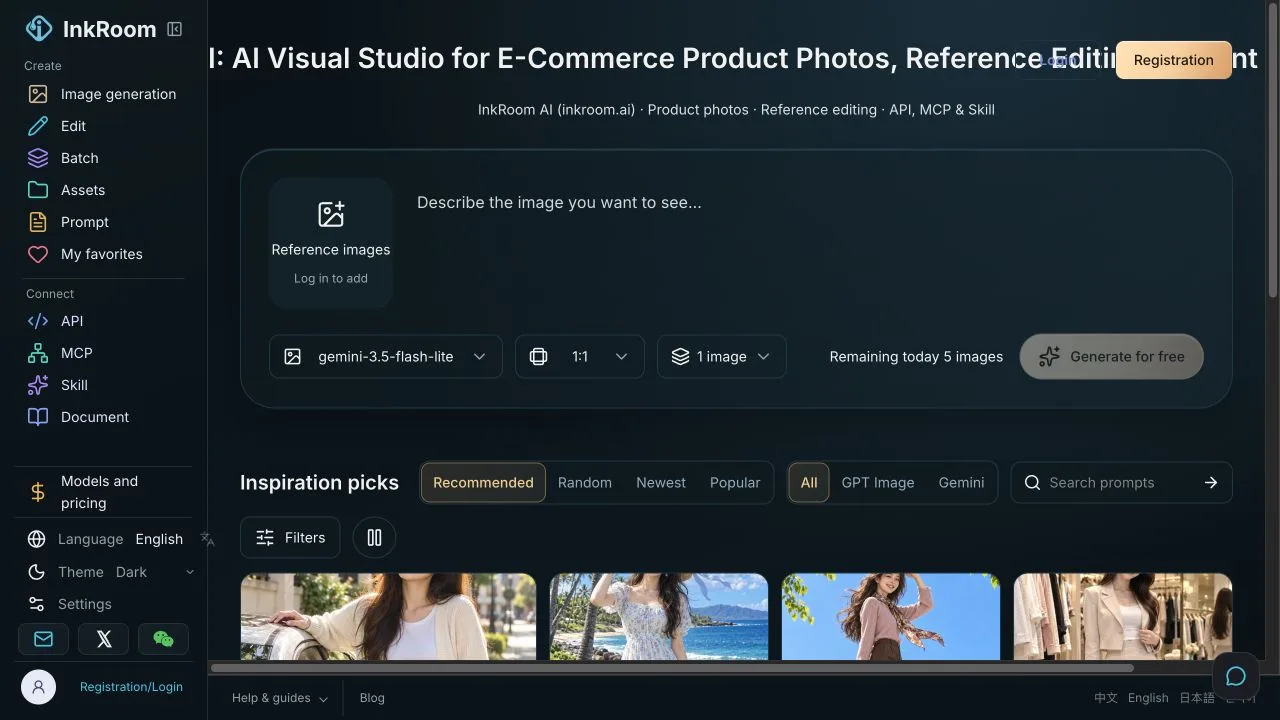
InkRoom guest image-creation workspace
1 / 2Overview
What is InkRoom?
AI Visual Studio for E-Commerce Product Photos, Reference Editing & Agent Workflows
A reference-first image workflow
InkRoom is a visual workspace for image creation, reference editing and reusable prompts, with documented API, MCP and Skill entry points. This listing is submitted by the InkRoom team.
For a product-image variation:
- Use a reference you have permission to upload.
- List the shape, label text, logo, colors and material details that must stay unchanged.
- Specify one intended background or lighting change.
- Review the selected model, image count and cost preview before paid execution.
- Compare the saved result with the reference before publishing it.
Connect an AI client
The Image MCP setup guide explains the remote server, authorization and image-task recovery. Image workflows can also use the Image Skill. Retain task receipts so an interrupted delivery can resume the same request instead of creating another paid generation.
Find prompts separately from generation
InkRoom Prompts provides a separate keyless MCP and Skill for public prompt search and limited text optimization. These prompt tools do not generate images. Prompts MCP uses STDIO or local HTTP. The Prompt Reverse Skill suggests possible prompts from visible image details, without recovering an original prompt or seed.
Limits worth checking
Generated images still need review for text, logos, shapes and materials. Model availability, guest eligibility and paid-operation prices can change. Use the current official documentation and cost preview rather than relying on a fixed price or an assumed free allowance.
Platforms and languages
InkRoom Availability
Platforms
Languages
Capabilities
InkRoom Key Features
Image creation and reference editing
Draft an image from a written brief or edit an authorized reference. Specify the intended change and the product details to preserve, then inspect saved output for text, logos, shape, color and materials.
Agent image workflows and task recovery
Connect a compatible AI client using the Image MCP or Image Skill guides. Preview model, image count and cost before paid work, and keep the returned task receipt so delivery can resume without creating a second generation.
Separate prompt discovery tools
The keyless Prompts MCP and Prompts Skill support public prompt search and capped text optimization without generating images. The Prompt Reverse Skill suggests possible prompts from visible image details rather than recovering an original seed or prompt.
Best for
Who uses InkRoom?
Creators, product-image teams and developers using AI clients
Plan a product-image background or lighting variation, carry reference constraints into the request, and review the result before using it. Developers can connect the same workflow through documented MCP and API entry points.
Plans and access
InkRoom Pricing
Freemium
Guest access is limited and eligibility depends on the current service rules. Image operations can require an account and credits, with a preview of the selected model, count and actual cost before paid execution. Separate keyless Prompts tools provide public prompt search and capped text optimization without image generation. Check the current Models and live pricing page. No fixed monthly plan or formal trial duration is asserted here.
Common questions
InkRoom FAQs
Do the keyless Prompts tools generate images?
No. They support public prompt discovery and limited text optimization. Image generation and private operations use separate authorization and credit requirements. Check current limits in the official Prompts guide.
What should I do if an image download is interrupted?
Keep the original task receipt and follow its recovery instructions. The MCP guide documents resuming delivery with the existing request or batch identifier. A failed download should not automatically trigger a new paid image generation.
Compare similar tools
InkRoom Alternatives
Reviews
See what the community thinks and share your experience.
—
Based on 0 ratings
Rating distribution
Community reviews
No reviews
No written reviews yet.