Makify AI - FLUX 3 Image Editor
Create and refine visual concepts with FLUX 3 Image and practical AI editing tools.
Explore polished image directions with FLUX 3 Image and editing tools.
cover-1.png
Overview
What is Makify AI - FLUX 3 Image Editor?
Create and refine visual concepts with FLUX 3 Image and practical AI editing tools.
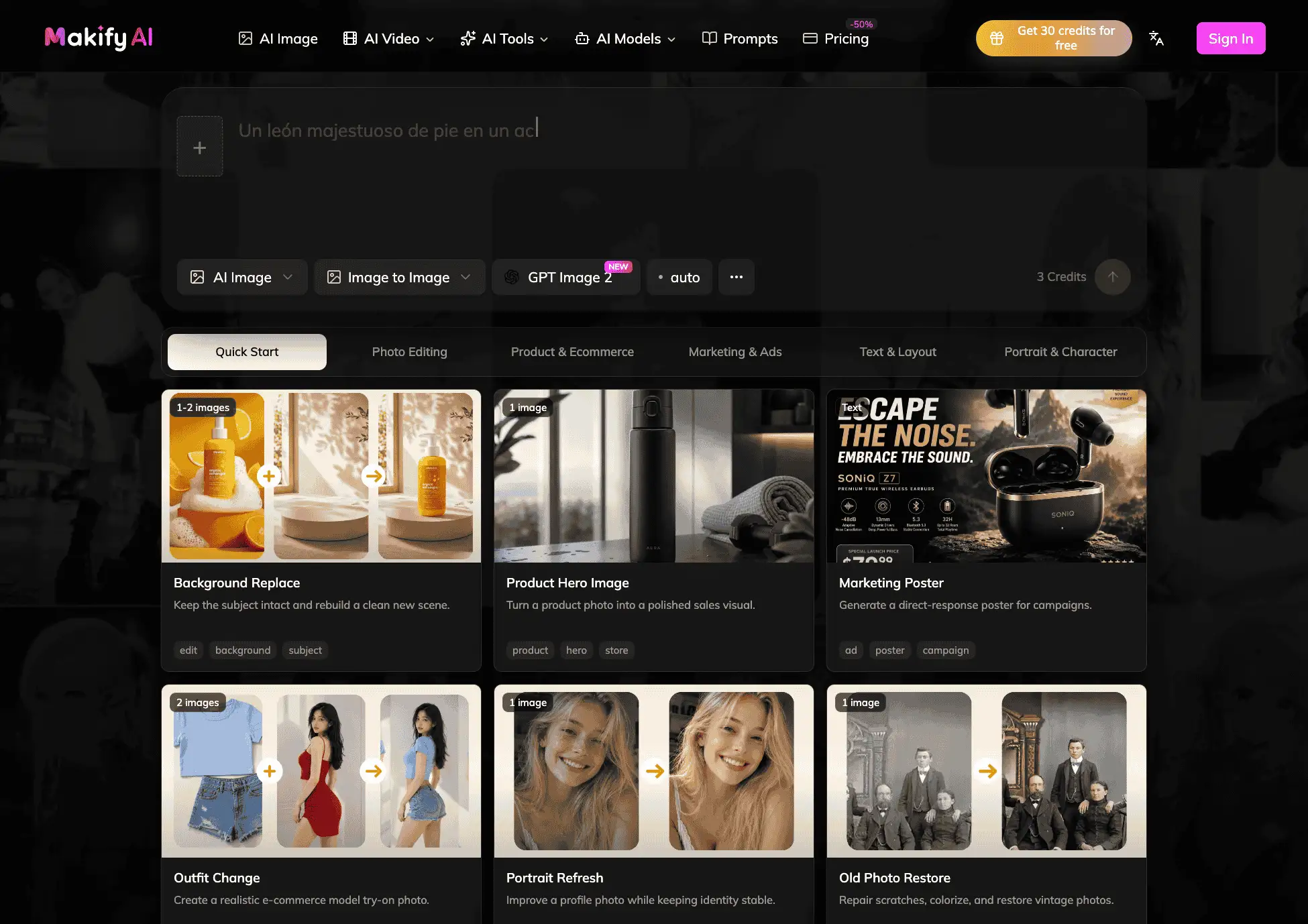
Makify AI is a browser-based AI image editor for designers, marketers, and visual concept teams. It addresses developing strong compositions while retaining room for practical revision by combining FLUX 3 Image generation with reference-led edits and canvas tools. The workflow helps users create and refine product, campaign, and editorial image concepts, with common applications including concept art, product scenes, campaign visuals, and editorial graphics. Supported model options include FLUX 3 Image and GPT Image 2.5; results vary by source image, prompt, and selected workflow. Users can review an output, refine instructions, and continue editing instead of treating the first result as final. New users receive free starting credits, while optional credit packs and subscriptions support continued production.
Explore the AI image-to-image editor: https://makifyai.com/image/image-to-image AI image expander: https://makifyai.com/image/ai-image-expander AI image combiner: https://makifyai.com/image/ai-image-combiner
Platforms and languages
Makify AI - FLUX 3 Image Editor Availability
Platforms
Languages
Capabilities
Makify AI - FLUX 3 Image Editor Key Features
Multi-model image editing
Generate with FLUX 3 Image or GPT Image 2.5, then refine the result with reference-led editing tools.
Image-to-image transformation
Use a source image and text instructions to explore composition, style, and campaign variations.
Canvas cleanup and expansion
Expand frames, combine images, remove unwanted text, and prepare finished assets in one browser workflow.
Plans and access
Makify AI - FLUX 3 Image Editor Pricing
Freemium
Free starting credits; paid credits and subscriptions available
New users receive free starting credits. Optional credit packs and subscriptions support continued image generation, editing, and video workflows. Pricing and model credit costs are shown on the official pricing page.
Common questions
Makify AI - FLUX 3 Image Editor FAQs
What can I edit with Makify AI?
Users can transform reference images, expand frames, combine visuals, remove image text, and refine generated assets for campaigns, products, and editorial work.
Which image models are available?
Makify AI includes workflows using GPT Image 2.5, GPT Image 2, FLUX 3 Image, Seedream 5.0 Pro, Nano Banana 2, and Gemini Omni Flash 1.1.
Can new users try Makify AI for free?
Yes. New users receive free starting credits; optional credit packs and subscriptions support continued production.
Makify AI - FLUX 3 Image Editor Alternatives
 AI ImageAI Image: Generate, edit, and restyle professional images with leading AI models in one studio. Free to start.
 AI Photo EditorEdit photos with a prompt. Upload a photo or start from text, generate a draft in the browser, and download it. Sign in for 5 credits a day.
Reviews
See what the community thinks and share your experience.
—
Based on 0 ratings
Rating distribution
Community reviews
No reviews
No written reviews yet.