Browser-based floor plan maker: draw one plan, get 3D views, sections, elevations and scaled drawing sheets.
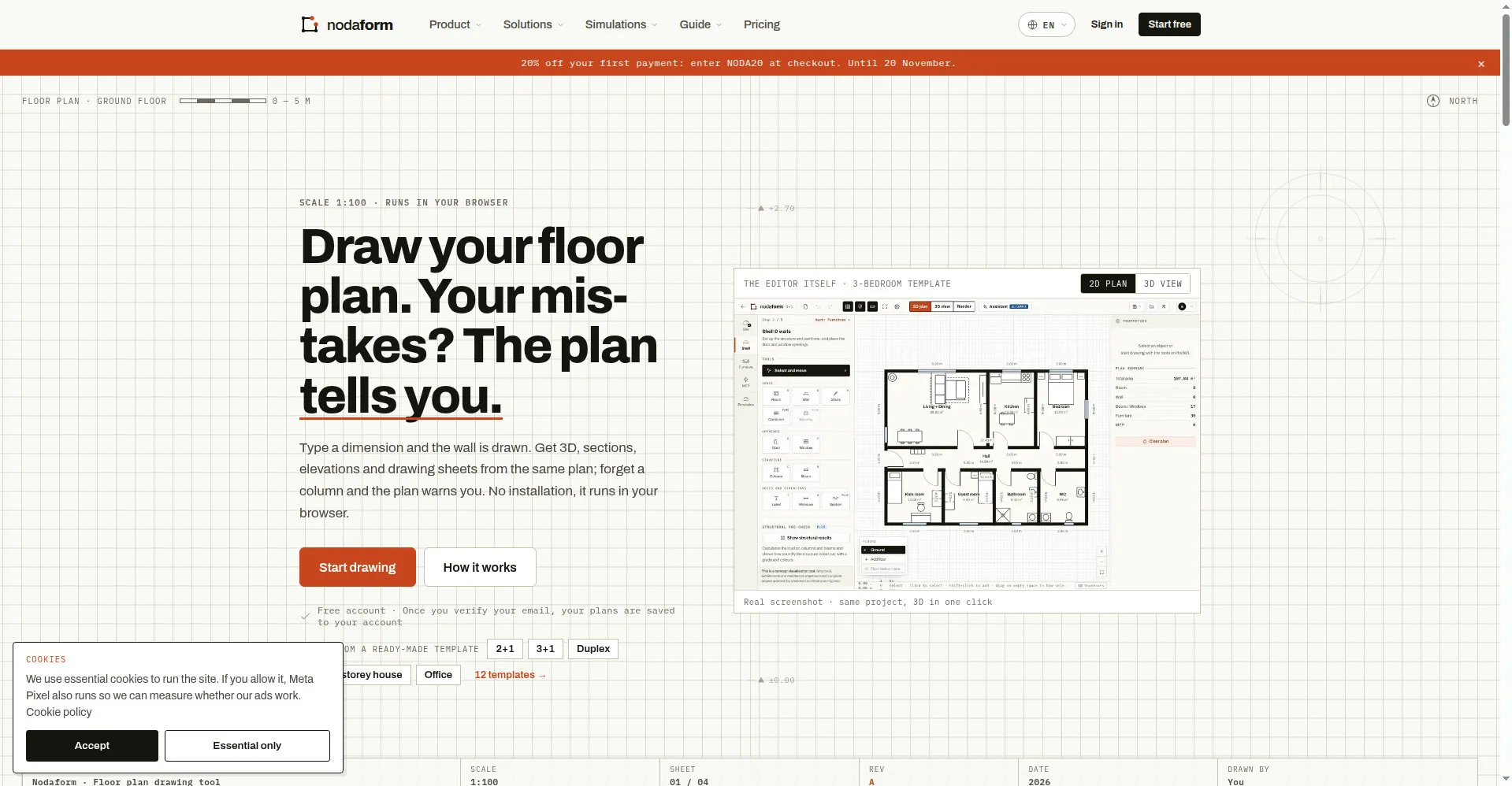
Homepage: draw your floor plan, the plan checks itself
1 / 3Overview
What is Nodaform?
Draw one floor plan, get every drawing a builder needs
What is Nodaform?
Nodaform is a browser-based floor plan maker that works like a real drafting tool. You type a measurement and the wall is drawn, with architectural inside dimensions. From the same plan you get a 3D model with roof, sections, elevations, electrical and plumbing layouts, structural and fire safety pre-checks, a quantity take-off, a cost estimate and scaled PDF drawing sheets. Drawing tools are free; an AI assistant and AI render are available on paid plans.
Highlights
- One plan, every drawing: draw once and get 3D views, sections, elevations and scaled drawing sheets automatically.
- Drafting-style input: type dimensions directly to draw walls, with real architectural inside dimensions.
- Live structural pre-checks: column, beam and slab load calculations (TBDY 2018, TS 500) highlight violations in red on the plan.
- Fire safety checks: escape distances measured from the farthest point to exits, plus detector and extinguisher placement.
- AI assistant (Pro/Ultimate): one sentence adds rooms, doors, windows and furniture or drafts a whole layout; one-click undo.
- AI render (Pro/Ultimate): turn the 3D view into photorealistic images with interior/exterior views and lighting options.
- 374-item library: real-size 2D/3D furniture and components, electrical and plumbing layouts, BIM/IFC on Ultimate.
Pricing
Freemium. Free plan is $0 forever. Plus is $4/mo, Pro $9/mo and Ultimate $19/mo (monthly, USD); yearly billing gives two months free. Checkout code NODA20 takes 20% off the first payment (until Nov 20). Payments via Paddle (cards, PayPal, Apple Pay, Google Pay); cancel anytime.
Platforms and languages
Nodaform Availability
Platforms
Languages
Capabilities
Nodaform Key Features
Drafting-style drawing
Type a measurement and the wall is drawn, with architectural inside dimensions; no installation, it runs in your browser.
One plan, every drawing
From one floor plan Nodaform generates a 3D model with roof, sections, elevations and scaled PDF sheets automatically.
Live structural pre-checks
Column, beam and slab load calculations based on TBDY 2018 and TS 500; violations turn red on the plan.
Fire safety checks
Escape distances measured from the farthest point to exits, with smoke detector and extinguisher placement guidance.
AI assistant
One sentence adds rooms, doors, windows and furniture, or drafts a whole apartment; one-click undo with Ctrl+Z. (Pro/Ultimate)
AI render
Turn the 3D view into a photorealistic image with interior/exterior views, styles and lighting options. (Pro/Ultimate)
Furniture & component library
374 real-size 2D/3D furniture pieces and components, plus electrical and plumbing layouts.
Quantity take-off & cost estimate
Quantities read directly off the plan with a built-in cost estimate.
Export formats
Free: PNG; Plus: scaled vector PDF; Pro: DXF; Ultimate: IFC; project files downloadable as .json.
Best for
Who uses Nodaform?
Homeowners, students and hobbyists
Lay out rooms to scale and check whether furniture fits, with a free account
Renovators, contractors and real-estate agents
Produce dimensioned floor plans, 3D views and PDF sheets for listings and client work
Architects and engineers
Generate quantity take-offs, cost estimates, DXF/IFC exports and run structural and fire checks
Plans and access
Nodaform Pricing
Freemium
Free plan; Plus $4/mo, Pro $9/mo, Ultimate $19/mo; yearly = 2 months free; NODA20 = 20% off first payment
Common questions
Nodaform FAQs
Is Nodaform really free?
Yes, the drawing tools are free forever: rooms, walls, doors and windows, 30 basic furniture items, single-floor 3D, PNG export and 5 saved projects after email verification. Scaled PDFs, sections and elevations need Plus; AI features need Pro.
Do I need to download or install anything?
No. Nodaform runs in a modern browser on Windows, Mac or Linux; your plans are saved to your account so you can pick up where you left off on any device.
Can I use Nodaform on my phone?
Yes. Open it in landscape mode for the full editor; in portrait mode you can open and present your saved floor plans.
Which export formats does Nodaform support?
Free accounts export PNG. Plus adds scaled vector PDF drawing sheets; Pro adds DXF; Ultimate adds IFC. You can also download your project as a .json file.
Do the structural and fire checks replace an engineer?
No. The structural pre-checks, fire checks and cost estimates are for the concept stage only; construction drawings still need approval from licensed architects and engineers.
Reviews
See what the community thinks and share your experience.
—
Based on 0 ratings
Rating distribution
Community reviews
No reviews
No written reviews yet.