OpenMaker
Turn text prompts and reference photos into AI images and short videos.
Create AI images and short videos from text prompts or reference photos, and edit images in the same browser workspace.
02-产品界面-450x250.jpg
Overview
What is OpenMaker?
Turn text prompts and reference photos into AI images and short videos.
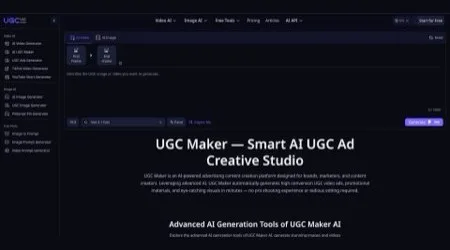
OpenMaker is a browser-based workspace for creating AI images and short videos. It is designed for content creators, designers, and marketing teams preparing product visuals, presentation graphics, or social media clips.
How it works
- Describe a scene in a text prompt to generate an image or a short video.
- Upload a reference photo to use it as a starting point or turn a still image into a moving clip.
- Refine existing images with background removal, upscaling, and photo restoration tools.
AI Canvas connects prompts, reference images, and generated results in one visual workspace. For example, you can start with a product photo, develop a new scene around it, then use the resulting still as the starting point for a video.
Limited free access is available. Users who need more usage can purchase one-time credit packs.
Platforms and languages
OpenMaker Availability
Platforms
Languages
Product video
OpenMaker in action
Capabilities
OpenMaker Key Features
Text-to-Image Generation
Generate images from written prompts and explore variations using multiple AI models.
Image-to-Video Generation
Use a still image or reference photo as the starting point for a short video clip.
Photo Editing Tools
Remove backgrounds, upscale images, or restore older photos in your browser.
AI Canvas
Connect prompts, reference images, and generated results in one visual workspace.
Plans and access
OpenMaker Pricing
Freemium
Limited free access with optional one-time credit packs.
OpenMaker offers limited free access. Users can purchase one-time credit packs for additional usage. Credit costs vary by model and generation settings.
Common questions
OpenMaker FAQs
Can I turn a still image into a video?
Yes. You can use a still image or reference photo as the starting point for a short video.
Is OpenMaker free to use?
OpenMaker offers limited free access and optional one-time credit packs for additional usage.
OpenMaker Alternatives
 Kandinsky AIOpen-source multimodal tool: text/image/video generation & inpainting.
 Runway AIRunway is an applied AI research company shaping the next era of art, entertainment and human creativity.
Reviews
See what the community thinks and share your experience.
—
Based on 0 ratings
Rating distribution
Community reviews
No reviews
No written reviews yet.