Arrange event tables and guest seats in a browser, with AI-assisted seating suggestions.
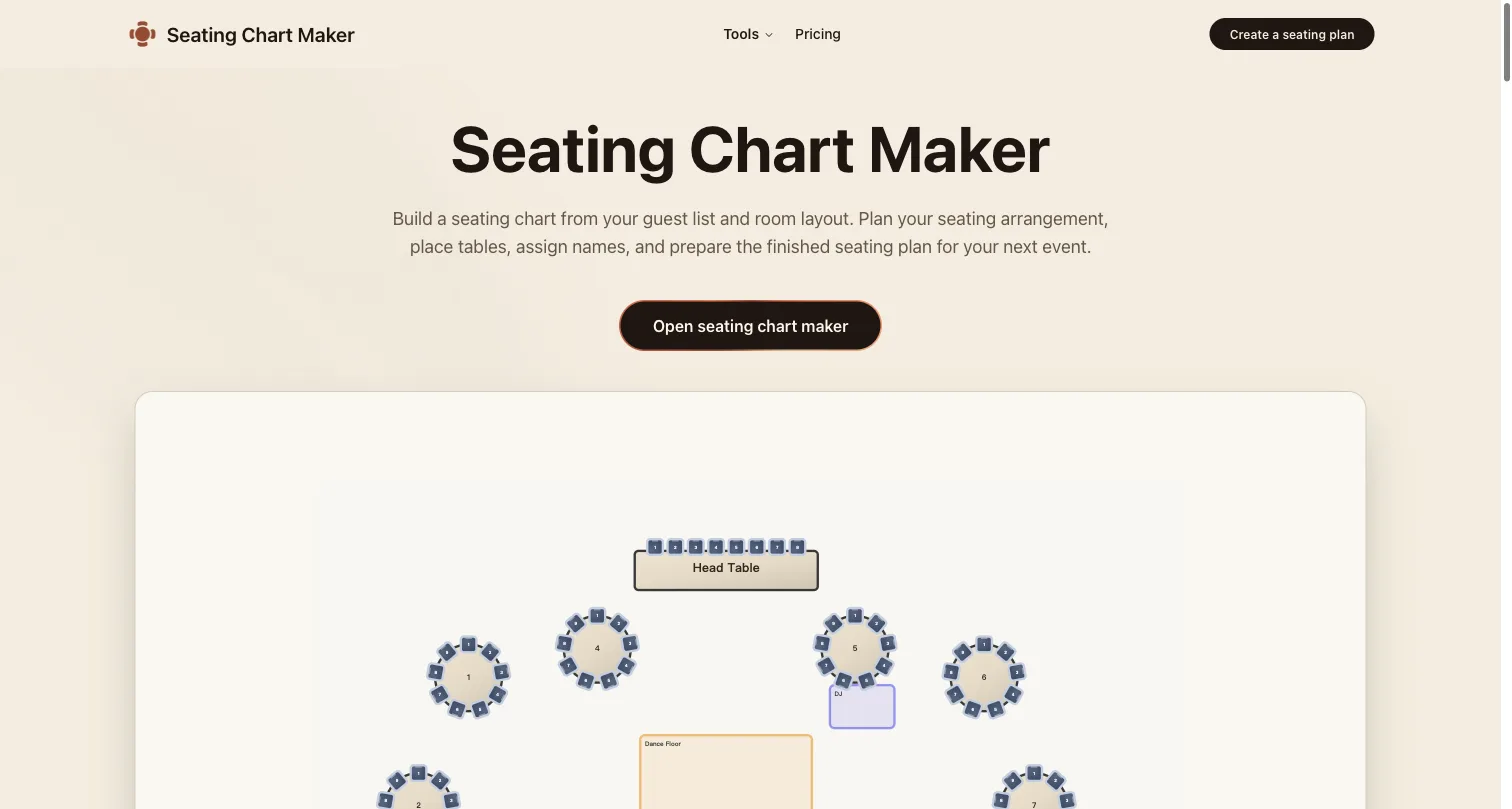
Seating Chart Maker homepage and browser planning workspace
Overview
What is Seating Chart Maker?
Arrange event tables and guest seats, then review the room.
Plan the arrangement, then check the room
Seating Chart Maker is a browser-based workspace for arranging tables and guest seats for weddings, dinners and other events. Use a seat plan to work through the layout, place guests and review the arrangement before sharing it with the event team. AI-assisted suggestions can provide a starting point; the organizer remains responsible for checking the result.
A practical review workflow
Begin with the room dimensions and fixed features, such as entrances, columns and service areas. Place tables, assign guests and compare the draft with actual venue measurements. Check capacity, aisle clearance and requested seating relationships with the people responsible for the event. A digital arrangement is not proof of accessibility, safe occupancy or venue approval.
Access and limits
The planner can be tried for free; saving and exporting require a paid plan. Check the official website for current features, prices and limits. Avoid sharing sensitive guest information in public examples.
Disclosure
I am associated with Seating Chart Maker. AI assisted this project-supplied description; it is not an independent review or venue recommendation.
Platforms and languages
Seating Chart Maker Availability
Platforms
Languages
Capabilities
Seating Chart Maker Key Features
Table and guest layout
Arrange tables and guest seats in a browser-based plan, then review the arrangement against the actual room.
Plans and access
Seating Chart Maker Pricing
Freemium
Free to try planning; saving and exporting require a paid plan.
The planner can be tried for free. Saving and exporting require a paid plan. Check the official site for current prices, included features and limits.
Seating Chart Maker Alternatives
 ChatGPTChatGPT helps you get answers, find inspiration and be more productive. It is free to use and easy to try. Just ask and ChatGPT can help with writing, learning, brainstorming and more.5.0(2)
Reviews
See what the community thinks and share your experience.
—
Based on 0 ratings
Rating distribution
Community reviews
No reviews
No written reviews yet.