
Shopify Canvas
Turn any idea into a fully custom Shopify store — in conversation with AI.
Shopify's AI design surface where merchants build and customize their online store by chatting with Sidekick.
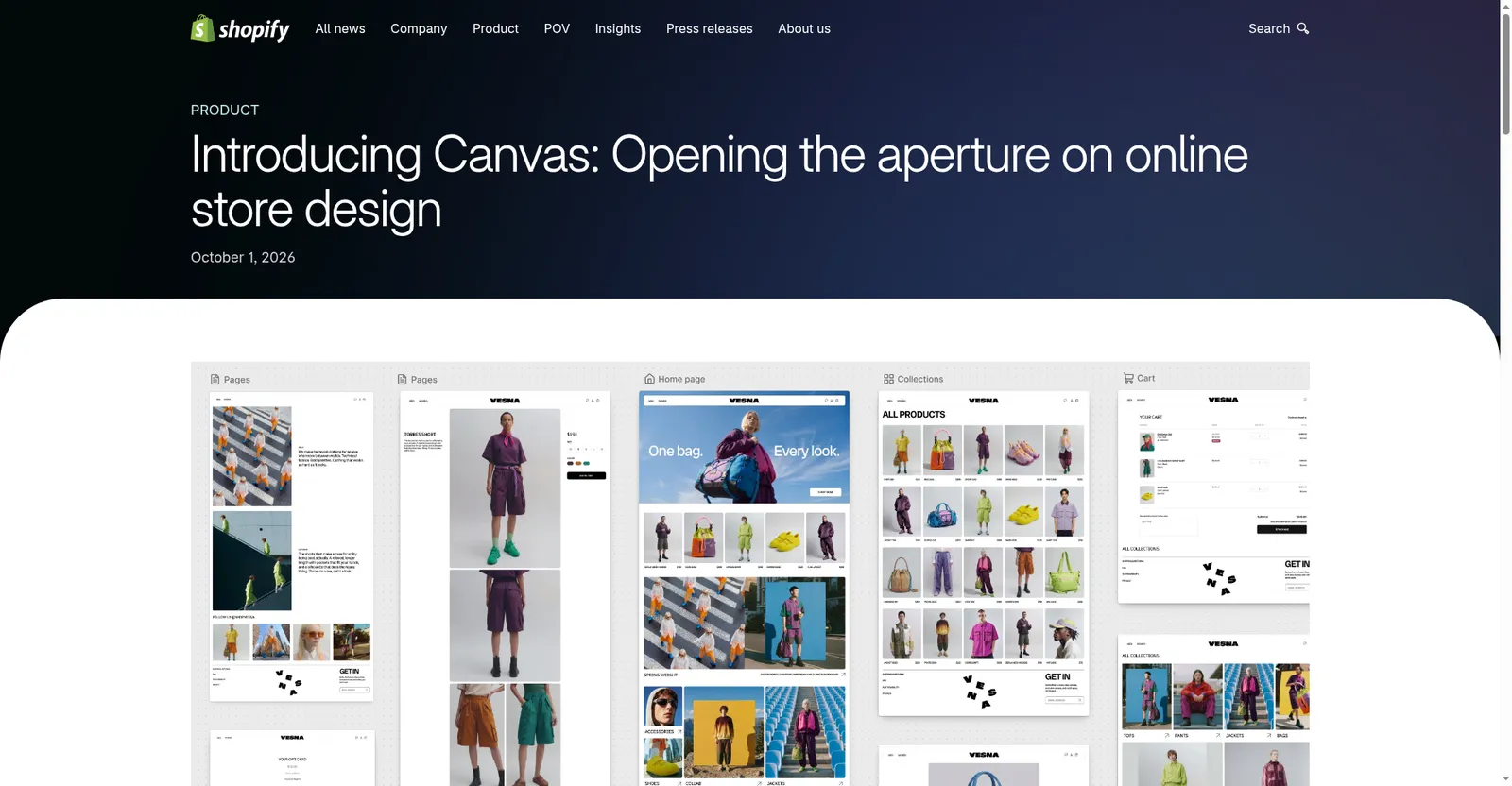
Canvas announcement — a new design surface for Shopify stores
1 / 3Overview
What is Shopify Canvas?
Turn any idea into a fully custom Shopify store — in conversation with AI.
Shopify Canvas is a new design surface in the Shopify admin where merchants build and customize their online store by chatting with Sidekick, Shopify's AI agent. Announced October 1, 2026 and rolling out to merchants, Canvas turns the whole store into a shared workspace: every page laid out together, with pan and zoom across the entire storefront.
Merchants describe changes in natural language — for example, asking Sidekick to make a hero section feel bolder — and the changes land in real time, rendered from the store's real theme code rather than a static mockup. Sidekick works directly on theme files, validates its code, and inspects its own work with screenshots. It remembers earlier preferences and design decisions, so store-wide redesigns stay consistent.
Shopify says Sidekick has been writing store code for some time, making more than 25 million theme edits in the first half of 2026, and that theme architecture has been simplified so the agent can understand each store's structure, logic, and design. Canvas is desktop-only at launch; third-party theme support, app blocks and extensions, markets, translations, rollouts, and theme updates are not part of the initial release, and it does not yet replace the existing theme editor. There is no separate price for Canvas — it is part of the Shopify platform for merchants on Shopify plans.
Platforms and languages
Shopify Canvas Availability
Platforms
Languages
Capabilities
Shopify Canvas Key Features
Chat-based store building
Describe what you want in natural language; Sidekick, Shopify's AI agent, edits the store's real theme files directly.
Whole-store visual workspace
See every page of the store laid out together, pan across pages to judge the overall feel, and zoom in to work on details.
Live rendering of real code
Preview the actual theme code with full interactivity and animation, and check key pages with different products, collections, and screen sizes.
Self-reviewing agent loop
Sidekick validates its code and takes screenshots to inspect its own work, refining in a loop before handing results back.
Collaborative iteration
Sidekick asks questions, proposes design approaches, and remembers earlier preferences so conversations move forward.
Direct element editing
Click any element to adjust it by hand alongside the chat, instead of navigating a settings panel.
Plans and access
Shopify Canvas Pricing
Paid
Common questions
Shopify Canvas FAQs
What is Shopify Canvas?
Canvas is a new design surface in the Shopify admin where merchants build and customize their online store by chatting with Sidekick, Shopify's AI agent. Changes render in real time from the store's real theme code.
How much does Shopify Canvas cost?
Shopify has not announced a separate price for Canvas. It is part of the Shopify platform, available to merchants on Shopify plans.
Is Canvas replacing Shopify's theme editor?
Not yet. Shopify says Canvas is in its early days and does not replace the existing editor; more capabilities are planned over time.
What are Canvas's limitations at launch?
Canvas is desktop-only at launch. Third-party theme support, app blocks and extensions, markets, translations, rollouts, and theme updates are not part of the initial release.
Reviews
See what the community thinks and share your experience.
—
Based on 0 ratings
Rating distribution
Community reviews
No reviews
No written reviews yet.