A browser editor that detects, translates and repaints the UI text inside App Store and Google Play screenshots across 32 languages.
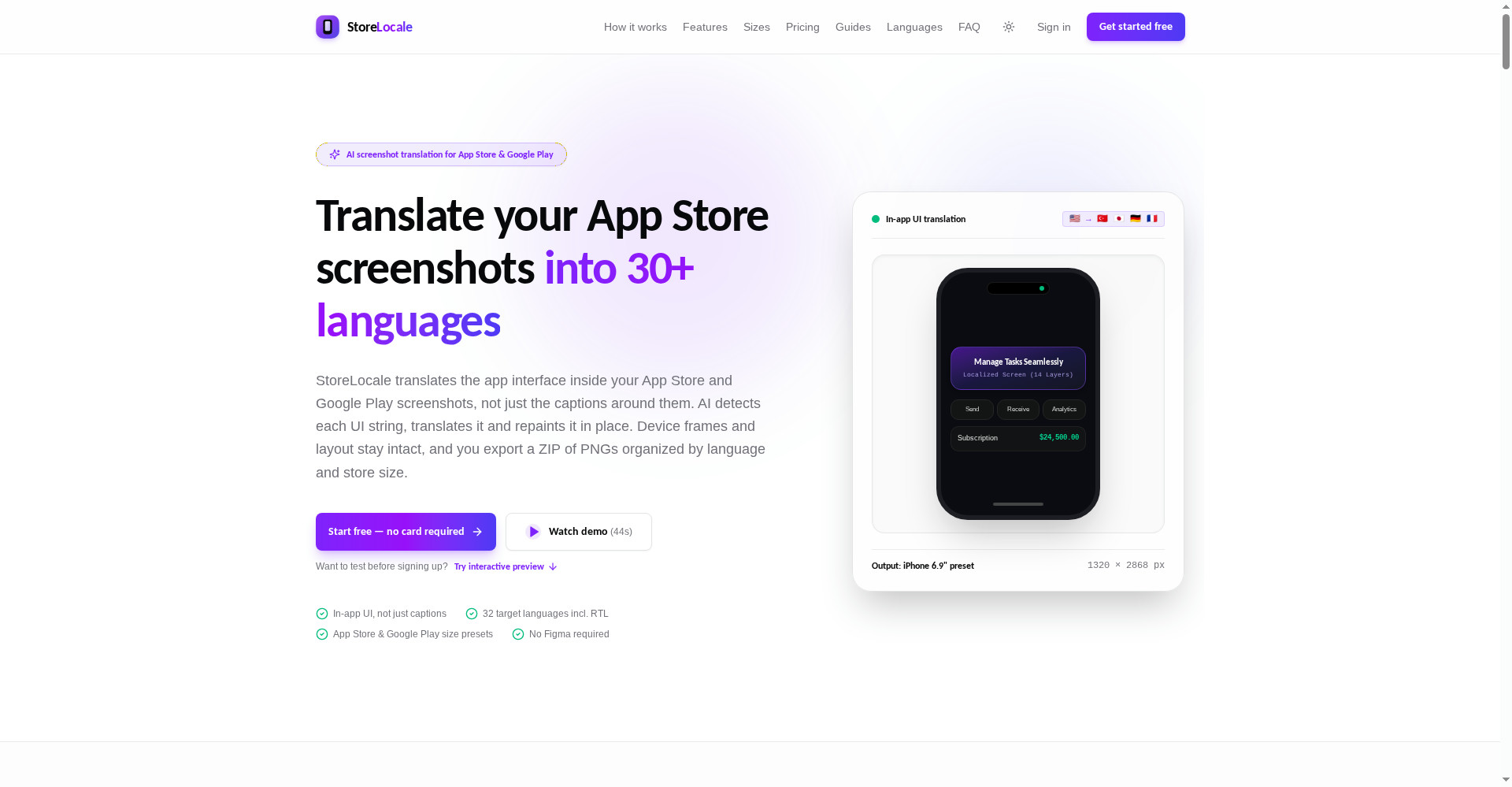
StoreLocale homepage
1 / 2Overview
What is StoreLocale?
Translate app UI in App Store & Google Play screenshots
StoreLocale translates the app interface inside App Store and Google Play screenshots, not just the captions around them. A vision model detects each UI string, translates it, and an image model repaints it in place, so shoppers see your app in their own language while device frames and layout stay intact.
The workflow has four steps: upload screenshots, pick target languages, detect, translate and repaint, then review and export a ZIP of PNGs organized by language and store size. Translations can be edited before repainting, and results can be compared with the source side by side. Because the repaint is generative, every language should be reviewed before publishing.
The editor, device frames and exports are free. Text detection and translation cost no credits. AI screenshot generation is paid with one-time credit packs of $9 for 30 credits, $29 for 120 and $69 for 350, which never expire, or with your own Gemini or OpenRouter API key at no platform fee.
Platforms and languages
StoreLocale Availability
Platforms
Languages
Capabilities
StoreLocale Key Features
In-app UI text detection
A vision model finds every UI string in a screenshot with its position, color and weight, not just the caption around it.
Translate and repaint in place
Translates UI text into 32 target languages, including right-to-left languages, and repaints it in place while keeping device frames and layout intact.
Edit and compare before export
Edit any translation before repainting, compare results with the source side by side, and review each language before publishing.
Store-ready ZIP exports
Exports PNGs grouped by platform, language and size preset, with App Store and Google Play screenshot sizes covered.
Free editor with BYOK
Designing, framing and exporting screenshots is free. Bring your own Gemini or OpenRouter key, or pay with one-time credit packs.
Best for
Who uses StoreLocale?
App developers and ASO teams localizing store listings
Localize the UI inside App Store and Google Play screenshots for global releases without Figma
Plans and access
StoreLocale Pricing
Freemium
Editor free with BYOK; one-time credit packs $9 (30), $29 (120), $69 (350); credits never expire
Common questions
StoreLocale FAQs
How does StoreLocale translate a screenshot?
Upload your screenshots and choose target languages. A vision model detects each UI string, the strings are translated, and an image model repaints them in place for every language. You can edit translations, compare with the original, and export PNGs.
Does StoreLocale upload screenshots to the App Store or Google Play for me?
No. StoreLocale gives you a ZIP of PNGs organized by platform, language and size. You upload the files yourself in App Store Connect or Google Play Console.
Which languages are supported?
There are 32 target languages plus English as the source, including Japanese, German, Simplified and Traditional Chinese, and right-to-left Arabic and Hebrew.
What does StoreLocale cost?
The editor is free. Detection and translation cost no credits. AI generation uses one-time credit packs ($9 for 30, $29 for 120, $69 for 350 credits) that never expire, or your own Gemini or OpenRouter API key.
Are exported screenshots ready to publish as-is?
Exports use preset pixel sizes for App Store Connect and Google Play, but the repaint is generative, so review each language and confirm the upload in the store console before publishing.
Reviews
See what the community thinks and share your experience.
—
Based on 0 ratings
Rating distribution
Community reviews
No reviews
No written reviews yet.