Your all-in-one YouTube extension
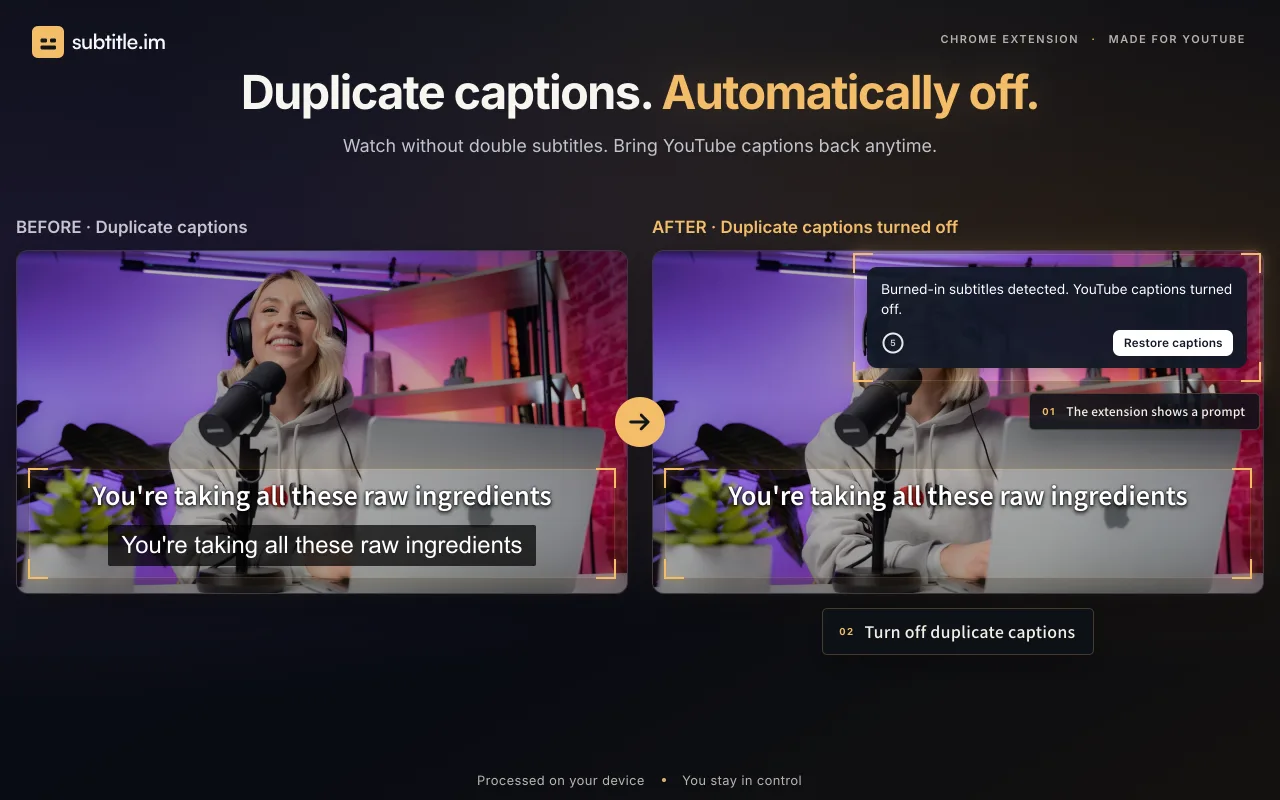
Handle overlapping YouTube captions
1 / 3Overview
What is subtitle.im?
Your all-in-one YouTube extension
subtitle.im is an all-in-one YouTube extension for getting, searching, copying and downloading transcripts, automatically turning captions on or off, and handling duplicate subtitles.
Transcript tools are part of the upcoming 1.6 release, currently a Chrome Web Store draft as of October 31, 2026. They use a video’s available captions: read and search the transcript, jump to matching moments, copy the full text or selected passages, and download TXT for free. Pro adds SRT, VTT, Markdown and PDF through the browser’s print/save-as-PDF flow. Videos without available captions are not transcribed.
Let captions follow YouTube or turn them on or off automatically. Handle overlapping YouTube captions according to your settings and restore them when needed. Subtitle detection and OCR run locally without uploading video frames. The extension does not generate or translate subtitles, or remove burned-in text.
Try duplicate-caption handling on 10 successfully processed videos without signup; this cumulative allowance does not reset monthly. Optional Pro provides continued handling, video and channel rules, and memory of confirmed decisions to turn captions off. Manual caption changes apply to the current viewing. See subtitle.im for current plans and availability.
Platforms and languages
subtitle.im Availability
Platforms
Languages
Capabilities
subtitle.im Key Features
YouTube caption control
Choose Follow YouTube, Auto-open or Auto-close for existing YouTube captions.
Local duplicate detection
Local OCR detects burned-in subtitles and handles duplicate soft captions according to your settings without uploading video frames.
Transcript tools — upcoming 1.6
Read and search available captions, jump to timestamps, copy text and download TXT. Pro adds SRT, VTT, Markdown and PDF through browser print/save. Videos without captions are not transcribed.
Plans and access
subtitle.im Pricing
Paid
$17.99/year or $29.99 lifetime
Try duplicate-caption handling on 10 successfully processed videos without signup. This is a cumulative allowance, not a monthly reset. Optional Pro continues handling and adds video/channel rules and memory of confirmed closures. Upcoming 1.6: transcript read, search, seek, copy and TXT are free; Pro adds SRT, VTT, Markdown and PDF through browser print/save.
Common questions
subtitle.im FAQs
subtitle.im Alternatives
 Captions GeneratorFree AI caption generator that allows users to add subtitles to any video in seconds, supporting auto captions in 100 languages with free translation
Reviews
See what the community thinks and share your experience.
—
Based on 0 ratings
Rating distribution
Community reviews
No reviews
No written reviews yet.