Convert SVG to 2D DXF with physical dimensions, adjustable curve precision, and previews of the exported geometry.
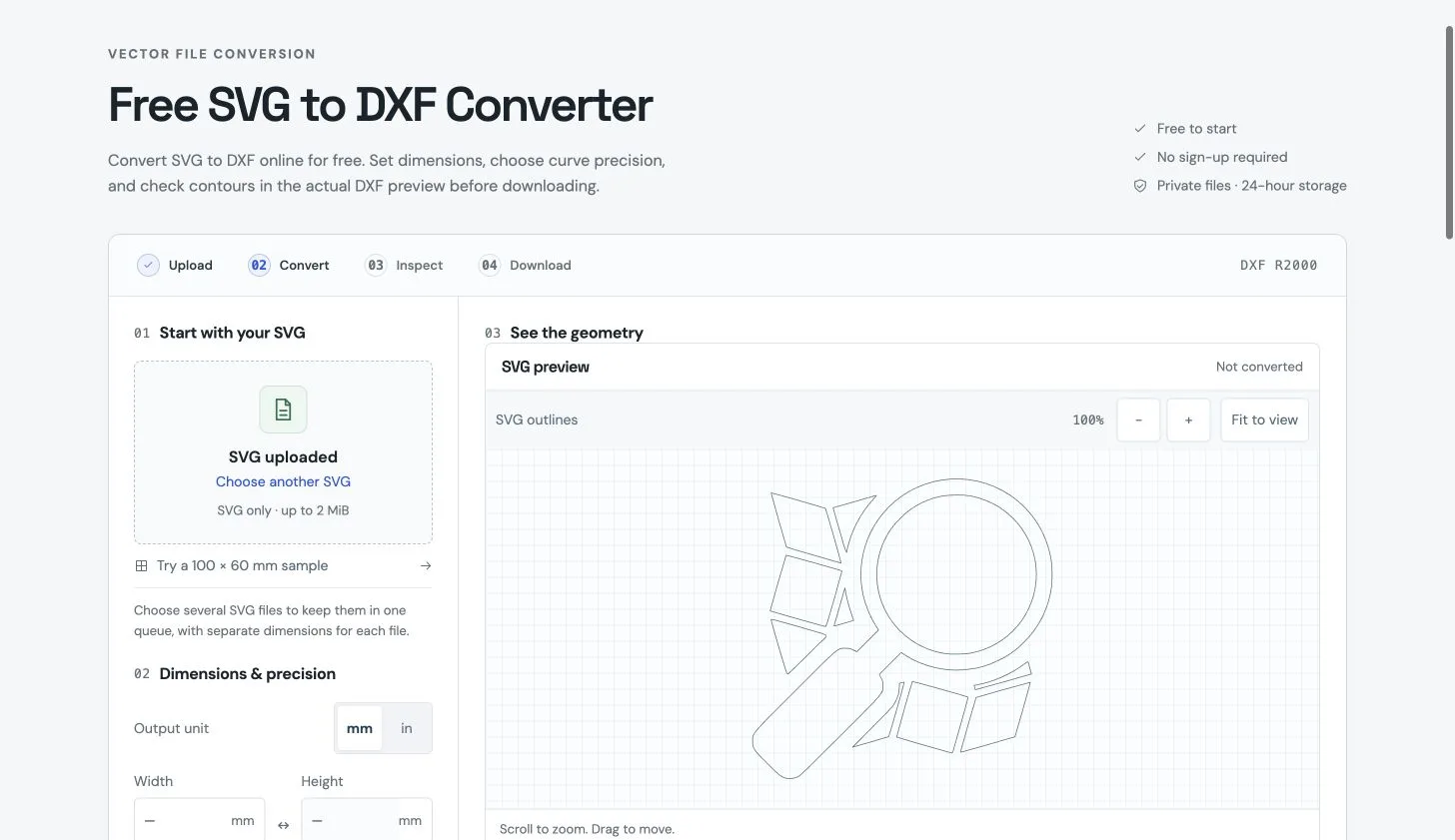
SVG upload and dimension setup (October 10, 2026)
Overview
What is SVG to DXF?
Convert SVG to DXF with dimension and geometry checks.
SVG to 2D DXF
SVG to DXF is an online converter for turning SVG vector artwork into downloadable 2D DXF files. Upload one SVG or a batch, confirm physical dimensions in millimeters or inches, choose the curve tolerance and DXF R2000 or R12, then inspect the generated geometry before downloading.
The tool compares supported SVG outlines with geometry read back from the actual DXF and reports open contours, exact duplicate segments and unsupported SVG features. Ready batch results can be downloaded together as a ZIP.
Free allowance and private uploads
Guests can start without signing up using a daily free allowance. Verified accounts receive trial credits, and additional conversions are available through one-time credit packs. Uploaded files are processed in private server storage, with access expiring 24 hours after upload and an option to delete earlier.
Practical limits
This is a deterministic geometry converter, not an AI drawing generator. It supports common paths and basic vector shapes, transforms and viewBox scaling. Convert text to paths and trace bitmap images before uploading.
Output is 2D geometry. The tool does not create CNC or laser machine instructions, automatically repair paths or remove duplicate segments, or guarantee compatibility with every device. Verify dimensions, contours and machining settings in the receiving CAD or CAM software.
Related workflow
Figma can be used to create or edit SVG artwork before conversion. It is listed as a related vector-design workflow, not as a claim of equivalent SVG-to-DXF conversion functionality.
Platforms and languages
SVG to DXF Availability
Platforms
Languages
Capabilities
SVG to DXF Key Features
Physical dimensions
Confirm SVG canvas dimensions in millimeters or inches before conversion; width and height can be resized together.
Adjustable curve precision
Choose a physical curve tolerance and export 2D DXF R2000 or R12 geometry.
Actual DXF geometry preview
Review geometry read back from the generated DXF and compare it with supported SVG outlines.
Contour and duplicate checks
See reports for open contours, exact duplicate segments and unsupported SVG features. These are warnings, not automatic repairs.
Batch downloads
Keep multiple SVG files in a queue with separate dimensions, and download ready batch results as a ZIP.
Best for
Who uses SVG to DXF?
Designers and makers
Prepare SVG artwork as 2D DXF geometry for further dimension and contour checks in a CAD or CAM workflow.
Plans and access
SVG to DXF Pricing
Freemium
Guests currently receive two free conversions per day. Accounts receive three daily conversions, and verified accounts receive five one-time trial credits. After the daily allowance, a successful conversion uses one credit. Optional one-time packs are USD 9.99 for 100 credits, USD 19.99 for 250 credits, and USD 39.99 for 600 credits. There is no monthly subscription. Repeat downloads of the same result are free.
Common questions
SVG to DXF FAQs
Can I try it without an account?
Yes. Guests currently receive two free conversions per day. Accounts have three daily conversions, and verified accounts receive five one-time trial credits. Additional conversions are available in optional one-time credit packs.
Does the tool use AI or create machine instructions?
No. It performs deterministic 2D SVG geometry parsing and DXF conversion. It does not generate drawings with AI or output CNC or laser machine instructions.
Does it convert text, trace bitmaps or repair contours automatically?
No. Convert text to paths and trace bitmap images before uploading. Open-contour and exact-duplicate warnings assist inspection; the tool does not automatically close paths, repair geometry or remove duplicates. Verify output dimensions and machining settings in your target CAD or CAM software.
Compare similar tools
SVG to DXF Alternatives

Reviews
See what the community thinks and share your experience.
—
Based on 0 ratings
Rating distribution
Community reviews
No reviews
No written reviews yet.