An AI avatar video maker that turns a script into a complete presenter-led video with a realistic avatar, natural voice, B-roll, and subtitles.
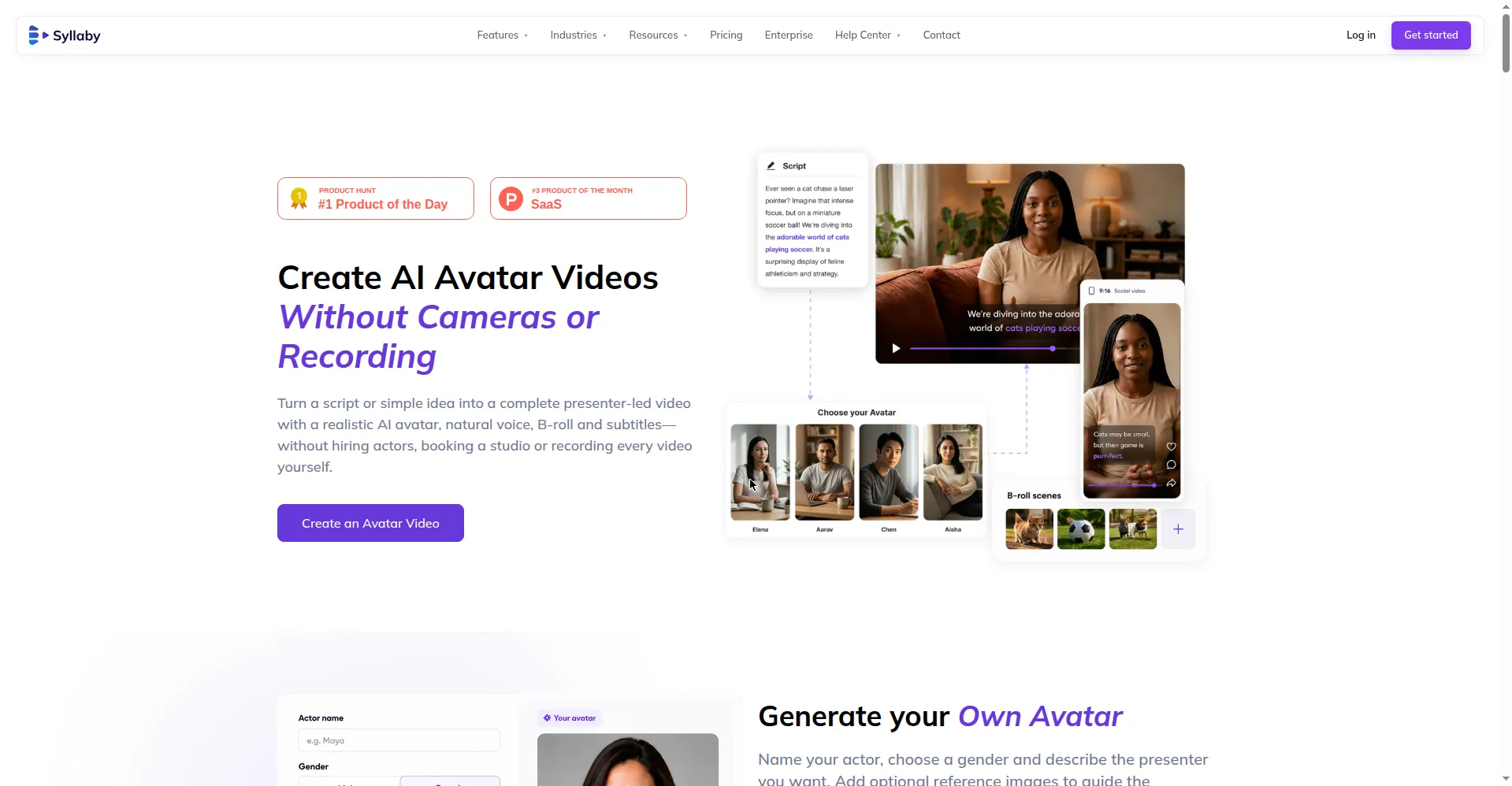
Syllaby AI Avatar 2.0 feature page hero
1 / 2Overview
What is Syllaby AI Avatar 2.0?
Create AI Avatar Videos Without Cameras or Recording
Syllaby AI Avatar 2.0 is the avatar video feature of Syllaby, the one-stop AI video creation platform. Turn a script or a simple idea into a complete presenter-led video with a realistic AI avatar, natural voice, B-roll, and subtitles — without hiring actors, booking a studio, or recording every video yourself.
Generate your own avatar (name it, pick a gender, describe the presenter, upload reference images) and reuse it across videos, or pick from a library of diverse realistic presenters. The workflow is script → choose avatar → customize → generate: control the presenter, voice, per-scene editing, narration delivery, B-roll placement, and styled auto-captions in one flow, keeping brand consistency across all content.
Plans run $9–$153/month (Starter $9, Basic $29, Standard $78, Premium $153, plus Enterprise) on a credit system — an avatar video costs 30 credits — and new users get a 7-day free trial. Available on web, iOS, and Android, with video creation in 24 languages.
Platforms and languages
Syllaby AI Avatar 2.0 Availability
Platforms
Languages
Capabilities
Syllaby AI Avatar 2.0 Key Features
Generate your own avatar
Name your actor, choose a gender, describe the presenter you want, and upload reference images to guide the look — then reuse the avatar across videos.
Preset AI presenter library
Choose from a diverse library of realistic presenters suited to different content, audiences, and brands.
Four-step simple workflow
Script → choose avatar → customize → generate: one click turns a script into a complete presenter-led video with B-roll and subtitles.
Full in-flow video control
Control the presenter, voice, per-scene editing, narration delivery tone, B-roll placement, and styled auto-captions in the same workflow.
Brand consistency
Customize an avatar with a single image — scenes, pictures, or brand colors — and keep a consistent brand face across all content.
Best for
Who uses Syllaby AI Avatar 2.0?
Content creators, marketers, and brands producing social, marketing, and educational videos
Produce presenter-led videos without cameras, actors, or a studio
Plans and access
Syllaby AI Avatar 2.0 Pricing
Paid
Starter $9/mo, Basic $29/mo, Standard $78/mo, Premium $153/mo. 7-day free trial. Avatar video = 30 credits.
Common questions
Syllaby AI Avatar 2.0 FAQs
Is there a free trial?
Yes — new users get a 7-day free trial with full access; cancel within 7 days and you won't be charged, otherwise it converts to a paid subscription.
How many languages does Syllaby support?
24 languages for video creation, including Arabic, English, French, German, Hindi, Japanese, Mandarin, Portuguese, Russian, Spanish, and Vietnamese.
How do credits work?
Plans include monthly credits (an avatar video costs 30 credits, a faceless video 13, a thumbnail 3). Run out and you can buy more or upgrade.
How do I get help?
In-app chat and email support ([email protected]), plus a Facebook community and Reddit r/Syllaby.
Reviews
See what the community thinks and share your experience.
—
Based on 0 ratings
Rating distribution
Community reviews
No reviews
No written reviews yet.