Private on-device AI that saves your posts, videos, screenshots and PDFs, then finds any detail inside them — in your own words.
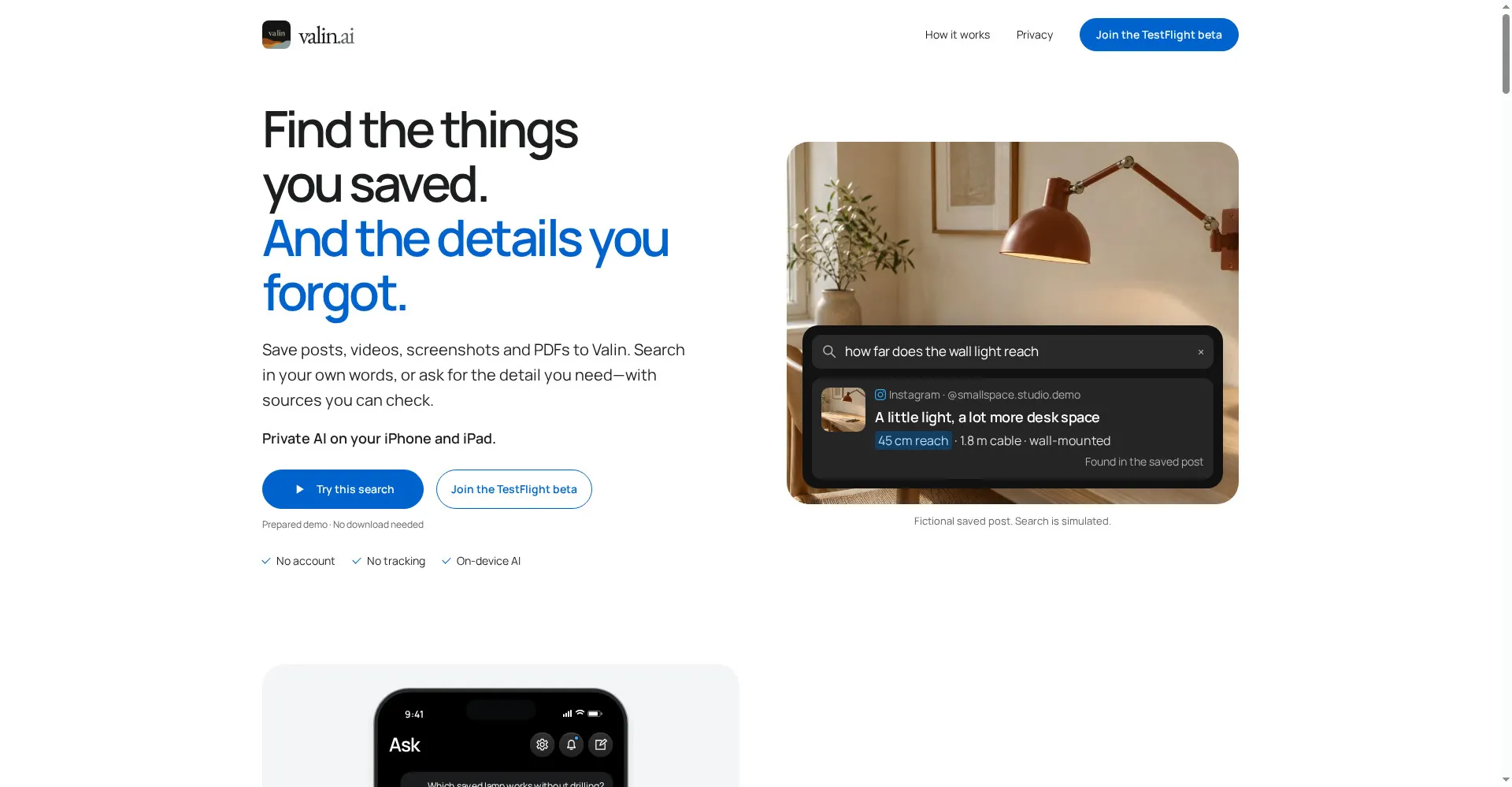
Valin homepage
1 / 2Overview
What is Valin?
Your private memory for everything you save.
Valin is your private memory for everything you save. Save posts, videos, screenshots and PDFs from the apps you already use, then search them in your own words — or ask for the detail you need, with sources you can check.
- Save from Instagram, Safari and other apps, or import photos and PDFs
- Ask in your own words: the answer comes with the source it was found in
- Finds details in video frames, audio and captions
- Private on-device AI: no account, no tracking, optional private iCloud sync
- Works on iPhone and iPad
Free while in TestFlight beta. Requires iOS 26 or iPadOS 26 or later and a device with at least 8 GB of memory.
Platforms and languages
Valin Availability
Platforms
Languages
Capabilities
Valin Key Features
Save anything
Save posts, videos, screenshots and PDFs from Instagram, Safari and other apps.
Ask in your own words
Search your saves by meaning, or ask for the detail you need — with sources you can check.
Private on-device AI
All processing happens on your device. No account, no tracking, optional private iCloud sync.
Finds details in frames, audio and captions
The useful detail might be in a frame, the audio or the caption — Valin checks all three.
Your library, your rules
See, edit or delete every save; bring in saves you already have.
Best for
Who uses Valin?
People who save posts and never find them again
Save anything from any app and ask for the exact detail later
Privacy-conscious iPhone users
Keep a searchable personal memory that never leaves your device
Plans and access
Valin Pricing
Free
Free TestFlight beta; requires iOS 26+ and a device with 8 GB of memory.
Common questions
Valin FAQs
Do I need an account?
No. No Valin account is needed. Share from the apps you already use, or import photos and PDFs from your device.
How can I try Valin?
Install the beta through TestFlight. It requires iOS 26 or iPadOS 26 or later and a compatible device with at least 8 GB of memory — including iPhone 15 Pro and newer iPhones and compatible iPads. The AI model files use roughly 3.43 GB.
Can I sync my library across devices?
Yes, you can choose to sync privately with iCloud. An internet connection is needed to retrieve source content, download the AI models and sync between devices.
Reviews
See what the community thinks and share your experience.
—
Based on 0 ratings
Rating distribution
Community reviews
No reviews
No written reviews yet.