AI employee for Slack and Microsoft Teams that does real work across 3,200+ tools, on a credit-based freemium plan.
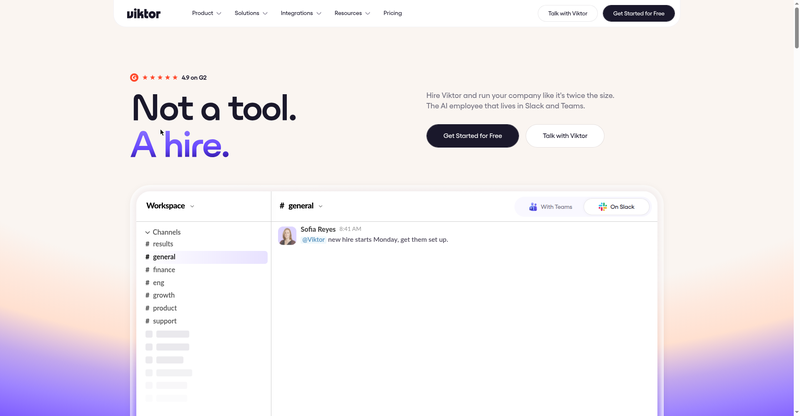
Viktor.com homepage hero
1 / 2Overview
What is Viktor.com?
The AI employee that does the work, in Slack & Teams
Viktor is an AI employee that does the work — inside Slack and Microsoft Teams, where your team already talks. It works across Slack, Notion, HubSpot, Linear, Drive, Stripe, and 3,200+ tools, sends weekly performance reports, and learns from past decisions.
Sensitive actions go through approval gates, and spend caps keep costs predictable. Setup takes about two minutes. The free plan includes $100 of credit that never expires; the Team plan is $100/month with 40,000 shared monthly credits and rollover, and Enterprise is custom.
- AI employee that works inside Slack and Microsoft Teams
- 3,200+ tool integrations across your stack
- Weekly performance reports; learns from past decisions
- Approval gates for sensitive actions and spend caps
- 2-minute setup; free plan with $100 credit that never expires
Platforms and languages
Viktor.com Availability
Platforms
Languages
Capabilities
Viktor.com Key Features
AI employee in Slack and Teams
A coworker that lives in Slack and Microsoft Teams and does real work instead of just answering questions.
3,200+ tool integrations
Works across Slack, Notion, HubSpot, Linear, Drive, Stripe, and thousands more tools.
Learns and reports
Sends weekly performance reports and learns from your team's past decisions.
Approval gates and spend caps
Sensitive actions pause for approval, and spend caps with auto-recharge keep usage predictable.
2-minute setup
Connect your workspace and start delegating in about two minutes.
Best for
Who uses Viktor.com?
Teams that want an AI employee inside Slack or Microsoft Teams
Delegate real work across their stack to an AI employee with approval gates and spend caps
Plans and access
Viktor.com Pricing
Freemium
Free $0 (includes $100 credit); Team $100/mo; Enterprise custom.
Common questions
Viktor.com FAQs
Is the free trial really free?
Yes — the free plan includes $100 of credit with no card required, and the credit never expires.
What can credits do?
Credits pay for the work Viktor does across your tools; the Team plan includes 40,000 shared monthly credits with rollover and top-ups.
Can I change plans anytime?
Yes, you can change plans at any time.
Do unused credits roll over?
Yes — unused credits on the Team plan roll over to the next month.
Is it priced per seat?
The free plan is unlimited with all features and integrations; the Team plan uses shared monthly credits rather than per-seat pricing.
Reviews
See what the community thinks and share your experience.
—
Based on 0 ratings
Rating distribution
Community reviews
No reviews
No written reviews yet.