A free in-browser AI transcriber for audio and video across 100+ languages, no signup needed.
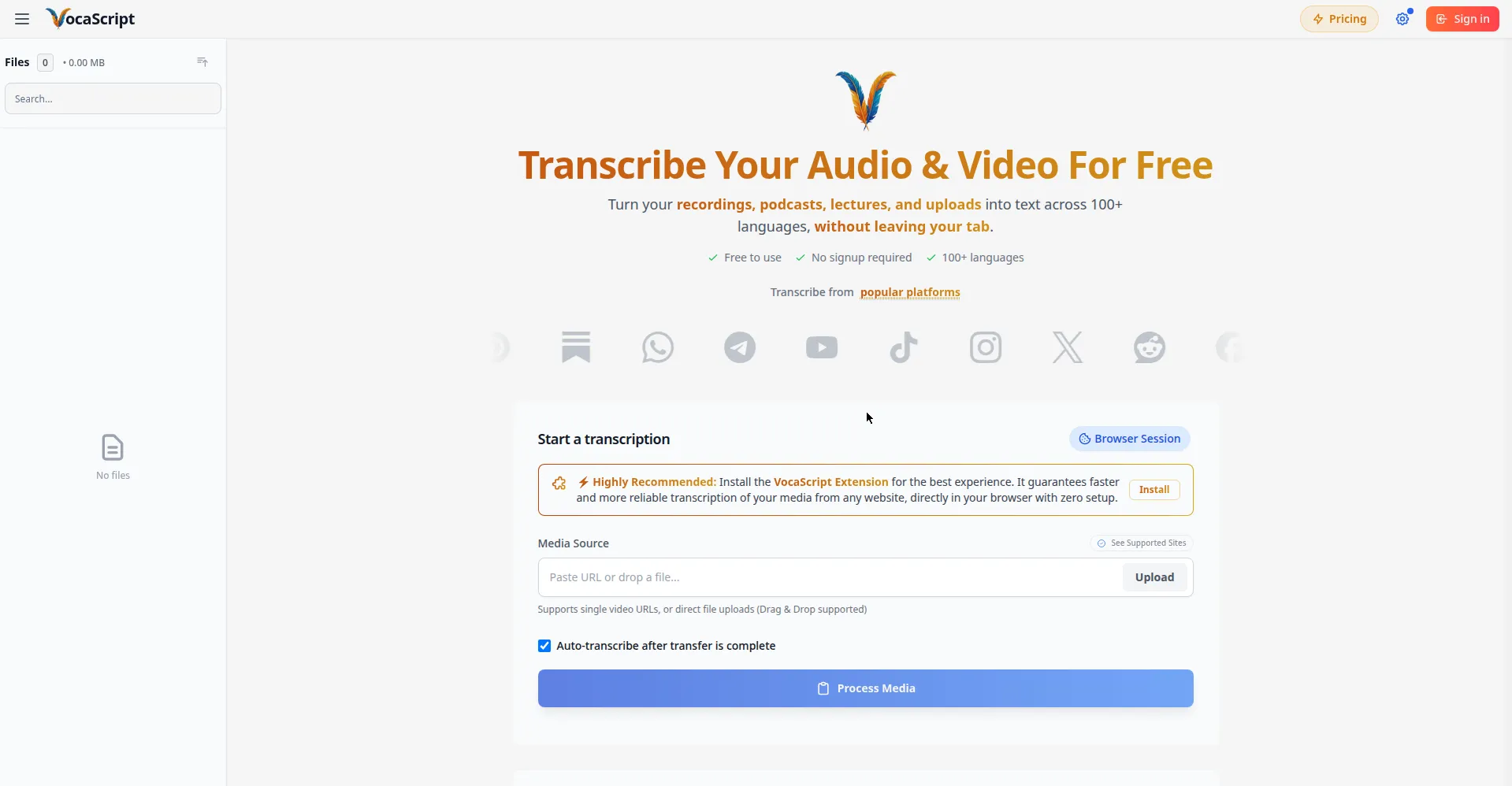
Transcribe Your Audio & Video For Free
1 / 2Overview
What is VocaScript?
Transcribe hours-long recordings, reliable to the end.
VocaScript is a free AI audio and video transcriber that runs in your browser. Turn recordings, podcasts, lectures, and uploads into text across 100+ languages without leaving your tab — no signup required. Paste a link or upload a file, and get speaker detection with timestamps, transcription and translation, a full transcript workflow (proofread, retranscribe segments, fix timestamps), and export in TXT, SRT, VTT, or JSON. A browser extension captures audio from any tab for the most reliable results. Privacy is built in: guest work stays in your browser. Free to use (guests: 3 transcriptions/day up to 5 min each; free account: 120 min/month); Plus, Pro, and Max plans add more minutes and longer transcriptions.
Platforms and languages
VocaScript Availability
Platforms
Languages
Capabilities
VocaScript Key Features
Links, uploads, or any tab
Upload audio/video files or paste links to podcasts, videos, and social posts; a browser extension captures any tab.
Transcribe and translate
Transcribe in 100+ languages and translate with synchronized timestamps.
Speaker detection
Advanced diarization separates speakers into clear, readable blocks.
Transcript workflow
Proofread full transcripts, retranscribe bad segments, fix timestamps, and clean speaker labels in one flow.
Export and share
Export in creator-ready formats and send transcripts straight to ChatGPT, Claude, or any AI tool.
Best for
Who uses VocaScript?
creators, students, and professionals
transcribing recordings, podcasts, and meetings in the browser
Plans and access
VocaScript Pricing
Freemium
Common questions
VocaScript FAQs
Is VocaScript free?
Yes. You can transcribe without an account — guests get 3 transcriptions per day up to 5 minutes each. A free account gives 120 minutes per month.
What can I transcribe?
Both. Upload an audio or video file directly, or paste a URL to public media like podcasts, YouTube videos, or social posts.
Which languages are supported?
Yes — 100+ languages with automatic or manual selection, plus translation with synchronized timestamps.
Does the AI hallucinate words?
Unlike generic AI models, it uses strict guardrails for verbatim transcription and tags unintelligible speech as [inaudible] instead of guessing.
What export formats are available?
Export as TXT on all plans; paid plans add SRT, VTT, and JSON. A Send to AI button opens your assistant with the transcript pre-loaded.
Reviews
See what the community thinks and share your experience.
—
Based on 0 ratings
Rating distribution
Community reviews
No reviews
No written reviews yet.