WorkMonitor
Connect recorded hours with team activity, AI insights and project costs.
Track work time and team activity, with an AI productivity copilot on Pro and project billing on Business.
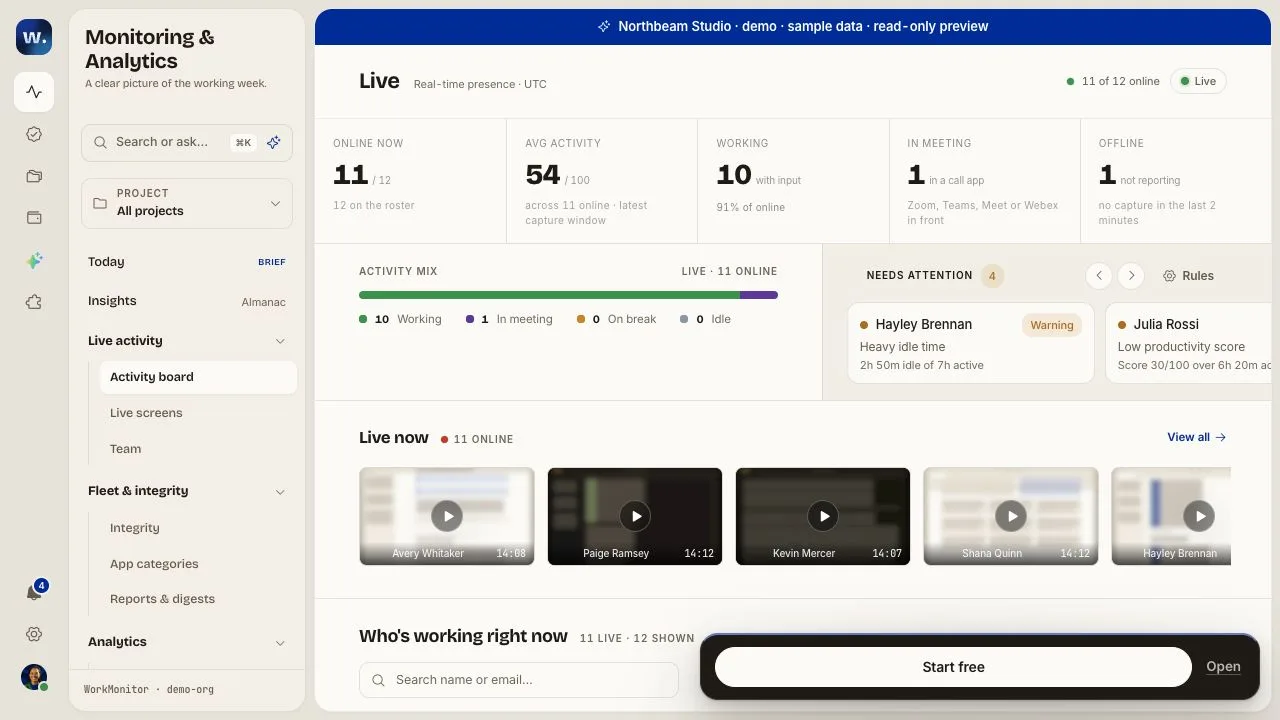
Activity Board — actual public demo with sample data
Overview
What is WorkMonitor?
Connect recorded hours with team activity, AI insights and project costs.
WorkMonitor helps remote and hybrid teams understand the activity behind their timesheets. Windows, macOS and Linux agents bring recorded work time and activity context into a shared browser workspace. Team leads can review working patterns while members inspect their own records and control individual capture signals.
Pro adds productivity scores, heatmaps, an AI copilot and a REST API. Business connects tracked effort to rates, invoices, project margins and payroll exports. Those plan boundaries help buyers choose the features they need.
Free supports up to two people without a card and includes seven-day basic analytics. Pro is $8 per user per month with monthly billing, or $6.67 with annual billing. Business is $14 monthly or $11.67 with annual billing. Enterprise pricing is custom.
The public demo lets buyers explore the interface with sample data before rollout. The submitted Activity Board image is an actual demo capture. AI and advanced analytics require Pro; billing and payroll workflows require Business.
Platforms and languages
WorkMonitor Availability
Platforms
Languages
Capabilities
WorkMonitor Key Features
Time and activity in one workspace
Windows, macOS and Linux agents connect recorded hours and activity context to a shared browser workspace for team and timesheet review.
AI productivity review on Pro
Pro adds an AI copilot, productivity scores, heatmaps and a REST API for reviewing team patterns and connecting reporting workflows.
Connect effort to financial workflows on Business
Business adds rates, invoices, project margins and payroll exports so tracked effort can support billing and operations.
Best for
Who uses WorkMonitor?
Remote and hybrid teams, agencies and operations leaders
Review working patterns and project effort, then connect tracked hours to billing or payroll on Business.
Plans and access
WorkMonitor Pricing
Freemium
Free for 2 users; Pro from $8/user/month (monthly billing)
Free: up to 2 users, no card, 7-day basic analytics. Pro: $8/user/month with monthly billing or $6.67/user/month billed annually; AI copilot, scores, heatmaps and REST API. Business: $14/user/month monthly or $11.67/user/month billed annually; adds rates, invoicing, margins and payroll exports. Enterprise: custom pricing for identity and governance features.
Common questions
WorkMonitor FAQs
What does the free plan include?
Free supports up to two users without a card and includes seven-day basic analytics. Pro adds the AI copilot, scores and heatmaps. Business adds invoicing, rates, margins and payroll exports.
WorkMonitor Alternatives
 Staff Time TrackerEmployee time tracking and workforce management software
Reviews
See what the community thinks and share your experience.
—
Based on 0 ratings
Rating distribution
Community reviews
No reviews
No written reviews yet.