AI Image Text Editor
Revise image wording in marked regions, then review the candidate.
Replace wording in JPG, PNG or WebP images using marked regions, then review the result. Limited starter credits; further editing can require payment.
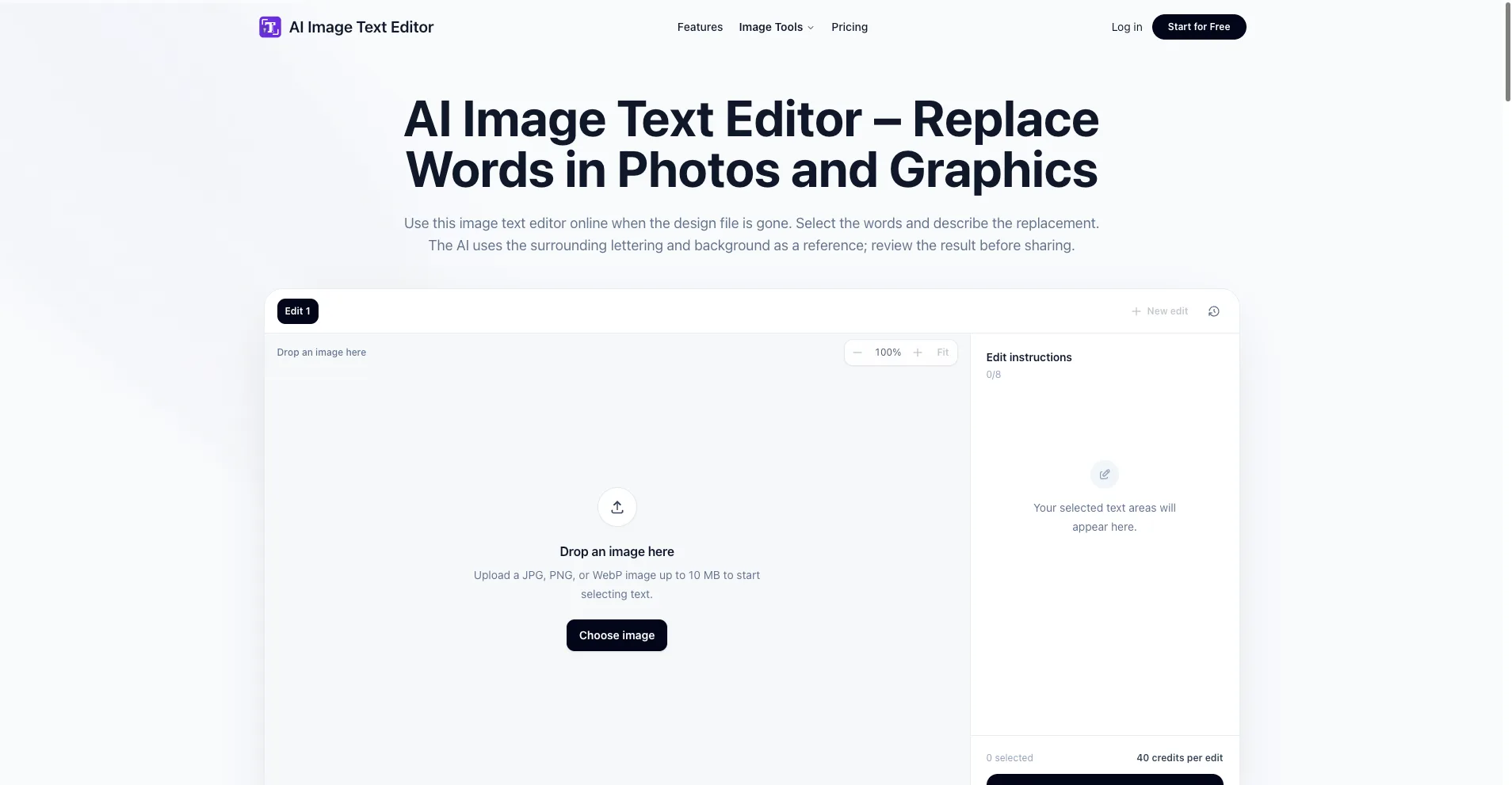
AI Image Text Editor public homepage and empty editing workspace
Overview
What is AI Image Text Editor?
Revise image wording in marked regions, then review the candidate.
AI Image Text Editor is a browser-based screenshot text editor for revising wording in an existing image. Mark the intended text area and describe the replacement rather than treating a complete screenshot as an editable source document.
The tool accepts JPG, PNG and WebP images up to 10 MB and supports up to eight marked text regions. Nearby lettering and background can provide visual references. Every generated candidate still needs a check for spelling, line breaks, neighboring labels and background artifacts.
A practical use case is an authorized caption correction in a presentation graphic. Retain the original capture, agree on the exact replacement phrase, compare the result at its intended display size, and keep a note of the change when sharing. Editing wording does not establish dates, permissions or factual accuracy.
Edits use credits. New accounts receive a limited initial allowance; continued use can require a subscription or credit pack. This is not unlimited free editing, guaranteed secure redaction or a substitute for original records. Only upload images you have permission to alter.
This is a project-associated description prepared with AI assistance, not an independent user review. The focus is a clear correction-and-review workflow with explicit limits, rather than a promise of automatic or perfect results.
Platforms and languages
AI Image Text Editor Availability
Platforms
Languages
Capabilities
AI Image Text Editor Key Features
Region-based image wording changes
Mark up to eight text regions in a JPG, PNG or WebP image up to 10 MB and describe the desired wording. Nearby lettering and background can provide visual references. Review the resulting candidate for spelling, layout and artifacts before sharing. Edits consume credits; limited initial credits are available, while continued use can require a paid plan or credit pack.
Best for
Who uses AI Image Text Editor?
People preparing authorized screenshot corrections
Correct an approved caption or label in a presentation image, keep the original capture, and review the resulting wording, line breaks and background before sharing. Note the change when it matters to the recipient; editing text does not verify the underlying event.
Plans and access
AI Image Text Editor Pricing
Freemium
New accounts receive a limited initial credit allowance. Editing consumes credits; further use can require a subscription or credit pack. This is not unlimited free editing. Check the homepage pricing information for current allowances and charges.
Compare similar tools
AI Image Text Editor Alternatives
Reviews
See what the community thinks and share your experience.
—
Based on 0 ratings
Rating distribution
Community reviews
No reviews
No written reviews yet.