AI photo extender
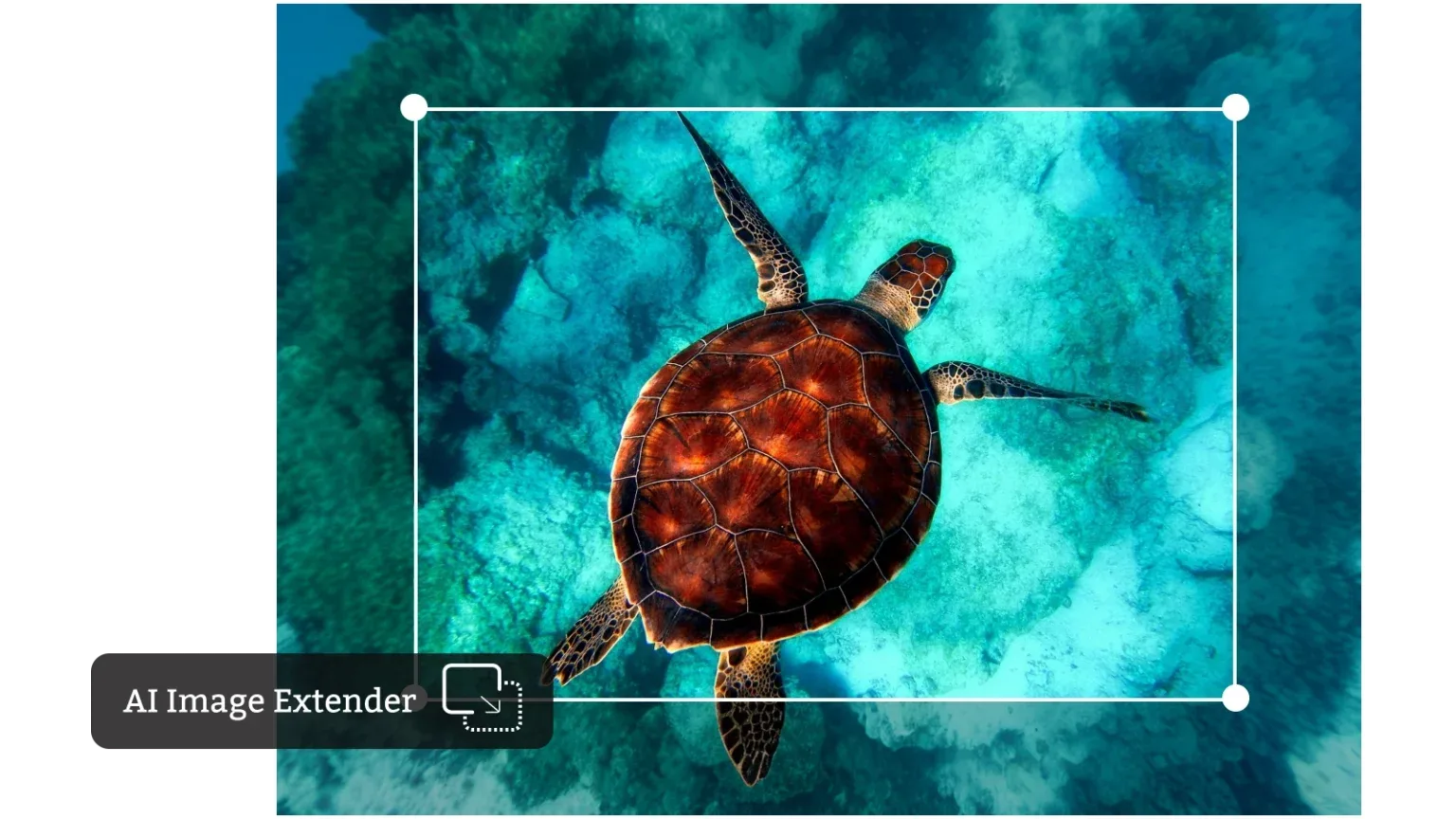
Use the AI-driven image extender to effortlessly expand images, repair edges, and enhance details. Upload photos to fill missing areas, extend image content, and create seamless, high-resolution results.
Free online AI image extender that expands photos beyond their original borders using AI outpainting while preserving visual consistency.
ai-image-extender-3-1536x864.webp
1 / 2Overview
What is AI photo extender?
Use the AI-driven image extender to effortlessly expand images, repair edges, and enhance details. Upload photos to fill missing areas, extend image content, and create seamless, high-resolution results.
What is AILabTools AI Image Extender?
AILabTools AI Image Extender is a free online AI outpainting tool that expands images beyond their original boundaries. It generates new visual content around existing photos while maintaining consistent colors, textures, lighting, and scene composition.
Key Features
- AI Image Expansion: Extend image boundaries without manually reconstructing the background.
- AI Outpainting: Generate context-aware content that blends naturally with the original image.
- Photo Uncropping: Expand the canvas to improve composition and restore missing surrounding areas.
- Background Extension: Create additional background space for different creative layouts.
- Online Accessibility: Use the tool directly in your browser without registration or software installation.
How to Use
- Upload an image you want to expand.
- Configure the available image extension settings.
- Let AI generate content beyond the original image boundaries.
- Preview and download the expanded image.
Who Can Benefit?
AI Image Extender is useful for photographers, graphic designers, content creators, e-commerce sellers, and digital marketers who need to adapt images for different layouts and publishing formats.
Common use cases include expanding product backgrounds, improving photo composition, creating social media visuals, and preparing images for banners or advertisements.
What Makes It Useful?
Unlike traditional image resizing, AI image extension generates new visual content instead of stretching existing pixels. It provides a practical alternative to manual background reconstruction.
The online tool is available for free, with commercial API options for developers and businesses.
Limitations
Results may vary depending on image quality, scene complexity, and the amount of expansion required. AI-generated areas should be reviewed before professional or commercial use.
Platforms and languages
AI photo extender Availability
Platforms
Languages
Capabilities
AI photo extender Key Features
AI Image Expansion
Expand images beyond their original borders with AI-generated content.
AI Outpainting
Generate new visual content around existing images to create a natural continuation of the original scene.
Intelligent Edge Restoration
Repair incomplete image edges and fill missing areas with context-aware AI.
High-Resolution Image Output
Download expanded images for creative projects, marketing materials, and digital publishing.
AI Image Extender API
Integrate automated image expansion and outpainting into websites, applications, and image editing workflows.
Best for
Who uses AI photo extender?
Content Creators
Expand visuals for social media posts and digital content.
Photographers
Improve photo composition and restore missing edges.
Graphic Designers
Extend image canvases for creative layouts.
Plans and access
AI photo extender Pricing
Freemium
Free online image extension with paid API options for developers.
AILabTools AI Image Extender offers free online image expansion and AI outpainting without requiring registration or software installation.
Users can upload an image and extend its boundaries directly through their web browser.
Commercial API services are also available for developers and businesses looking to integrate AI image extension into their applications. API pricing depends on the selected service and usage requirements.
Common questions
AI photo extender FAQs
What is an AI image extender?
It uses artificial intelligence to expand an image beyond its existing boundaries.
Is AILabTools AI Image Extender free?
Basic online image extension is available for free, with paid options for advanced features.
How does AI outpainting work?
AI analyzes existing visual content and generates matching details outside the original image boundaries.
What types of images can I extend?
You can extend photographs, artwork, and images with incomplete backgrounds or missing edges.
Can I extend an image without cropping it?
Yes. AI outpainting adds new content outside the original canvas instead of cropping the existing image.
AI photo extender Alternatives
 PicYepRealistic AI photos from text or a reference
 CanvaCanva is a free-to-use online graphic design tool. Use it to create social media posts, presentations, posters, videos, logos and more.5.0(1)
Reviews
See what the community thinks and share your experience.
4.0
Based on 1 ratings
Rating distribution
Community reviews
1 review
As part of the AILabTools team, we developed this AI Image Extender to make photo expansion and AI outpainting more accessible. It helps users extend image backgrounds, improve photo composition, and adapt visuals for social media, e-commerce, and creative projects. The online tool is free to use and requires no registration.