Atlas
Generate and reconstruct worlds and bring creations into your own workflows with our tools and developer APIs.
World Labs' world model that turns photos or a greybox layout into an explorable 3D scene you can render and export as splats or meshes.
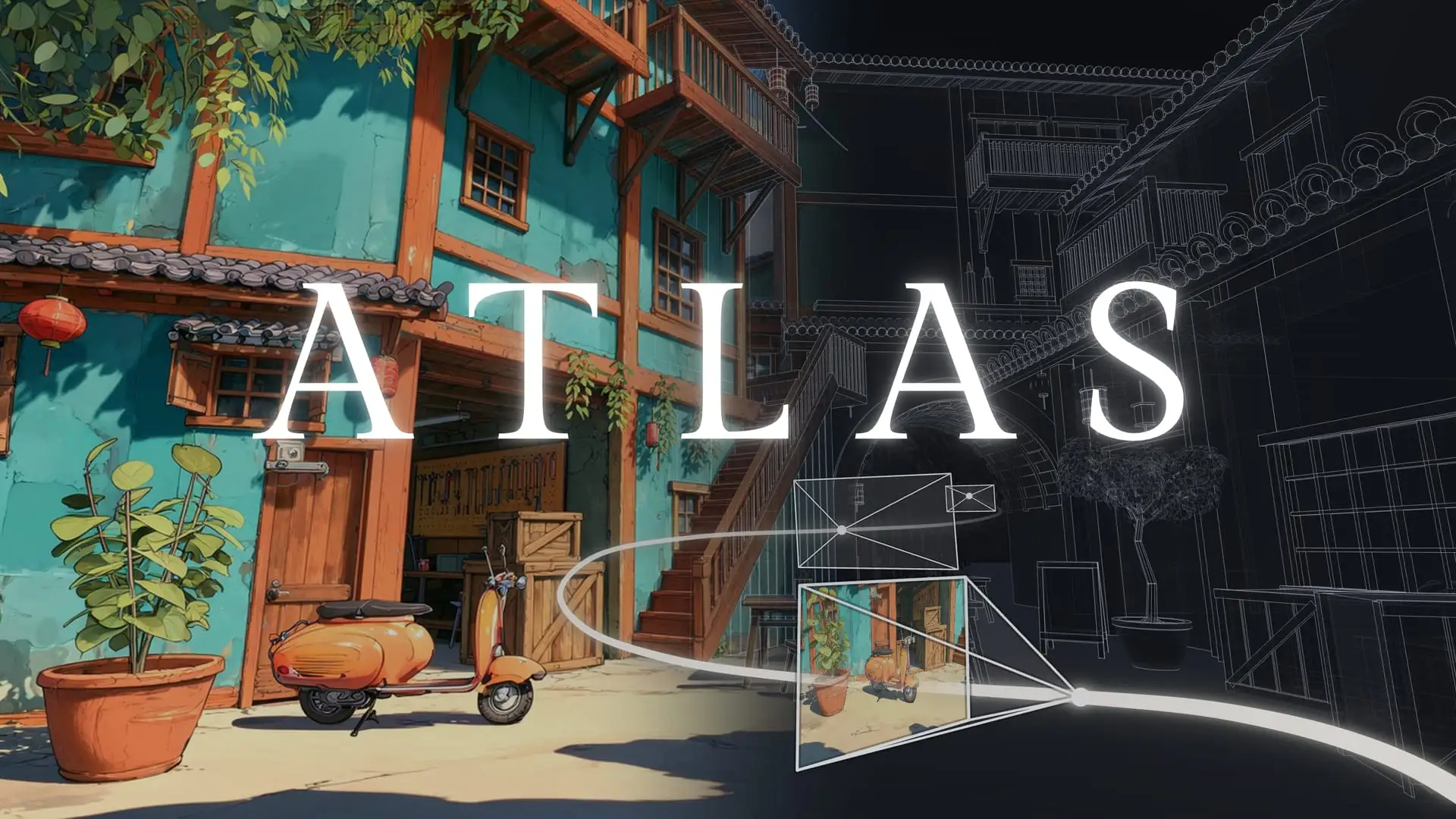
Atlas turns a photo into an explorable 3D world
Overview
What is Atlas?
Generate and reconstruct worlds and bring creations into your own workflows with our tools and developer APIs.
Atlas is World Labs' world model for generating and reconstructing explorable 3D worlds. Announced September 1, 2026 and opened to everyone on November 12, 2026, it takes photos, generated images, text, video, depth, and 3D structure as input and produces scenes you can move a camera through, render as video, or export as 3D Gaussian splats and meshes. Viewfinder reconstructs scenes from 1 to 64 photos, Chisel shapes worlds from greybox layouts, Splats to Mesh converts splats into polygon meshes, Relight re-lights splats, and a public API plus a Blender extension bring Atlas into existing 3D workflows. Frameboy streams Atlas scenes to the browser in real time at up to 15 frames per second. Atlas is a closed product available through World Labs' apps and API; no model weights or paper have been published.
Platforms and languages
Atlas Availability
Platforms
Languages
Capabilities
Atlas Key Features
Viewfinder scene reconstruction
Reconstruct a scene from 1 to 64 photos, move the camera, and render camera paths and video.
Chisel greybox scene building
Block out walls and furniture from shapes, then style the scene with prompts or reference images.
Splats to Mesh export
Convert a Gaussian splat into a polygon mesh with real geometry for games and 3D tools.
Relight splat editing
Adjust lighting and manipulate splats after reconstruction, without rebuilding the scene.
Public API and Blender extension
Every app endpoint is available to developers, with a CLI, coding-agent skills, and a Blender extension.
Frameboy real-time preview
Stream Atlas worlds to the browser in real time at up to 15 frames per second and walk through them.
Best for
Who uses Atlas?
Game developers and 3D artists prototyping levels, sets, and environments
Turn photos or greybox layouts into explorable scenes and exportable meshes
Filmmakers, architects, and real-estate teams capturing real places in 3D
Reconstruct a room from photos and render camera moves or export splats
Robotics teams building simulation environments from real scenes
Generate spatial environments from photos for simulation workflows
Plans and access
Atlas Pricing
Unknown
Splat creation: refined run 5,000 credits ($5), draft 500 credits ($0.50); no dedicated Atlas pricing page yet.
Common questions
Atlas FAQs
Is Atlas available to everyone now?
Yes. World Labs opened Atlas to everyone on November 12, 2026. You can sign up at the Atlas app and use Viewfinder, Chisel, and the API.
What does Atlas cost?
Splat creation is credit-based: a refined splat run costs 5,000 credits ($5), a draft run 500 credits ($0.50), and failed runs are free. World Labs has not published a dedicated Atlas pricing page, and prices for generation, video, and other API calls are still unpublished.
How many photos do I need to rebuild a room?
Upload 1 to 64 photos of a place in Viewfinder. One photo generates a plausible surrounding scene; overlapping photos reconstruct the real place with a camera pose and depth map per frame.
Can I open Atlas output in Blender?
Yes. Blender 5.3 imports Gaussian splats natively, so SPZ or PLY files from Atlas open directly. World Labs also ships an Atlas Blender extension for generation and editing inside Blender.
Is Atlas open source?
No. Atlas is a closed product: no model weights, paper, or model card have been published. It is only available through World Labs' own apps and API.
Reviews
See what the community thinks and share your experience.
—
Based on 0 ratings
Rating distribution
Community reviews
No reviews
No written reviews yet.