Free open-source desktop app that dispatches every AI coding agent from one window, with spend tracking and an approval queue for risky writes.
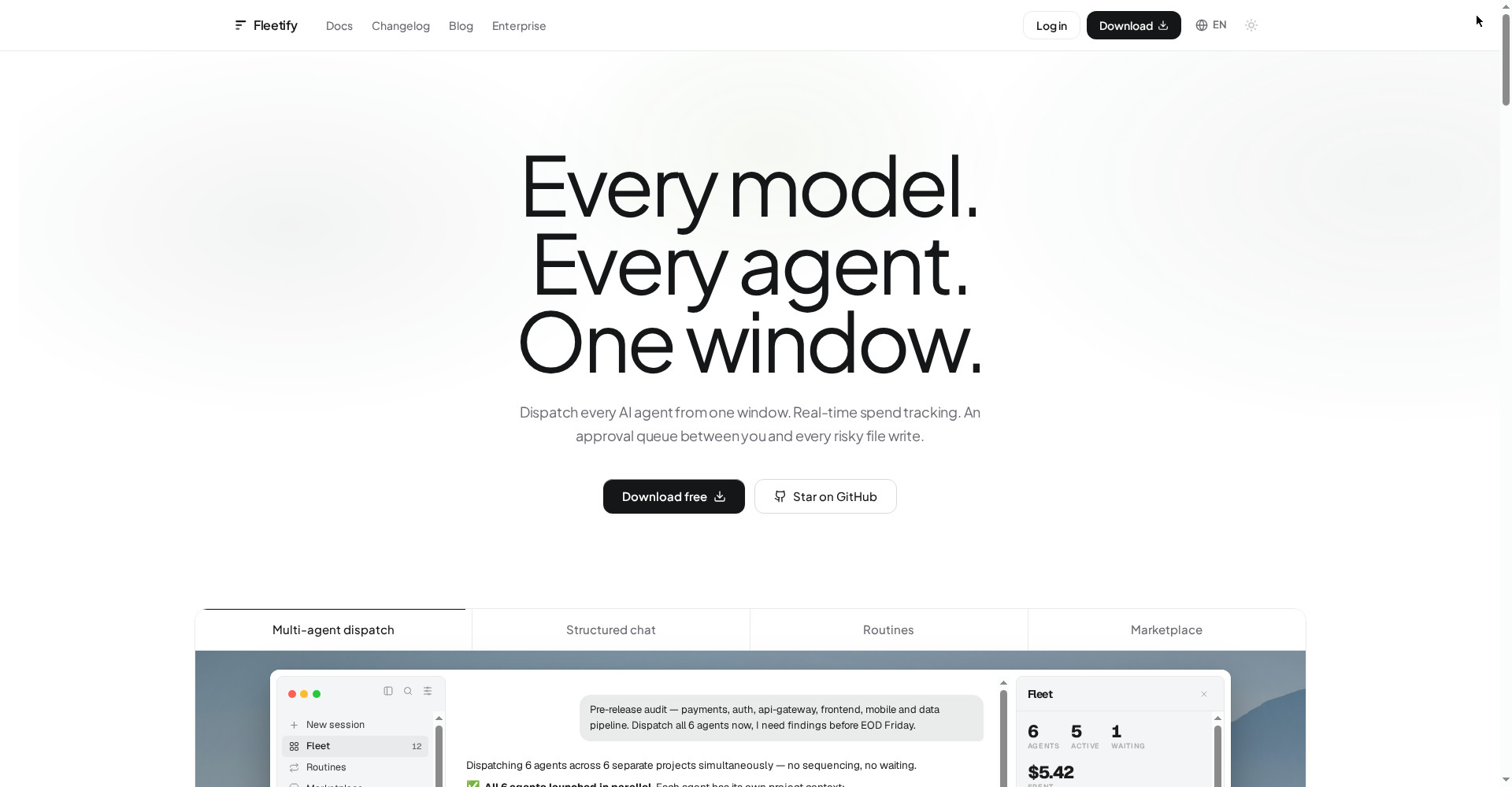
Fleetify homepage
1 / 3Overview
What is Fleetify?
Open-source command center for your AI coding agents
Fleetify is a free, open-source command center for AI coding agents. Open one session per project, drive Claude, Codex, Gemini and more from a single chat surface, and watch every tool call render as an inspectable card instead of raw terminal output.
The Fleet panel keeps the whole rack in view — who is running, who is idle, what has been spent, what needs your attention — and an approval queue sits between you and every risky file write.
Platforms and languages
Fleetify Availability
Platforms
Languages
Capabilities
Fleetify Key Features
Multi-agent dispatch
Dispatch every AI agent from one window, with one session per project.
Structured chat
Drive Claude, Codex, Gemini and more from a single chat surface, with tool calls as inspectable cards.
Routines
Save repeatable agent workflows as routines and run them on demand.
Plugin marketplace
Install plugins for Postgres, Slack, Linear, Notion, AWS and more from the built-in marketplace.
Fleet command center
The Fleet panel keeps the whole rack in view: who is running, idle, or needs your attention.
Approval queue
An approval queue sits between you and every risky file write.
Best for
Who uses Fleetify?
Developers running several AI coding agents
Manage a fleet of agents across projects from one desktop window.
Teams standardising on AI coding tools
One command center for every model and every agent, with spend tracking built in.
Plans and access
Fleetify Pricing
Free
Common questions
Fleetify FAQs
Is Fleetify really free?
Yes. Fleetify is free and open source under the Apache 2.0 licence.
Which coding agents does it support?
Claude Code, Codex CLI, OpenCode, Cursor, Antigravity and Copilot CLI, across providers like Anthropic, OpenAI, Gemini, Mistral and DeepSeek.
Which platforms are supported?
Desktop apps for macOS, Windows and Linux.
What is the approval queue?
A queue that pauses risky file writes until you approve them, so agents never change code unchecked.
Reviews
See what the community thinks and share your experience.
—
Based on 0 ratings
Rating distribution
Community reviews
No reviews
No written reviews yet.