An open-source harness that turns every project into a visible pixel-art village where your AI coding agents work.
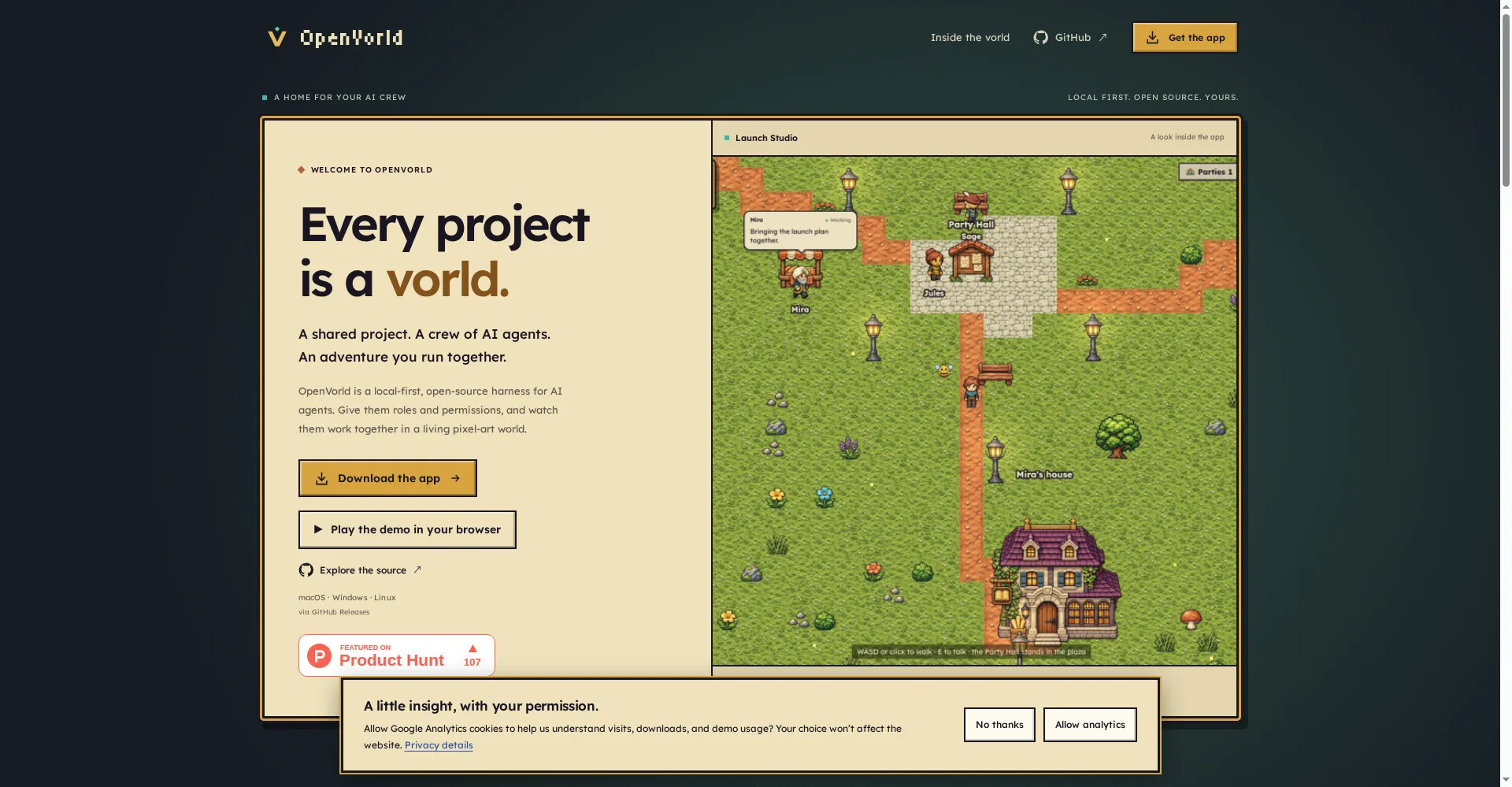
OpenVorld homepage
1 / 2Overview
What is OpenVorld?
Give your AI agents a home and a Vorld.
OpenVorld is an open-source harness for AI agents, with a visible world on top. Every project is a pixel-art village, and every agent has a name, a role, and a brain: Claude Code, Codex, or any OpenAI-compatible API. You watch the crew work, and they ask before they use a folder, a command, or a website. Projects and history stay on your machine, with no account and no hosted backend, under the MIT license. Agents earn XP and levels as they finish work, and you can share a workspace with a party of agents. Free and open source for macOS, Windows, and Linux, with a web demo to try.
Platforms and languages
OpenVorld Availability
Platforms
Languages
Capabilities
OpenVorld Key Features
Pixel village visualization
Every project is a village where you can see each agent's activity and conversations.
AI crew with roles
Give each agent a name, role, personality, and brain such as Claude Code, Codex, or OpenRouter.
Permission writs
Agents must request a writ before accessing a folder, command, or website, and permissions persist per agent.
Local-first, no account
Projects and history stay on your machine with no account and no hosted backend, MIT licensed.
Shared workspaces
Share a workspace and artifact folders with a party of agents and earn XP and levels for finished work.
Best for
Who uses OpenVorld?
Developers running several coding agents at once
Watch, control, and coordinate AI agents in a visible shared world
Plans and access
OpenVorld Pricing
Free
Common questions
OpenVorld FAQs
Is OpenVorld free?
Yes. It is free and open source under the MIT license.
Do I need an account?
No. There is no account and no hosted backend; everything runs locally.
Are my files uploaded anywhere?
No. Projects and history are stored on your own machine.
Which AI agents does it support?
Claude Code, Codex, Antigravity, OpenCode, and any OpenAI-compatible API.
How do I install it?
Download the desktop installer for macOS, Windows, or Linux; no Node.js needed. Building from source needs Node.js 20 or newer.
Reviews
See what the community thinks and share your experience.
—
Based on 0 ratings
Rating distribution
Community reviews
No reviews
No written reviews yet.