Google AI Studio
Vibe code a custom Android app in your browser - then run it on your own device with nothing but a Google account.
Google's free browser workspace for building with Gemini: describe an app in plain words and install it on your phone via Google Play.
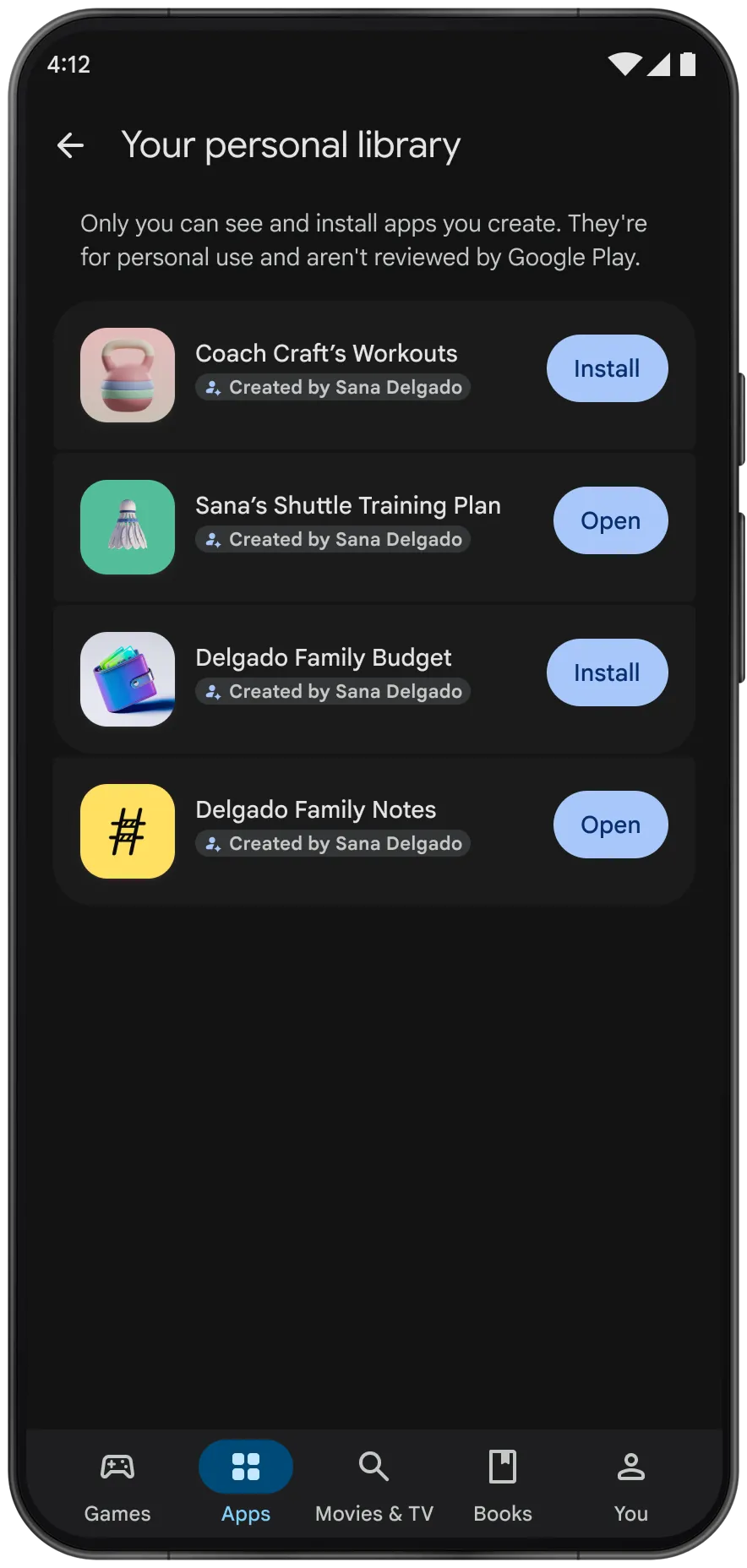
Google AI Studio personal apps library in Google Play
Overview
What is Google AI Studio?
Vibe code a custom Android app in your browser - then run it on your own device with nothing but a Google account.
Google AI Studio is Google's free, browser-based workspace for building with its Gemini models. The standout workflow: open Build mode, pick Android, and describe the app you want in plain language. An Antigravity Agent then generates a complete, native Android project in Kotlin with Jetpack Compose.
You can preview the app in a cloud Android emulator that streams to your browser, keep refining it in the chat panel, view or edit the generated code in the Code tab, or download the project as a ZIP file.
Since October 13, 2026, Google Play lets you launch these personal apps directly on your own device with a standard Google account - no developer account and no $25 registration fee required. Personal apps stay private and separate from the public store catalog, and live in a new personal library in the Play Store app.
Requirements: the personal-app route is rolling out in select markets (including the U.S.) to users 18 and older. Technical limits: apps are client-side only (no server features such as Firebase, multiplayer, or secrets management), use single-activity/single-module architecture in Kotlin and Jetpack Compose, and target phones and tablets only.
Platforms and languages
Google AI Studio Availability
Platforms
Languages
Capabilities
Google AI Studio Key Features
Prompt-to-native-Android builder
Describe the app in natural language; the agent assembles a complete Kotlin and Jetpack Compose project.
Browser-based Android emulator
A cloud emulator streams a Pixel-like device to the browser so you can tap, scroll, and test with no SDK or Android Studio install.
Chat iteration, code editing, ZIP export
Refine the app in the chat panel, edit generated code in the Code tab, or download the project as a ZIP file for Android Studio.
Install on your phone via Google Play
Since October 2026, launch personal apps on your own device via a new personal library in the Play Store - no developer account needed.
ADB install and internal testing route
Install the APK over USB via WebUSB, or publish to the Play Console internal testing track (developer account with $25 one-time fee required).
Best for
Who uses Google AI Studio?
Non-programmers with app ideas
Describe a personal utility app in plain language and run it on their own Android phone
Hobbyist makers and tinkerers
Prototype small personal tools like habit trackers or family organizers without Android Studio
Developers exploring AI-assisted coding
Generate a Kotlin/Jetpack Compose starter project and continue in Android Studio
Plans and access
Google AI Studio Pricing
Free
Common questions
Google AI Studio FAQs
Do I need to know how to code to use Google AI Studio?
No. You describe the app in plain language and the agent writes the code. You can optionally view or edit the generated Kotlin code, but it is not required.
Do I need to pay the $25 Google Play developer fee?
No. Installing a personal app on your own device only requires a standard Google account - no developer account and no $25 registration fee. A developer account is only needed if you want to publish to the Play Console's internal testing track or release publicly.
Can other people find or install my personal app on Google Play?
No. Personal apps stay private and separate from the public store catalog; they do not appear in Play search or listings. Only you can see and install them.
Is the personal-app feature available in my country?
The feature started rolling out on October 13, 2026 in select markets, including the United States, for users aged 18 and older. Google has not published the full list of markets.
What kinds of apps can't Google AI Studio build?
Personal apps are client-side only: no server features such as Firebase, multiplayer, or secrets management, no Wear OS or Android TV targets, and only single-activity projects in Kotlin and Jetpack Compose.
Reviews
See what the community thinks and share your experience.
—
Based on 0 ratings
Rating distribution
Community reviews
No reviews
No written reviews yet.