Ontor.ai watches your work rhythm and voice cues on Mac or Windows and suggests short breaks before fatigue builds.
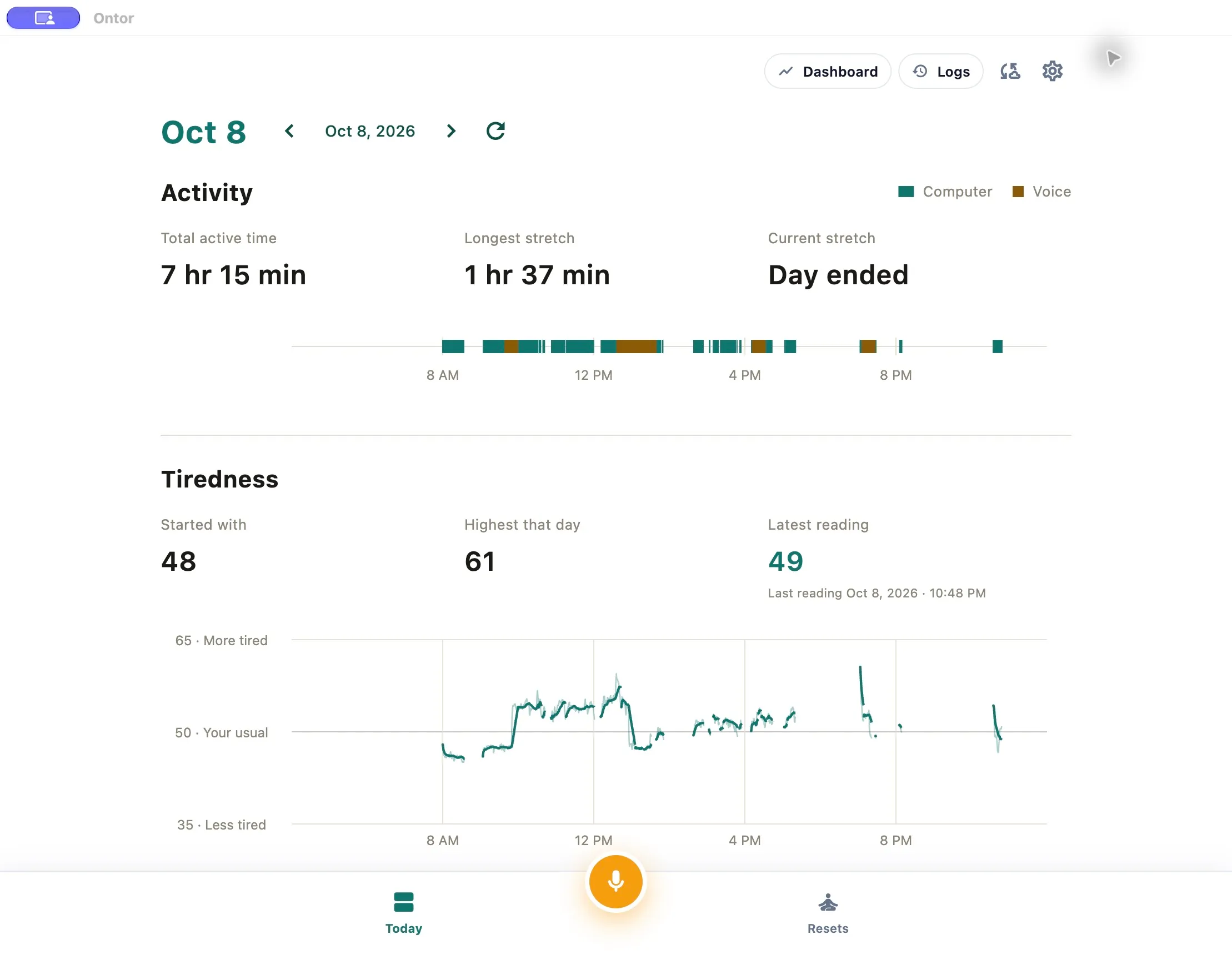
Ontor Today dashboard — active time, longest stretch, and tiredness trend
1 / 3Overview
What is Ontor.ai?
Smart breaks for healthy computer work.
Ontor is a desktop app for Mac and Windows that helps you take smarter breaks during long computer days. It learns how you interact with your computer — typing, clicking, scrolling, and pauses — and notices when your focus and work rhythm drift from your usual range. When a short break may help, it suggests one, along with a simple exercise such as a short walk or a stretch.
During calls, Ontor gives live feedback on signals such as energy, stress, fatigue, focus, and speech clarity, refreshed in short windows, so you can adjust without stopping the conversation. After a session you can review how each signal moved and where the biggest shift happened. Your analysis runs on your device, with optional cloud backup off by default. Try it free for 14 days with no card required, then $10 a month or $100 a year.
Platforms and languages
Ontor.ai Availability
Platforms
Languages
Capabilities
Ontor.ai Key Features
Work-rhythm break suggestions
Looks at typing, clicking, scrolling, and pauses to notice when your focus and work rhythm drift from your usual range, then suggests a short break.
Live voice feedback during calls
Refreshes readings such as energy, stress, fatigue, focus, and speech clarity in short windows while you speak, with cues you can act on mid-conversation.
Post-session review
Shows how each signal moved across a session and where the biggest shift happened, so you can see what changed and when.
On-device analysis
Analysis runs on your device, with optional cloud backup that stays off by default.
Snooze and move reminders
Move, snooze, or dismiss a reminder, and answer a quick tiredness check that helps personalize later readings.
Best for
Who uses Ontor.ai?
Desk workers and remote workers
Get timely break nudges and short resets during long computer days
Teams with heavy meeting loads
Bring calmer break habits to a whole team with a pilot
Plans and access
Ontor.ai Pricing
Paid
14-day free trial, no card required; then $10/month or $100/year.
Common questions
Ontor.ai FAQs
Does Ontor record what I type?
No. It looks at basic interaction patterns such as typing, clicking, scrolling, and pauses, and does not save what you type, which keys you press, or what you click on.
Do I need a wearable?
No. Ontor works from your computer alone, using interaction patterns and voice readings during calls.
Does it diagnose health conditions?
No. It does not diagnose any health condition or measure hydration, eye strain, or disease risk; it suggests breaks and simple exercises to support healthier work routines.
Can I snooze a reminder?
Yes. You can move it, snooze it, or dismiss it when the timing is wrong.
Reviews
See what the community thinks and share your experience.
—
Based on 0 ratings
Rating distribution
Community reviews
No reviews
No written reviews yet.