Free open-source Mac meeting recorder with a live AI assistant that answers from your docs while you are still on the call.
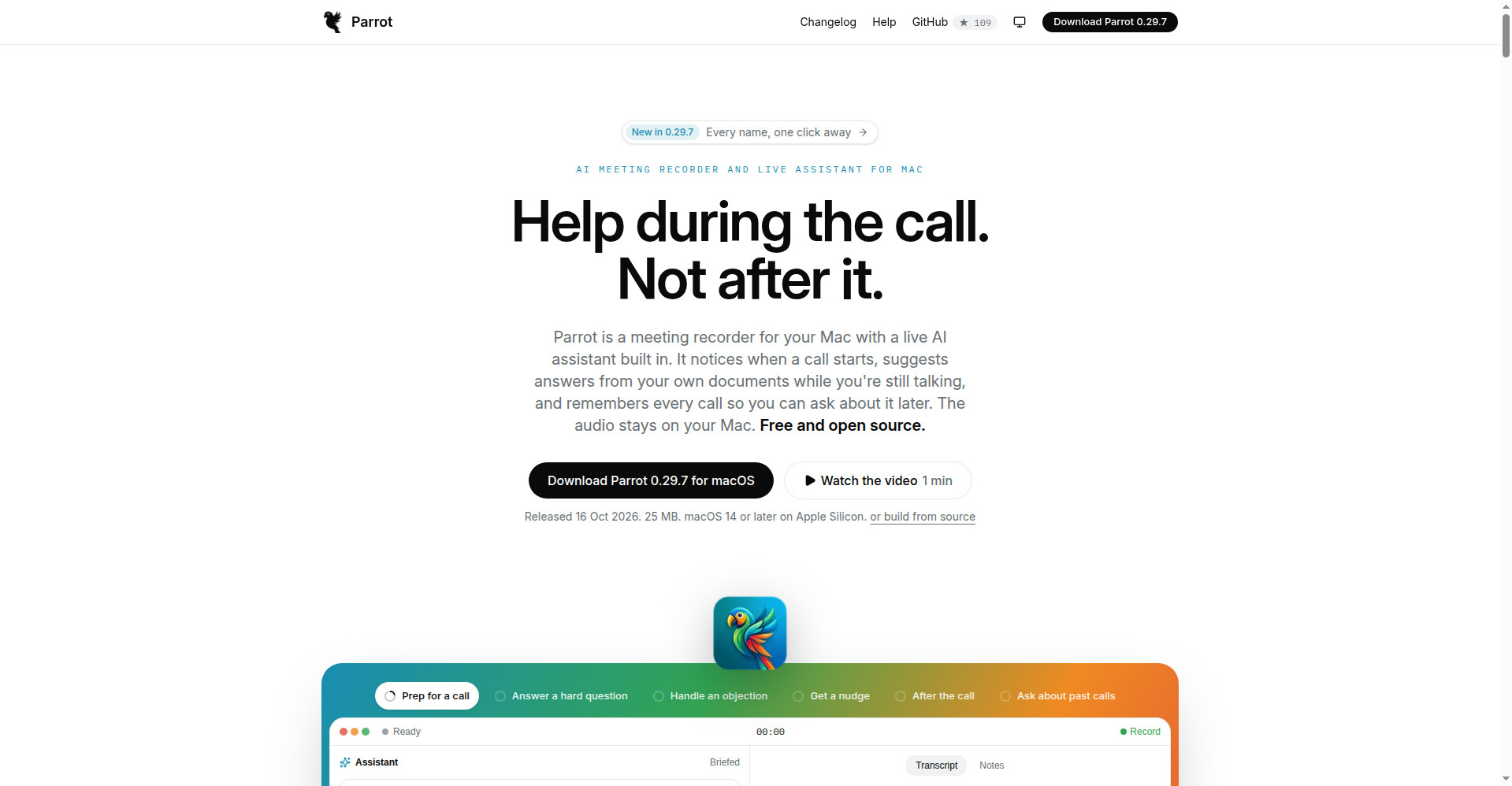
Parrot homepage
1 / 2Overview
What is Parrot?
Smart Meeting Assistant for Mac that helps during the call
Parrot is a free, open-source (GPL-3.0) meeting recorder for Mac with a live AI assistant built in. Instead of a meeting bot, it records Mac system audio locally and transcribes on-device; when a customer question is covered by your docs or FAQ, it surfaces a source-cited answer while you are still talking. After hangup it generates commitment and missed-question reports, and you can chat across all past calls. Use your own Claude key, free local Ollama models, or your own server. No account, no subscription; audio never leaves your Mac. Requires macOS 14+ on Apple Silicon.
Platforms and languages
Parrot Availability
Platforms
Languages
Capabilities
Parrot Key Features
Live in-call AI assistant
Suggests source-cited answers from your own documents while the conversation is happening.
No meeting bot
Records Mac system audio plus microphone locally; transcription and speaker separation run on-device.
Call profiles
Eight built-in profiles (sales discovery, interviews, 1:1s, investor updates) shape live focus and report structure.
Auto reports and coaching
Summaries, commitments, talk ratios, objection handling, and interview scorecards, exportable to PDF.
Ask across history
Search every past call and plug into Claude Desktop, Cursor, Claude Code, or Codex.
Best for
Who uses Parrot?
Salespeople, founders, and consultants on calls
Get real-time, source-cited answers during customer calls and auto-generated follow-up reports
Plans and access
Parrot Pricing
Free
Common questions
Parrot FAQs
Is Parrot free?
Yes. It is free and open source (GPL-3.0), with no account and no subscription.
Does a bot join my meetings?
No. Parrot records your Mac's system audio, so it never appears in the participant list.
Does my audio leave my Mac?
By default, no. Only transcript text is sent to your chosen AI provider when you use your own cloud key; audio is never uploaded, and Parrot runs no servers.
Which Macs are supported?
macOS 14 or later on Apple Silicon. There is no Windows version.
Does it work with Zoom, Meet, and Teams?
Yes. Anything your Mac can hear can be recorded.
Reviews
See what the community thinks and share your experience.
—
Based on 0 ratings
Rating distribution
Community reviews
No reviews
No written reviews yet.