Renomee AI
Renomee is an AI-powered desktop utility for Windows and macOS that reads the actual contents of files—PDFs, images, and OCR-extracted text—and batch-renames them with clear, meaningful file names. Engineered for reliability and privacy, all content is processed locally on your device, ensuring secure and consistent file organization.
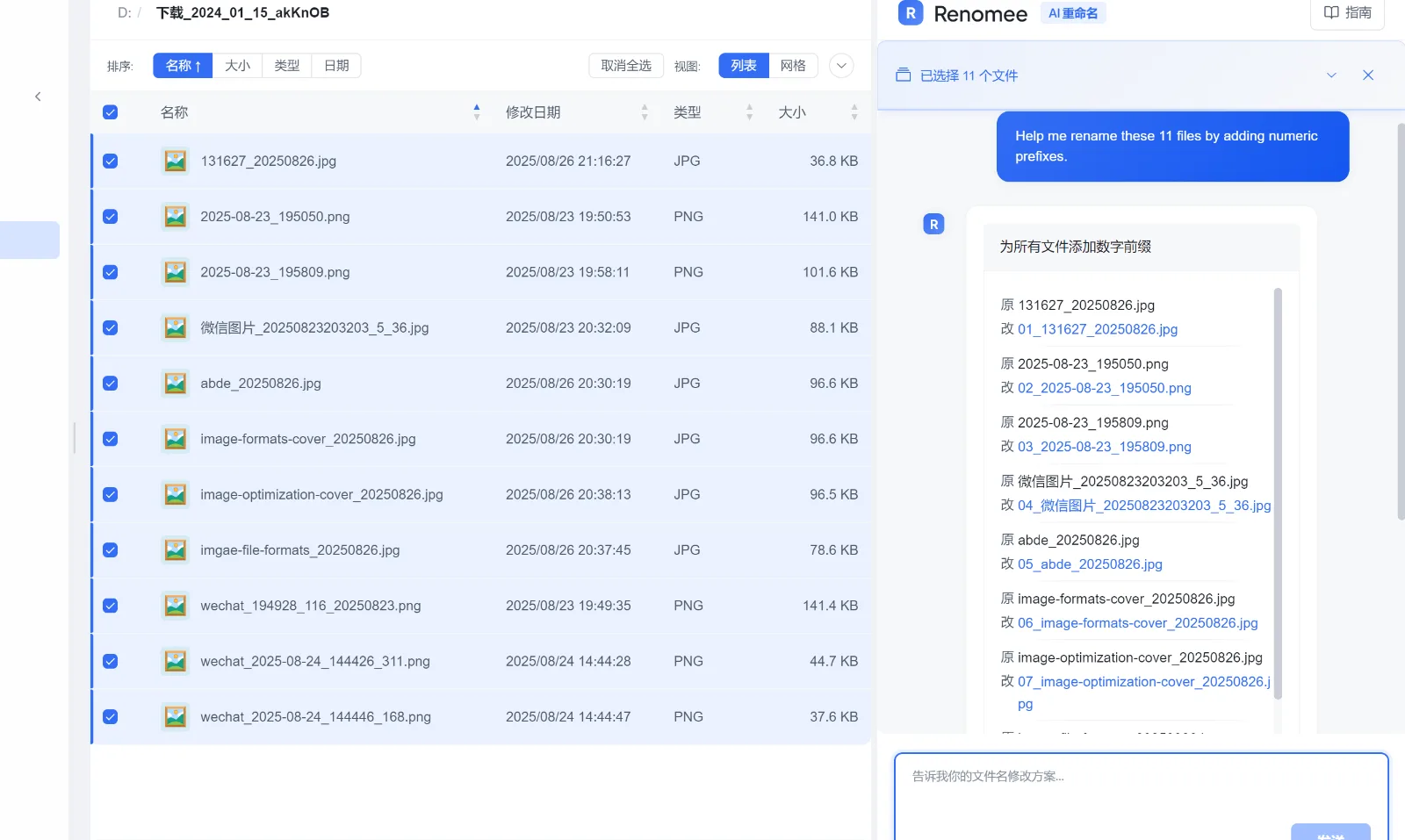
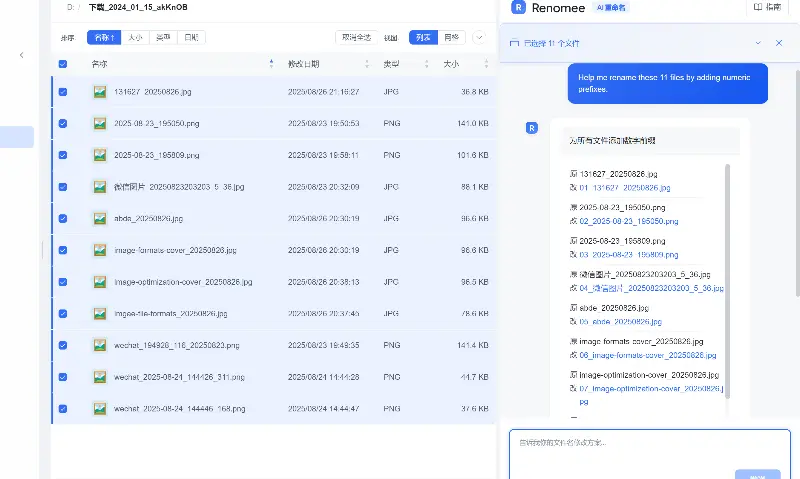
Product screenshot
Overview
What is Renomee AI?
Purpose
Renomee solves a fundamental problem in file management: making sense of large volumes of irregularly named files. Rather than manually opening each document or image to determine its contents, Renomee uses a locally-running AI analysis engine to read the content and suggest accurate, context-aware filenames. This makes it an essential tool for professionals who regularly handle research papers, contracts, scans, photos, or exported reports.
Core Capabilities
- AI Content Analysis: Renomee deploys models that understand text in PDFs and images, including OCR from scanned documents and image metadata. It does not rely on simple keyword matching but understands the semantic meaning of file content.
- Batch Renaming: Hundreds of files can be processed in one operation. The app generates new names in bulk, following natural-language rules that you define in plain English or Chinese—no regular expressions or scripting required.
- Optical Character Recognition (OCR): For image-heavy workflows, OCR extracts text so that even scanned and photographed documents receive accurate filenames.
- Preview & Control: Before any change is applied, Renomee shows a preview of the proposed renames. This safety-first approach allows you to inspect every modification, making the tool suitable for critical business documents.
Workflow
The workflow is intentionally simple:
- Download and install Renomee from the official website. It runs on Windows 10/11 and macOS 11+.
- Open a folder containing messy files.
- Let AI read the content – Renomee analyzes the text inside each file, using OCR where necessary.
- Review the preview – The app suggests new filenames, organized in a clear list.
- Confirm and execute – Batch rename everything in seconds.
Since all analysis is performed on the device, files never leave your computer. This local-first architecture is a core reliability feature for users who handle sensitive or confidential information.
Target Users
Renomee is built for individuals and small teams across many disciplines:
- Photographers and designers who need to move from
IMG_4821.jpgtoWedding_Ceremony_Location.jpg - Researchers and academics who have hundreds of
paper_final_v3.pdfand need meaningful citation names. - Finance and accounting professionals dealing with invoices, receipts, and statements.
- IT and power users who want a dependable automation tool without the burden of writing and debugging scripts.
Renomee reflects a careful balance of powerful automation and user control, making it a trustworthy addition to any software toolkit.
Platforms and languages
Renomee AI Availability
Platforms
Languages
Plans and access
Renomee AI Pricing
Freemium
Common questions
Renomee AI FAQs
Compare similar tools
Renomee AI Alternatives
 Affiliate LandscapeAffiliate Landscape is the free discovery and intelligence platform for the global marketing ecosystem. We bring companies, people, jobs, events, news and industry knowledge together in one connected, searchable platform.AI Product Discovery
 Weekly LaunchesWeekly Launches is a product discovery platform for finding and showcasing new startups, AI tools, SaaS products, apps, and innovative digital products.AI Business ProductivityAI Marketing ToolsAI Product Discoveryweeklylauncheslaunch
Reviews
See what the community thinks and share your experience.
—
Based on 0 ratings
Rating distribution
Community reviews
No reviews
No written reviews yet.