Connect Claude Code, Codex, and other coding agents to affordable open models on Together AI.
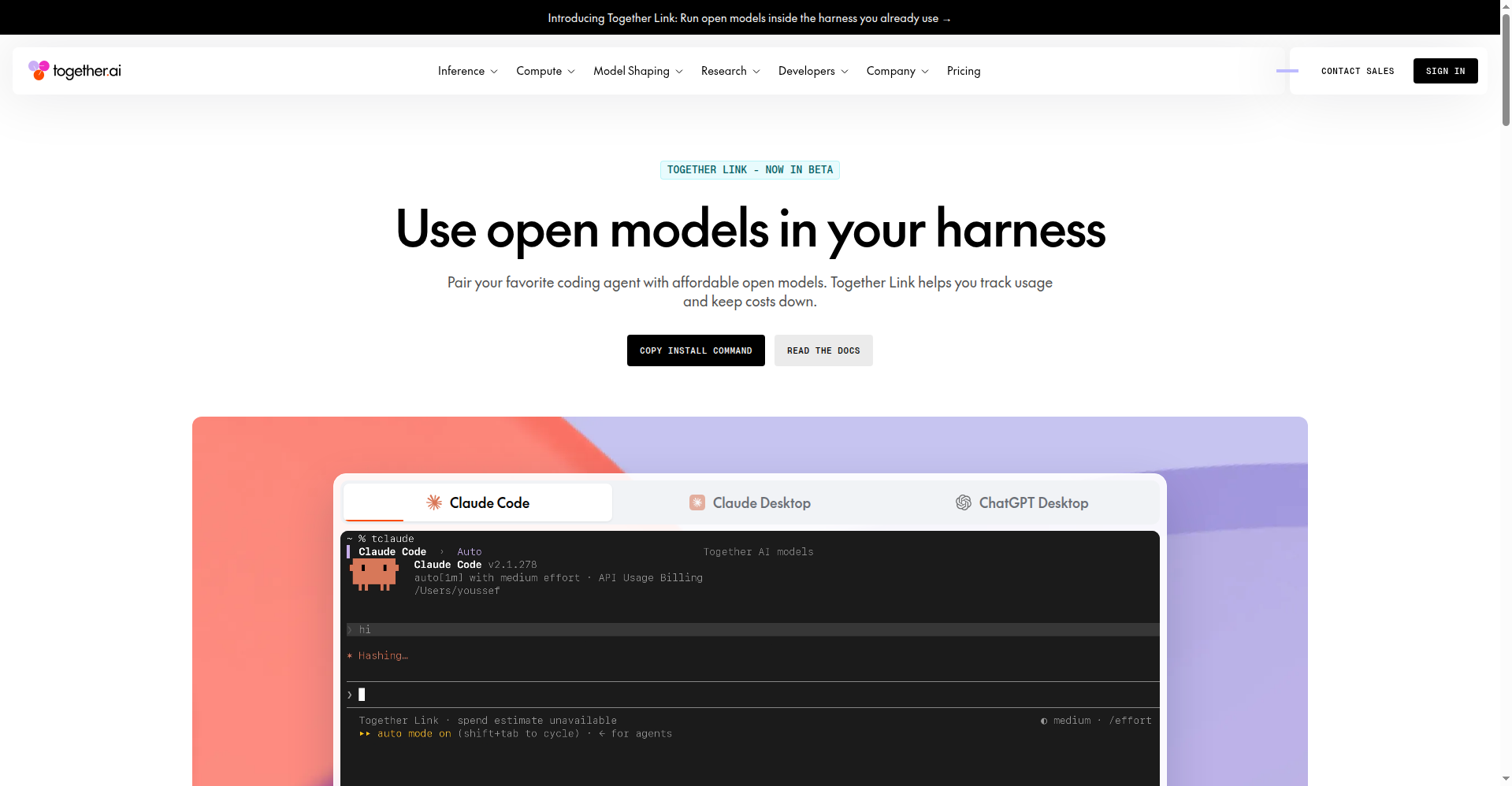
Use open models in your harness
1 / 3Overview
What is Together Link?
Use open models in your harness.
Together Link connects your coding agent to affordable open models on Together AI. Pair Claude Code, Claude Desktop, Codex, OpenCode, or Pi with frontier open models — GLM 5.3, Kimi K3, DeepSeek V4.1 Flash, MiniMax M3 — with one install command. Keep the harness you already know: your login, settings, history, and habits stay exactly where they are. An auto router picks the best open model per request, and you get transparent per-session usage receipts (togetherlink usage). Moving everyday coding work to open models cuts the bill by more than half versus Opus. Free and MIT open source — you pay only Together AI's per-token inference rates.
Platforms and languages
Together Link Availability
Platforms
Languages
Capabilities
Together Link Key Features
Works with your harness
Claude Code, Claude Desktop, Codex, OpenCode, and Pi — one install command (`npm i -g together.link`) pairs them with open models.
Cut agent spend 50%+
Open models cost a fraction of closed frontier APIs per token — moving everyday coding work over cuts the bill by more than half.
Frontier open models
GLM 5.3, Kimi K3, DeepSeek V4.1 Flash, MiniMax M3 — frontier open weights, fully in your control.
Auto router
The auto router picks the best open model per request, switchable mid-session.
Transparent usage receipts
`togetherlink usage` prints a per-session receipt showing models used and spend.
Best for
Who uses Together Link?
developers and teams
cutting AI coding agent costs with open models
Plans and access
Together Link Pricing
Free
Common questions
Together Link FAQs
What is Together Link?
Together Link is a free, open-source tool that connects your coding agent (Claude Code, Codex, etc.) to open models on Together AI.
Which coding agents work with it?
Claude Code, Claude Desktop, Codex, OpenCode, and Pi — one install command pairs them with open models.
Does it change my existing setup?
No. Your login, settings, history, and approval settings stay exactly where they are.
How does the auto router choose a model?
The auto router picks the best open model for each request across Anthropic and Together AI models.
How much does it cost?
The tool itself is free and open source. You pay only Together AI's per-token rates for model usage.
Reviews
See what the community thinks and share your experience.
—
Based on 0 ratings
Rating distribution
Community reviews
No reviews
No written reviews yet.