A free desktop app that shows what your AI coding sessions cost and helps you spend the budget better.
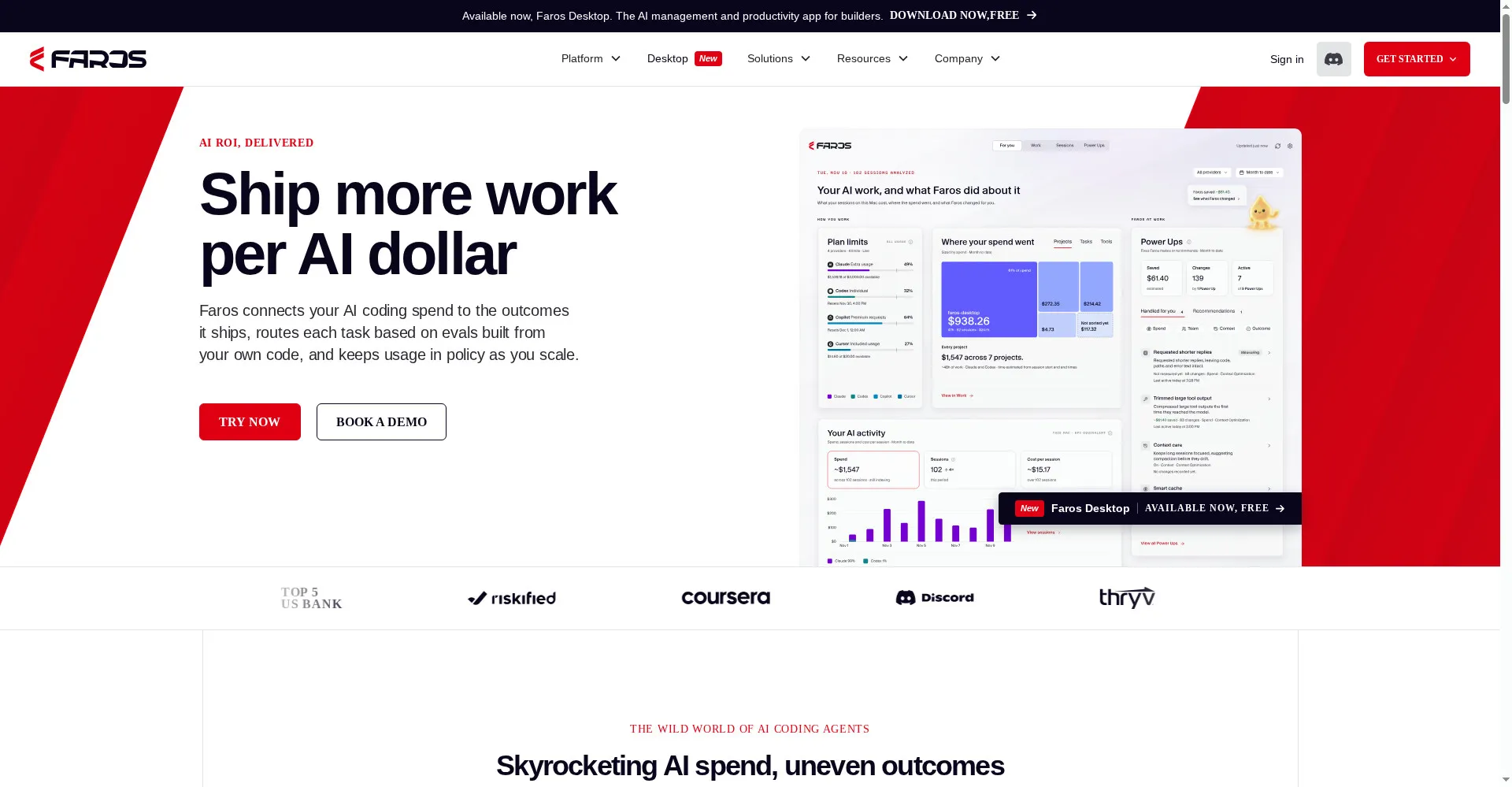
Faros homepage
1 / 2Overview
What is Faros Desktop?
Get more from your AI
Faros Desktop is the free personal version of the Faros Token Engineering Platform. It reads your Claude Code, Codex, Cursor, and Microsoft Copilot sessions and shows what each one costs and how much it used, so you can see where your AI budget goes. You can search your AI work across agents, link it to what it produced, use Power Ups to cut waste and stretch your budget, hand tasks to agents with spare capacity, and run evals on your own code to pick the right model, context, and skills for each task. Desktop is free, needs no login and no credit card, and runs on macOS only. Your prompts are not uploaded — session files stay on your machine and only session metadata is used. The Business plan for teams is custom-priced.
Platforms and languages
Faros Desktop Availability
Platforms
Languages
Capabilities
Faros Desktop Key Features
See what each session costs
Reads Claude Code, Codex, Cursor, and Microsoft Copilot sessions and shows cost and usage per session.
Search your AI work
Search across agents and link AI work to what it produced.
Power Ups cut waste
Power Ups reduce wasted spend and stretch your AI budget further.
Hand tasks to idle agents
Move tasks to agents that have spare capacity.
Evals pick the right setup
Evals based on your own code choose the model, context, and skills for each task.
Best for
Who uses Faros Desktop?
Developers using Claude Code, Codex, Cursor, or Copilot
See what AI coding sessions cost and spend the budget better
Plans and access
Faros Desktop Pricing
Freemium
Desktop is free; Business plan is custom-priced.
Common questions
Faros Desktop FAQs
Is Faros Desktop really free?
Yes. Desktop is free, needs no login and no credit card. It is the free personal version of the Faros platform; the Business plan for teams is custom-priced.
Are my prompts sent to Faros?
No. Prompts are not uploaded. Session files stay on your machine and only session metadata is used.
Which AI tools does it work with?
Claude Code, Codex, Cursor, and Microsoft Copilot. General chat assistants such as ChatGPT and Claude.ai are not supported.
Do I need an account?
No. Faros Desktop works without an account.
Which platform does it run on?
macOS only.
Reviews
See what the community thinks and share your experience.
—
Based on 0 ratings
Rating distribution
Community reviews
No reviews
No written reviews yet.