An approval layer for team AI agents: every agent action waits for a tap on your phone before it runs.
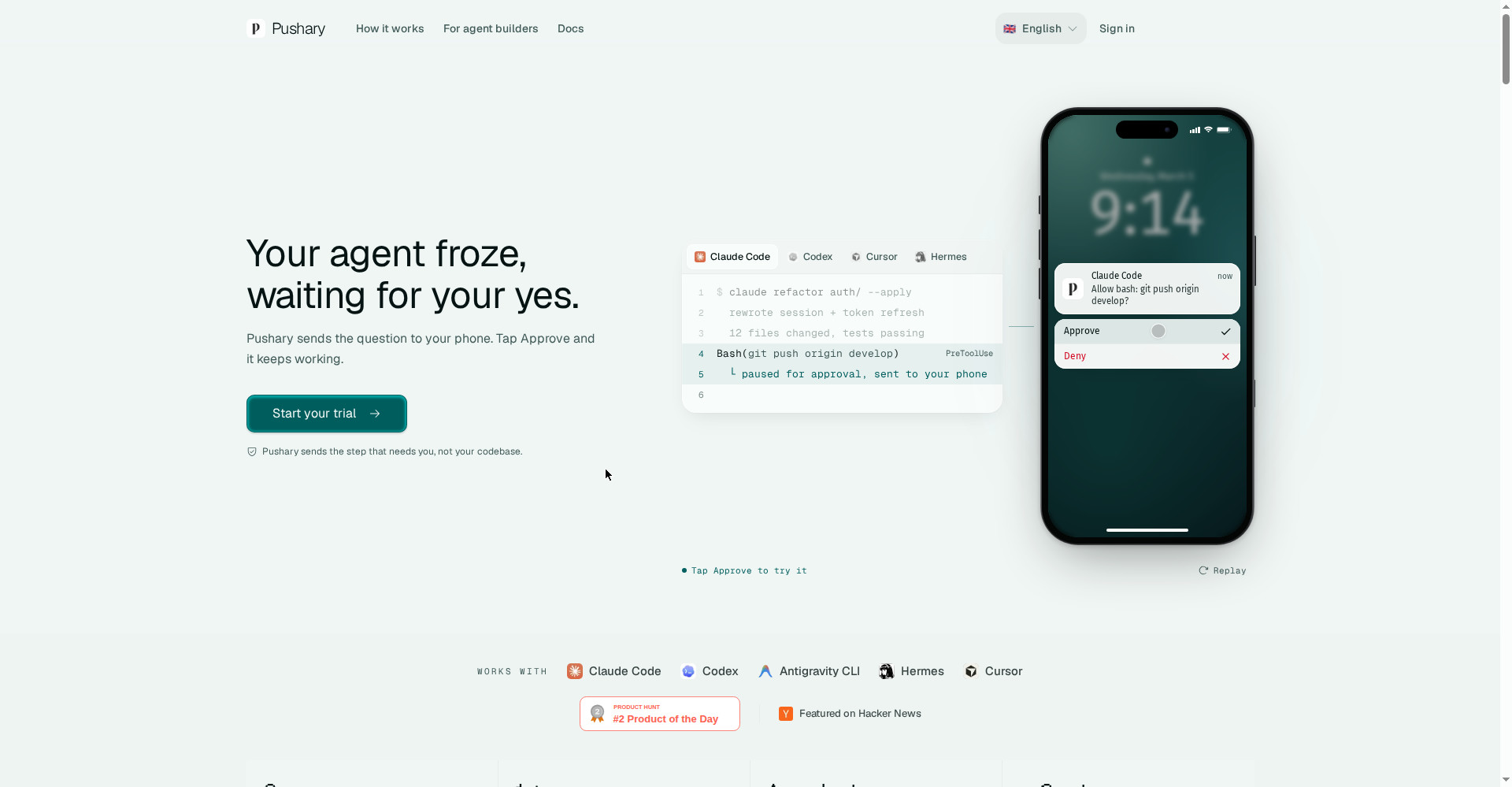
Pushary homepage
1 / 2Overview
What is Pushary for Teams?
See who said yes to your team's AI agents
Pushary is the approval layer for your team's AI agents. Before an agent does anything, it asks — and you approve or deny it from your phone. You always see the full context, every decision is auditable and revocable, and your agents keep working while you stay in control.
- Approve or deny agent requests from your phone
- Full context: agent, tool, parameters, and risk
- Team approval flows and permission controls
- Every approval logged, searchable, and revocable
- Slack and MCP integrations for Claude Code, Cursor, Codex, and more
Pushary starts at $9.99 per month, with a 3-day free trial.
Platforms and languages
Pushary for Teams Availability
Platforms
Languages
Capabilities
Pushary for Teams Key Features
Approve or deny from your phone
When an agent needs a yes, the question lands on your phone — tap Approve and it keeps working.
Full context for every request
Each request shows the agent, tool, parameters, and risk, so you can judge before you decide.
Team approvals and permissions
Set who can approve what, with a clear record of every decision across the team.
Auditable and revocable
Every approval is logged, searchable, and can be revoked after the fact.
Works with the tools you already use
Connects through Slack and MCP to Claude Code, Cursor, Codex, OpenClaw, and more.
Best for
Who uses Pushary for Teams?
Teams running AI agents
Keep control over what agents do, with approvals and an audit trail
Managers and developers
Let agents work autonomously while staying in charge of risky actions
Plans and access
Pushary for Teams Pricing
Paid
Agent $9.99/month, Agent Pro $19.99/month, Team $59/month; 3-day free trial.
Common questions
Pushary for Teams FAQs
What is Pushary?
An approval layer for team AI agents: agents ask before they act, and a person approves or denies from their phone.
How does it work?
An agent sends a request, the approver sees the full context on their phone, taps Approve or Deny, and the agent continues.
Which tools does it support?
Slack and MCP servers, plus Claude Code, Cursor, Codex, OpenClaw, and other agent tools.
Can an approval be revoked?
Yes. All approvals are logged and can be revoked, with a full audit trail.
How long is the free trial?
3 days, and you can cancel anytime.
Reviews
See what the community thinks and share your experience.
—
Based on 0 ratings
Rating distribution
Community reviews
No reviews
No written reviews yet.