Video Text Remover AI
Erase burned-in text, subtitles, captions, watermarks and logos from your own videos online. Free preview.
Remove burned-in text, subtitles and logos from your own videos online

Video Text Remover AI editor
Overview
What is Video Text Remover AI?
Erase burned-in text, subtitles, captions, watermarks and logos from your own videos online. Free preview.
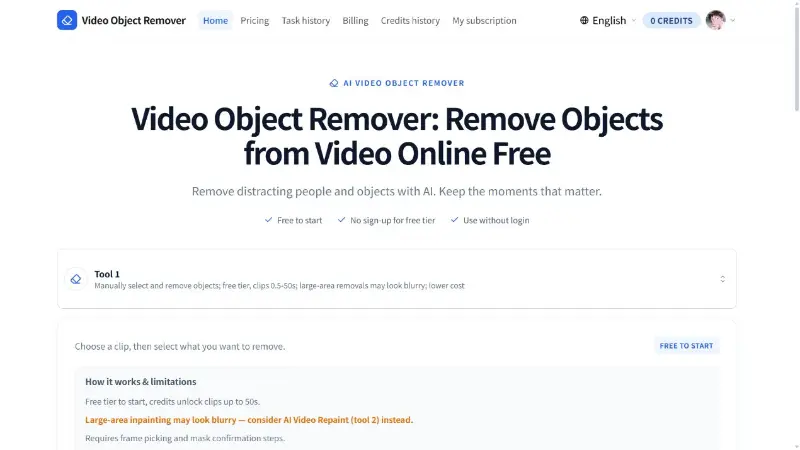
Video Text Remover AI is a browser-based tool for removing burned-in text from your own exported videos. Choose an MP4, MOV or WebM clip (up to 60 seconds and 50 MB), preview it in your browser, drag up to three boxes over the words and set when each box applies on the timeline. The AI rebuilds the picture behind the text instead of blurring it, so you can reuse product ads, TikTok clips, Reels, tutorials and training videos with a new caption, price or language. The same editor also handles subtitles, captions, watermarks, logos, objects and backgrounds, and a free audio remover makes a silent copy in your browser. Choosing and marking a clip is free with no login; each account gets two trial runs for clips up to 15 seconds. Paid runs use credits (1 credit = 1 second; the cost is shown before you submit, failed runs are refunded in credits). One-time credit packs start at $4.90 and never expire, and monthly or yearly plans are available for regular editing.
Platforms and languages
Video Text Remover AI Availability
Platforms
Languages
Capabilities
Video Text Remover AI Key Features
Mark text on the timeline
Draw up to three boxes over burned-in text, each with its own time range on the timeline.
Rebuilds the background
The AI rebuilds the picture behind the text instead of blurring it. Results vary; small text on plain, still backgrounds works best.
Subtitle, watermark and logo tools
Dedicated tools for subtitles, captions, watermarks, logos, objects and backgrounds, plus a free audio remover that runs in your browser.
Plans and access
Video Text Remover AI Pricing
Freemium
Choosing and marking a clip is free; each account gets two trial runs for clips up to 15 seconds. Paid runs use credits (1 credit = 1 second). One-time credit packs start at $4.90; monthly and yearly plans are available.
Compare similar tools
Video Text Remover AI Alternatives

Reviews
See what the community thinks and share your experience.
—
Based on 0 ratings
Rating distribution
Community reviews
No reviews
No written reviews yet.