
How to Turn a Long Video into Shorts with SupoClip (Self-Hosted, Free)
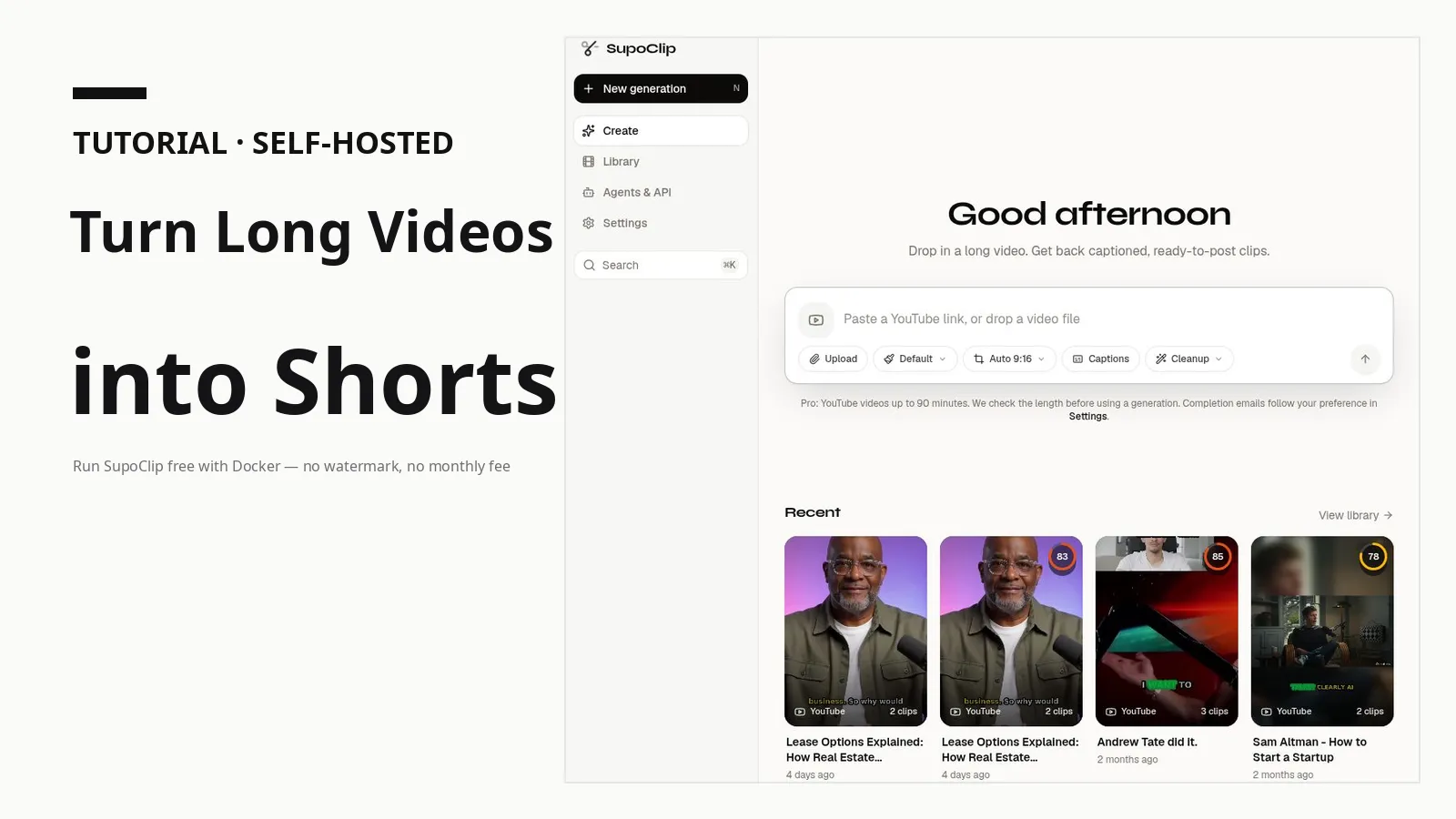
A two-hour podcast can be a week of Shorts — if someone does the cutting. SupoClip is an open-source AI clipper that does it for you: paste a long video, and it transcribes the audio, picks the best moments, and renders them as vertical 9:16 clips with word-synced captions and a virality score. Hosted starts at $9.99 a month; self-hosted costs nothing for the software — you run it on your own machine with Docker and bring your own transcription and language-model keys.
This guide walks through the whole setup, from cloning the repo to exporting your first clip, following the official self-hosting guide and README as read on November 24–25, 2026. We did not run the install ourselves, so every step below is the official procedure, not a first-hand test. Read the licence section first — it changed on November 19, and it is not the permissive licence many third-party articles still describe.
What SupoClip does with your long video
Give it a YouTube link, a Twitch or Kick VOD, or an uploaded file, and the pipeline runs in four stages. First it downloads the source and transcribes the audio. Then a language model reads the transcript and picks the 3–7 most clip-worthy segments. Each candidate is scored on hook, engagement, value, and shareability, then rendered as a vertical clip with face-centred cropping, word-by-word captions, and an AI-written hook title.
Every clip opens in a built-in studio where you can trim on a thumbnail-and-waveform timeline, split or merge segments, fix a misheard word, restyle captions, and export with presets for TikTok, Reels, and Shorts. You can connect your own YouTube and TikTok accounts and publish or schedule clips from the task page.
Clips never carry a watermark, on hosted plans or self-hosted, and the code is public — more than 4,100 stars on GitHub as of November 25, 2026.
The licence: read this before you install
SupoClip switched licences on November 19, 2026, from AGPL-3.0 to its own SupoClip Noncommercial Source License, version 1.1 in the current README, issued by Shiori LLC. Self-hosting is free for noncommercial use, and individual creators may self-host it for their own monetised channels. Companies, agencies, client work, and paid hosting need prior written permission.
Do not trust articles that still call SupoClip AGPL-3.0 — several pre-switch roundups have not been updated. If you clip videos for clients or run an agency, ask the project for permission first; if you are one person clipping your own channel, you are inside the licence as written.
What the hosted plans cost, for comparison
Self-hosted SupoClip is $0 forever, but you pay for your own hardware and any cloud transcription or LLM usage. The hosted plans, verified on the homepage on November 25, 2026, are Pro at $9.99 a month for 10 hours of source video and 720p clips; Creator at $24.99 for 25 hours, 1080p, priority processing, and scheduling; and Team at $69 for 3 seats and 60 pooled hours. Annual billing works out to two months free; there is no free hosted plan.
If you clip a few hours a month, hosted Pro is cheaper than the cloud API calls a self-hosted setup would make. Self-hosting wins when you clip a lot or want your footage to stay on your own hardware.
Before you start: the checklist
You need Docker with Compose v2 plus Git, about 10 GB of free disk, and 5–10 minutes for the first build. You also need two API keys:
- Transcription, set with
TRANSCRIPTION_PROVIDER. The default isassemblyai, which needs anASSEMBLY_AI_API_KEY; new accounts get $50 in free credits with no card required. Alternatives arewhisper, which runs locally and needs no key, oryoutube_captions, for YouTube links only. - Clip selection, set with
LLM=provider:model. OpenAI, Google, Anthropic, and OpenRouter are supported, each needing its own key — or a localollama:model, which needs no key at all.
Every published port is bound to 127.0.0.1, so a fresh install is reachable only from the machine itself.
Step 1: Clone the repo and create your environment file
Open a terminal and run:
git clone [email protected]:FujiwaraChoki/supoclip.git
cd supoclip
cp .env.example .env
The repository is FujiwaraChoki/supoclip on GitHub; the command above is the SSH form, and HTTPS users can copy the clone address from the repo page. The .env file holds every provider key and secret, so never commit it or paste it into a public chat.
Step 2: Put your two keys in .env
Open .env and set the two providers — a minimal cloud setup from the README:
TRANSCRIPTION_PROVIDER=assemblyai
ASSEMBLY_AI_API_KEY=your_key_here
LLM=google-gla:gemini-3-flash-preview
GOOGLE_API_KEY=your_key_here
Two traps: first, the template defaults to LLM=openrouter:anthropic/claude-sonnet-5.5, so processing fails unless you set OPENROUTER_API_KEY or point LLM at a provider you actually have a key for. Second, the file contains three placeholder secrets — BETTER_AUTH_SECRET, BACKEND_AUTH_SECRET, and APP_SETTINGS_ENCRYPTION_KEY — and the guide insists you replace every one, even for local use. Generate each with openssl rand -base64 32. Leave SELF_HOST=true as it is: it keeps billing off and removes per-account generation limits.
Step 3: Build, start, and verify
From the supoclip directory, run:
docker compose up -d --build
The ./start.sh script does the same after checking .env and Docker. That starts six containers: the Next.js frontend, a FastAPI backend, an ARQ worker that runs the pipeline, plus PostgreSQL, Redis, and an optional MCP server.
Once the build finishes, open localhost:3107 in your browser and create an account. The API docs live at localhost:8000/docs. Before you submit anything, verify the stack is healthy:
docker compose ps                       # all services "healthy"
curl -f localhost:8000/health/db        # backend reaches Postgres
docker compose logs -f worker           # watch a job run
If a service is not healthy, check the logs — most failures trace back to a missing provider key or a worker that cannot reach Redis.
Step 4: Turn your first long video into Shorts
Start with a short video, ten or twenty minutes, so a misconfiguration fails fast. Paste a YouTube, Twitch, or Kick link into the dashboard box, or drop in a file you recorded yourself. Live streams are not supported.
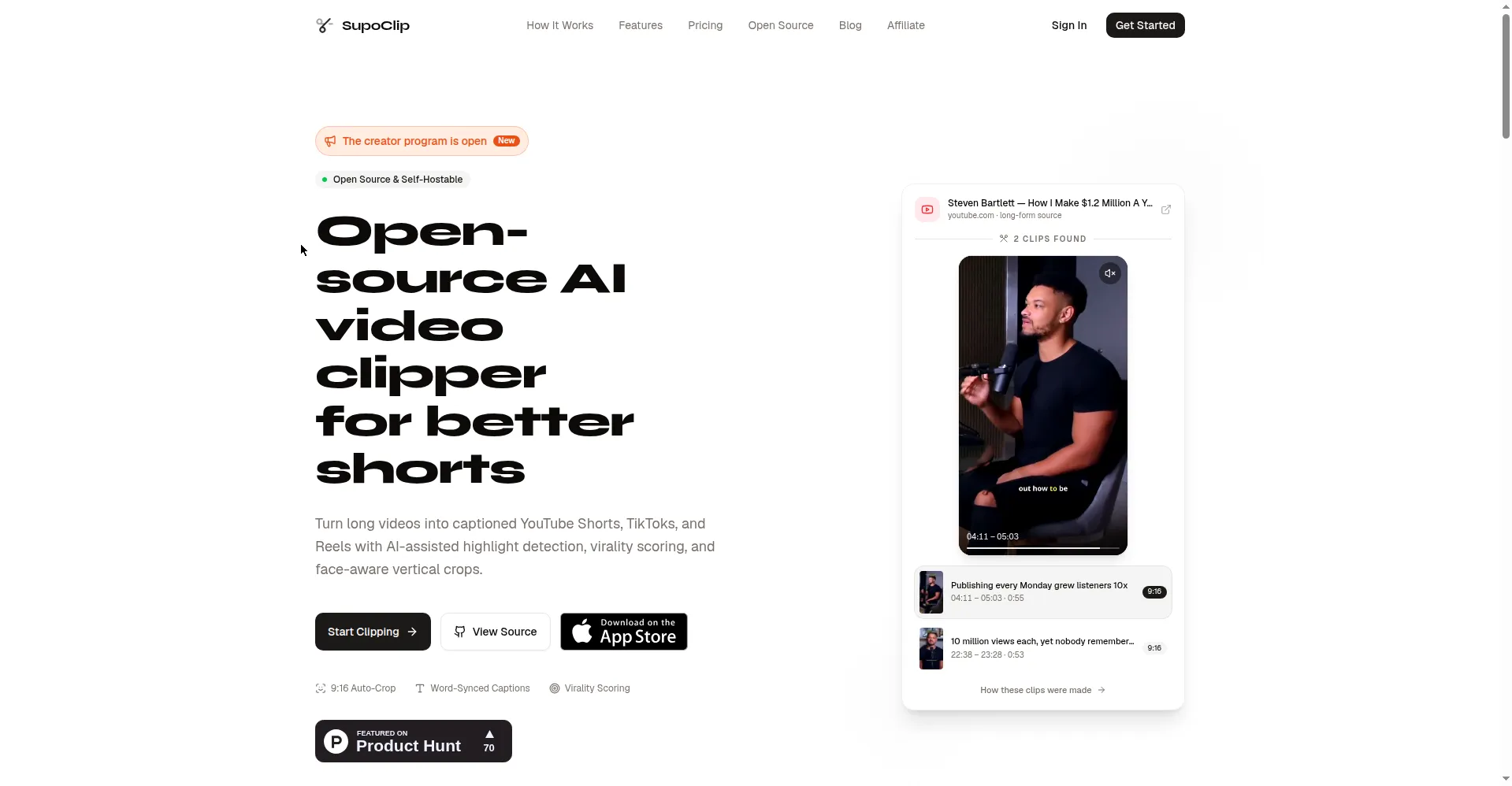
The task page shows live progress through download, transcription, clip selection, and rendering. When it finishes, you get the 3–7 candidate clips, each with its virality scores and an AI-drafted title and caption. Open the promising ones in the editor to trim dead air, fix misheard words, and pick a caption style. Export with the preset for TikTok, Reels, or Shorts, or publish straight to YouTube Shorts and TikTok from the task page and let the scheduling queue handle the rest of the week.
Step 5 (optional): Go fully local with Whisper and Ollama
If you would rather send nothing to a cloud API, SupoClip can run the whole pipeline on your own hardware. Set transcription to local Whisper and clip selection to a local Ollama model:
TRANSCRIPTION_PROVIDER=whisper
WHISPER_MODEL_SIZE=medium        # tiny | base | small | medium | large | large-v3
LLM=ollama:gpt-oss:20b
This setup needs no API keys at all — but enough local compute. No GPU is required: the template installs CPU-only PyTorch, and CPU-only Whisper transcription is slower than a cloud API, so long videos take longer on modest hardware.
On Docker Desktop, leave OLLAMA_BASE_URL empty and pull the model with ollama pull gpt-oss:20b. On Linux, Ollama listens only on 127.0.0.1 by default, so the worker's connection is refused — make it listen on all interfaces and block port 11434 from outside the machine, since Ollama has no authentication. Test from inside the worker before submitting a video:
docker compose exec worker curl -s host.docker.internal:11434/api/tags | grep -q '"gpt-oss:20b"' && echo "model ready"
If it prints model ready, the worker can reach Ollama. Compare a local model against a hosted one on a recording you know well before switching your backlog.
When it breaks: four fixes first
Most failures fall into four buckets. Processing fails outright — you almost certainly have a missing or mismatched provider key; re-check that LLM points at a provider you set a key for. A task sits queued forever — read the worker logs; the job is usually waiting on Redis or a key that was never set. The first build feels stuck — it is still downloading dependencies; give it the full 5–10 minutes. You cannot reach the app from another machine — that is by design, since every port is bound to 127.0.0.1; exposing it takes a reverse proxy and the production checklist, including changing the database password the Compose file hardcodes in four places.
Upgrades need care too: back up with pg_dump first and apply any new database migrations yourself — nothing updates the schema automatically. And never run docker compose down -v on an instance you care about: it deletes every volume, including the database and all your clips.
If SupoClip is not the right fit
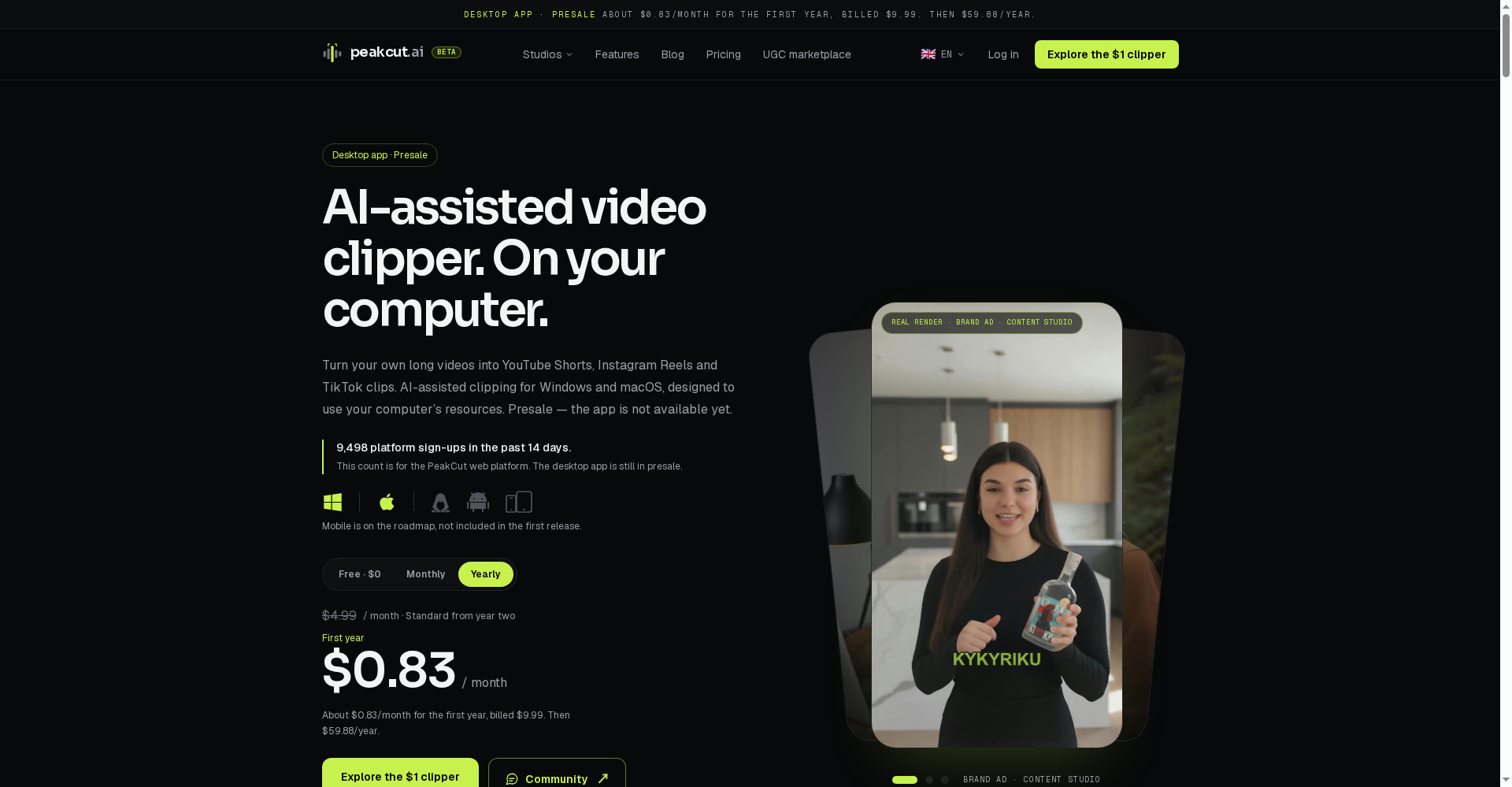
The noncommercial licence is the one real reason to look elsewhere, and the closest alternative is PeakCut, a self-hosted clipper under the permissive MIT licence. It transcribes locally, needs no API key for its loudness-based clip selection, and installs with Python and FFmpeg rather than Docker. OpusClip remains the polished hosted option if you would rather pay per minute than run infrastructure; we compared all three yesterday.
The bottom line for your next long video
Self-hosting SupoClip is a one-evening project: paste a long recording, get a week of captioned vertical clips, and pay nothing for the software. The install is a standard Docker Compose stack, the two keys are the only decisions, and the local Whisper-plus-Ollama route removes even those. Read the licence first — individual creators are covered, agencies and client work are not — then start with a short test video before pointing it at your backlog. Your next episode is already a week of Shorts; it just needs cutting.
Sources
- SupoClip self-hosting guide — supoclip․com
- SupoClip on GitHub — github․com
- SupoClip homepage — supoclip․com