Adobe Express
Stand out with Adobe Express — the quick and easy create-anything app.
Adobe's all-in-one design app with Firefly generative AI for social posts, videos, and flyers — free plan with 100K+ templates and 1M+ stock assets.
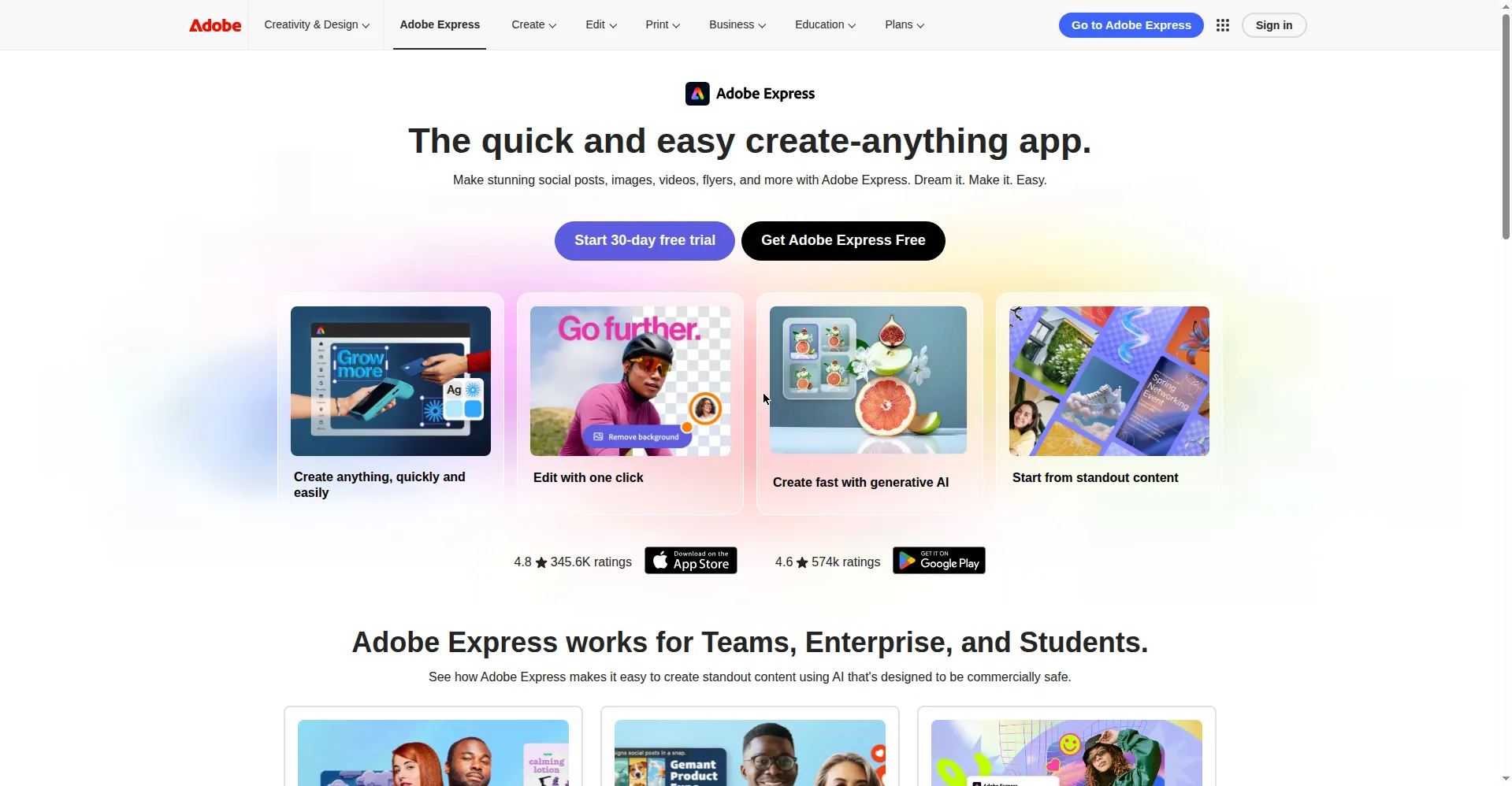
Adobe Express homepage: 'The quick and easy create-anything app.' with free plan and 30-day trial
1 / 2Overview
What is Adobe Express?
Stand out with Adobe Express — the quick and easy create-anything app.
Adobe Express is Adobe's all-in-one design app for creating social posts, images, videos, flyers, logos, and presentations. It combines drag-and-drop templates with Adobe Firefly generative AI: describe what you want and it can generate images, full editable templates, or stylized text effects. Generative Fill lets you add, remove, or replace objects in photos with a text prompt, and one-click Quick Actions handle background removal, resizing, video trimming, QR codes, and file conversion.
The free plan is genuinely usable: 100,000+ templates, over 1 million royalty-free Adobe Stock photos and videos, 4,000+ Adobe Fonts, and limited Firefly AI generations with no credit card required. Adobe Express Premium (US$9.99/month, billed monthly with no annual commitment) unlocks 250 monthly generative credits, all premium templates, 200M+ stock assets, the complete 30,000+ Adobe Fonts library, 100GB storage, remove-video-background, one-click resize, and brand kits for consistent branding. A free trial is available; Express Premium is also included with Creative Cloud All Apps.
Outputs from the Firefly-powered AI features are designed to be commercially safe (per Adobe), which makes Express a practical pick for freelancers and small teams publishing marketing content across TikTok, Instagram, Facebook, and Pinterest. Available on desktop browsers and as native iOS and Android apps.
Platforms and languages
Adobe Express Availability
Platforms
Languages
Capabilities
Adobe Express Key Features
Text to Image
Describe any image and Adobe's Firefly generative AI renders it instantly, giving you custom visuals for your projects without stock-searching.
Generative Fill
Insert, remove, or replace people and objects in any image using just a text description — Adobe's Firefly-powered creative co-pilot.
Text to Template
Type a prompt and generate fully editable templates for social posts, flyers, posters, and digital cards in seconds.
Text Effects
Make headlines and messages pop with AI-generated text stylings and effects.
Video creation & auto captions
Combine clips, images, and music, add animations, and generate editable, customizable captions in 100+ languages, with 4K export support.
One-click Quick Actions
Edit, resize, or remove image and video backgrounds, trim videos, generate QR codes, and convert between JPG, PNG, SVG, GIF, and MP4 with one click.
Content Scheduler
Plan, preview, schedule, and publish content directly to TikTok, Instagram, Facebook, and Pinterest from inside the app.
Brand kits
Save your fonts, colors, and logos in brand kits, or extract brand colors, fonts, and logos from an image in one click to stay on-brand.
Plans and access
Adobe Express Pricing
Freemium
Common questions
Adobe Express FAQs
Is Adobe Express really free?
Yes. The free plan includes 100,000+ templates, 1M+ royalty-free Adobe Stock photos and videos, 4,000+ Adobe Fonts, 5GB storage, and limited Firefly AI generations — no credit card required. Premium costs US$9.99/month and adds 250 monthly AI credits, premium templates, 200M+ assets, 100GB storage, and brand kits.
Can I use AI-generated images from Adobe Express commercially?
Adobe says Firefly-powered outputs are designed to be commercially safe, and in general you may use them in commercial work. The exception is features Adobe marks as beta — outputs from those are personal-use only. Check the product's current terms before using AI assets in paid campaigns.
What is the difference between the Free and Premium plans?
Free gives you basic editing tools, 100K+ templates, 1M+ assets, 5GB storage, and limited AI credits. Premium (US$9.99/month) adds 250 generative credits per month, all premium templates, 200M+ assets, 30,000+ fonts, 100GB storage, remove-video-background, one-click resize, brand kits, and 30-day version history.
Do I need an Adobe Creative Cloud subscription to use it?
No. Express has a standalone free plan that works on its own in your browser. If you already pay for Creative Cloud All Apps, Express Premium is included at no extra cost.
Does Adobe Express work on mobile?
Yes. Adobe Express runs on desktop browsers and has native mobile apps for both iOS and Android, so you can start a design on your phone and finish it on your desktop.
Reviews
See what the community thinks and share your experience.
—
Based on 0 ratings
Rating distribution
Community reviews
No reviews
No written reviews yet.