A Mac menu-bar app that keeps your computer awake exactly while your AI coding agents are working.
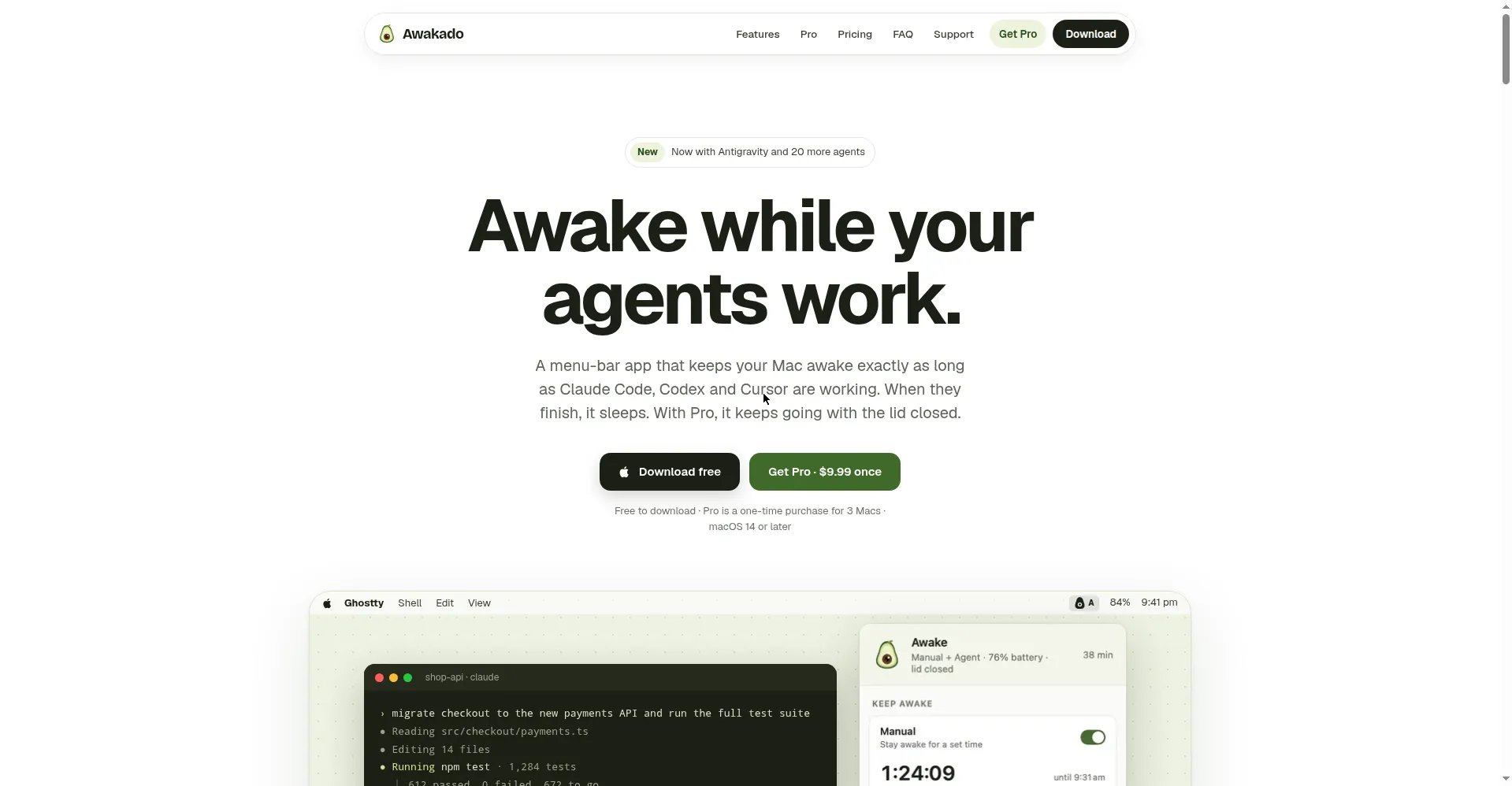
Homepage hero
1 / 2Overview
What is Awakado?
Awake while your agents work.
Awakado is a Mac menu-bar app from Noodle Dragon Studio that keeps your Mac awake exactly as long as your AI coding agents are working. Long agent runs often die when the Mac sleeps; Awakado watches the agents and manages wakefulness for you.
In Agent mode it tracks 21 AI coding agents in real time (Claude Code, Codex, Cursor, Gemini CLI and more), distinguishing working, needs-you, usage-limit, stalled and done states. The Mac stays awake only while an agent is genuinely working; when an agent asks you a question, the menu-bar icon switches to an exclamation mark so you can answer. Manual mode keeps the Mac awake on a timer, at a set time, or indefinitely, and can run alongside Agent mode.
Awakado Pro ($9.99 one-time, not a subscription) adds lid-closed operation: tasks keep running with the lid shut, and opening the lid shows a run summary. It also wakes the Mac two minutes before a Claude Code usage-limit reset so work resumes on time. Safety defaults can't be turned off: battery floor and heat limits trigger with an explanation and recover automatically, and the screen still locks normally while awake.
The free version is free forever with no account, and includes Agent and Manual modes, all 21 agents and the activity log. Pro covers 3 Macs with lifetime updates and a 14-day refund. All agent status handling stays on your Mac; nothing about your code or prompts is sent anywhere.
Platforms and languages
Awakado Availability
Platforms
Languages
Capabilities
Awakado Key Features
Agent mode
Tracks 21 AI coding agents in real time; keeps the Mac awake only while an agent is truly working, and flags when one needs your input.
One-click agent connect
Adds a small hook to each agent with one click; newly supported agents are discovered automatically.
Manual mode
Keep awake on a timer from 30 minutes to 8 hours, at a set time, or indefinitely; shuts off automatically when time is up.
Pro: lid-closed operation
Tasks keep running with the lid closed; open the lid to see a run summary. Battery floor and heat protection stay active.
Pro: usage-limit wake
Puts the Mac to sleep when Claude Code hits its usage limit and wakes it two minutes before the limit resets.
Best for
Who uses Awakado?
Developers running long AI agent tasks on Mac
Keep the Mac awake only while agents work, including with the lid closed
Plans and access
Awakado Pricing
Freemium
Free forever; Pro $9.99 one-time for 3 Macs, lifetime updates, 14-day refund.
Common questions
Awakado FAQs
Does my Mac still lock while kept awake?
Yes. The screen turns off and locks normally while work continues in the background; you can also enable keep-display-on in settings if you prefer.
Which AI agents are supported?
21 agents: 8 of them (Claude Code, Codex, Cursor, Gemini CLI, Copilot CLI, Qwen Code, Factory Droid, Antigravity) report precise status through hooks; 13 more are covered by real-time activity tracking.
Is my code or prompts sent anywhere?
No. All agent status reporting happens locally on your Mac; only license verification and update checks go online.
Why doesn't the App Store version support lid-closed mode?
Lid-closed mode needs a system helper that the App Store does not allow, so download the direct version from the official website to use it.
Is it safe to keep it in a bag with the lid closed?
The battery floor and heat limit cannot be disabled, the screen stays off, and normal sleep resumes automatically after a crash or restart.
Reviews
See what the community thinks and share your experience.
—
Based on 0 ratings
Rating distribution
Community reviews
No reviews
No written reviews yet.