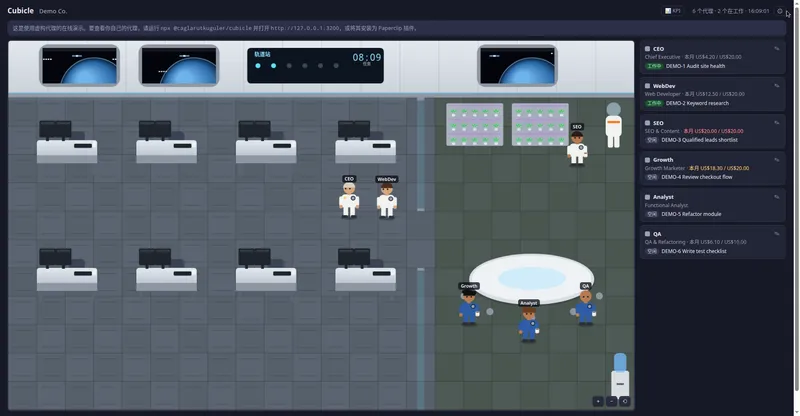
A live pixel-art office for your AI agents — watch Paperclip, Claude Code, Codex and Gemini agents work, wait and fail in real time.
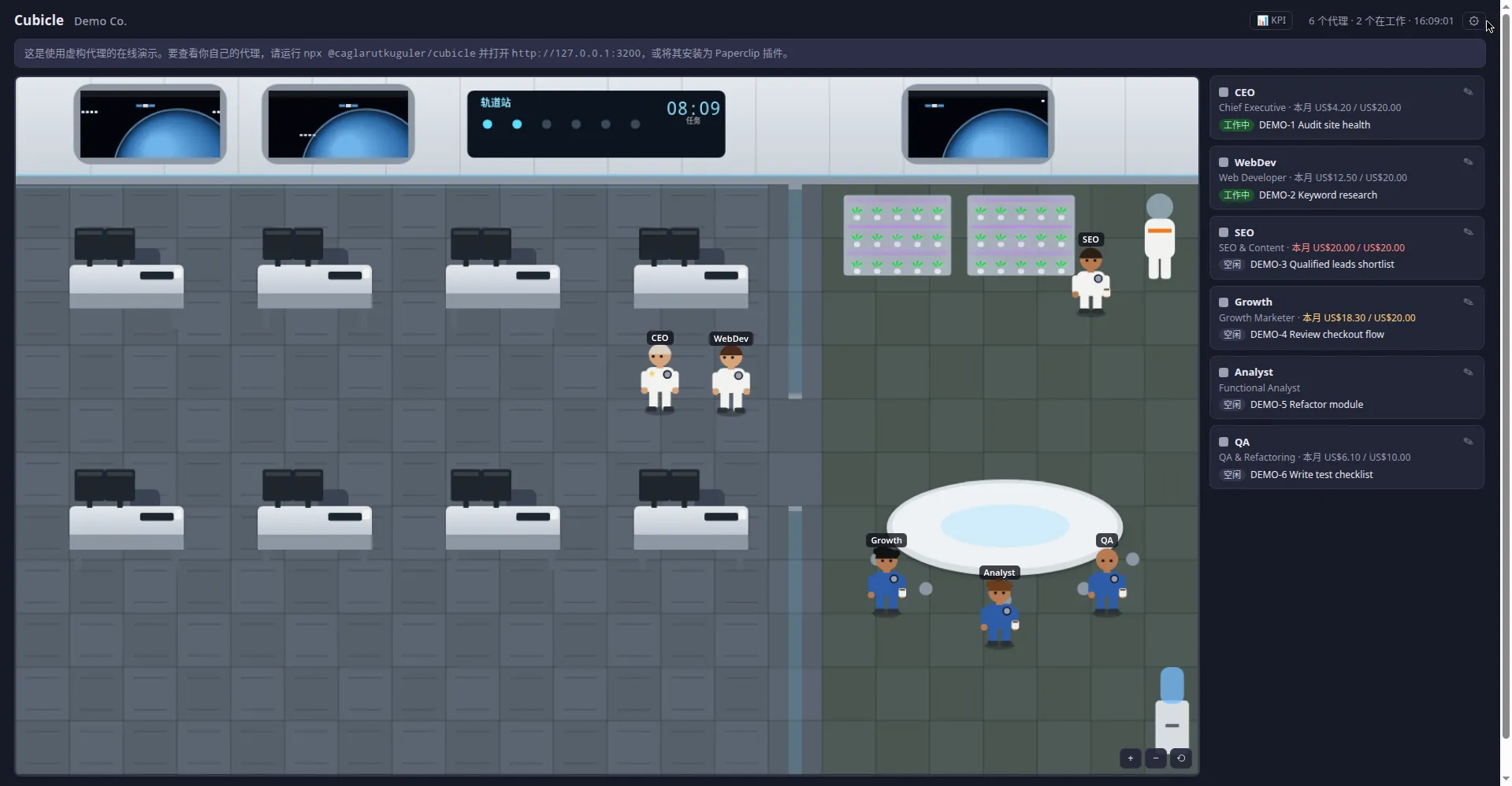
Cubicle live demo (Space Base theme)
1 / 2Overview
What is Cubicle?
A live pixel-art office for your AI agents
Cubicle is a live pixel-art office for your AI agents. Each agent gets a desk: when one starts working it walks over, sits down and starts typing with its current task floating above its head; when it needs you it raises a hand; when it finishes it goes back to the lounge for a coffee; if it hits an error its screen flashes red. It works with Paperclip, Claude Code, Codex CLI and Gemini CLI out of the box — anything else plugs in through a tiny JSON feed. Read-only by design: Cubicle only makes GET requests to a short allowlist and cannot change anything in your agent system. A KPI board tracks task progress, expected finish times and blockers; optional desktop notifications, sounds and a Telegram bot tell you when you're needed, and you can answer waiting agents right from the panel. Zero dependencies (one Node.js file + one HTML page), MIT licensed, 7 UI languages, and themeable offices from classic pixel-art to HD rooms (space base, plaza, warehouse, factory, military). Run via npx @caglarutkuguler/cubicle (Node 18+). Try the live demo in your browser, no install needed.
Platforms and languages
Cubicle Availability
Platforms
Languages
Capabilities
Cubicle Key Features
Live pixel-art office
Each agent gets a desk: working agents sit and type with their task above their head; they raise a hand when they need you; errors flash the screen red.
Not tied to one platform
Paperclip, Claude Code, Codex CLI and Gemini CLI built in; anything else plugs in through a tiny JSON feed file or URL.
Read-only by design
Cubicle only ever makes GET requests, and only to a short allowlist. It cannot change anything in your agent system.
KPI board
Progress from subtasks, expected finish times and what each task waits on, for all the tasks you gave.
Alerts and actions
Optional desktop notification and sound when an agent raises its hand, a 30-second video recording for sharing, and a Telegram bot that pings your phone and takes your answer. Answer waiting agents right from the panel.
Themes
The classic 16-px pixel office, or HD rooms: a holding HQ, plaza office, warehouse, factory, space base and military operations room. One file per theme.
Best for
Who uses Cubicle?
Developers running AI coding agents
Visually monitor multiple AI agents (Paperclip, Claude Code, Codex, Gemini) in real time and respond when they need input
Plans and access
Cubicle Pricing
Free
Common questions
Cubicle FAQs
What do I need to run Cubicle?
Node.js 18+. Run npx @caglarutkuguler/cubicle and open http://127.0.0.1:3200. Zero dependencies — one small Node.js file plus one HTML page, no build step.
Which agents are supported?
Paperclip (default, or as a Paperclip plugin), Claude Code (via hooks), Codex CLI and Gemini CLI are built in. Anything else works through a tiny JSON feed file or URL.
Is it safe to connect to my agents?
Yes. Cubicle is read-only by design: it only ever makes GET requests, and only to a short allowlist. It cannot change anything in your agent system.
How do I know when an agent needs me?
A KPI board shows progress from subtasks, expected finish times and what each task waits on. Optional desktop notification and sound when an agent raises its hand, a 30-second video recording for sharing, and a Telegram bot that pings your phone and takes your answer.
Can I customize the office?
Pick from the classic pixel office or HD themes (holding HQ, plaza, warehouse, factory, space base, military ops room) — a theme is one file anyone can add. Give agents real faces from photos, add hairstyles, put your logo on the wall. UI in English, Turkish, German, Spanish, French, Chinese and Arabic.
Reviews
See what the community thinks and share your experience.
—
Based on 0 ratings
Rating distribution
Community reviews
No reviews
No written reviews yet.