AI video and audio editor: edit media by editing the transcript text, with AI co-editing, dubbing, and clips.

Homepage
1 / 3Overview
What is Descript?
AI-editing for every kind of video
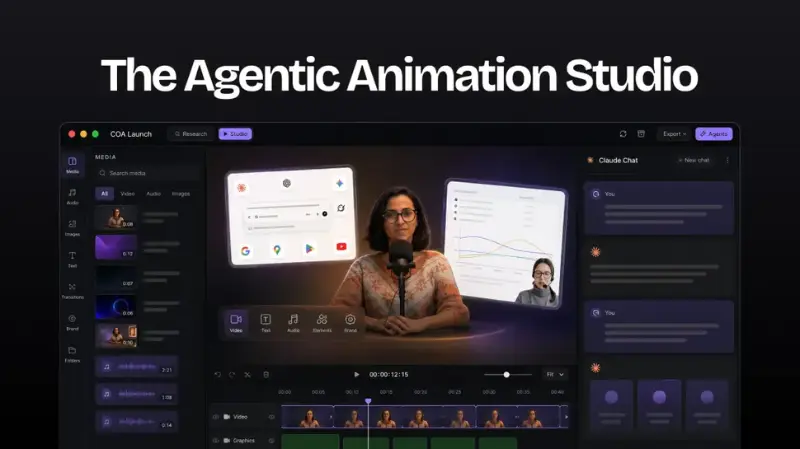
Descript is an AI-powered video and audio editor that makes editing as easy as typing.
Text-based editing: edit the auto-generated transcript like a document — delete words or move sentences and the video/audio changes in sync. Underlord, the AI co-editor, takes raw footage and a prompt and auto-produces a rough cut (removing filler words, picking the best takes, adding scenes), with every step reviewable and undoable.
Recording supports camera, screen, and remote multi-person capture (Rooms up to 4K multi-track cloud recording), or import existing media. Studio Sound removes background noise and echo while enhancing voice. Regenerate fixes mistakes or re-records lines with AI voice — no re-recording needed; Eye Contact correction and Green Screen background swap included. Transcription covers 25 languages with editable captions and speaker detection; translation dubbing covers 30+ languages while preserving the speaker's voice. Create Clips finds highlights from long videos/podcasts and reformats them for each social platform.
Descript is freemium: the Free plan ($0, no credit card) includes 1 media hour/month, 100 one-time AI credits, and 720p export with watermark. Paid plans: Hobbyist $16/month, Creator $24/month (most popular, 30 media hours, 800 AI credits, 4K watermark-free), Business $50/month (40 media hours, 1,500 AI credits, Brand Studio, 30+ language dubbing), and custom Enterprise (annual billing). See descript.com/pricing for current details.
Platforms and languages
Descript Availability
Platforms
Languages
Capabilities
Descript Key Features
Text-based editing
Edit the auto-generated transcript like a document; deletions and moves apply to the video/audio in sync.
Underlord
AI co-editor that auto-produces rough cuts from raw footage — removes filler words, picks best takes, adds scenes.
Studio Sound
AI one-click noise/echo removal and voice enhancement.
Regenerate
Fix mistakes or re-record lines with AI voice; includes Eye Contact correction and Green Screen swap.
Transcription & captions
High-accuracy transcription in 25 languages, editable captions, speaker detection.
Translation dubbing
Translate and dub video into 30+ languages while preserving the speaker's voice.
Create Clips
Find highlights in long videos/podcasts and reformat for each social platform.
Best for
Who uses Descript?
Content creators and podcasters
Edit video/audio by editing text and auto-generate social clips
Marketing and enterprise teams
Produce polished video with AI dubbing and team collaboration
Plans and access
Descript Pricing
Freemium
Free plan $0; paid from $16/mo (Hobbyist) to $50/mo (Business).
Common questions
Descript FAQs
What is Descript?
An AI video/audio editor: record, transcribe, and edit by editing the transcript text like a document — video editing as easy as typing.
Is there a free plan?
Yes — the Free plan ($0, no credit card) includes 1 media hour/month and 720p export with watermark.
Media hours vs AI credits?
Media hours measure uploaded/recorded time; AI credits measure AI feature usage (Underlord, Studio Sound, Green Screen, Eye Contact, etc.).
Are there education discounts?
Students, educators, and nonprofits can apply for special pricing through the form on the site.
Is my content private?
Projects stay private, Descript is SOC 2 Type II compliant, and you can cancel and delete your account data anytime.
Reviews
See what the community thinks and share your experience.
—
Based on 0 ratings
Rating distribution
Community reviews
No reviews
No written reviews yet.