Video To Frames
Pull still images from MP4, MOV, AVI, WebM, or MKV in the browser. Free, no signup, and the video never leaves the device.
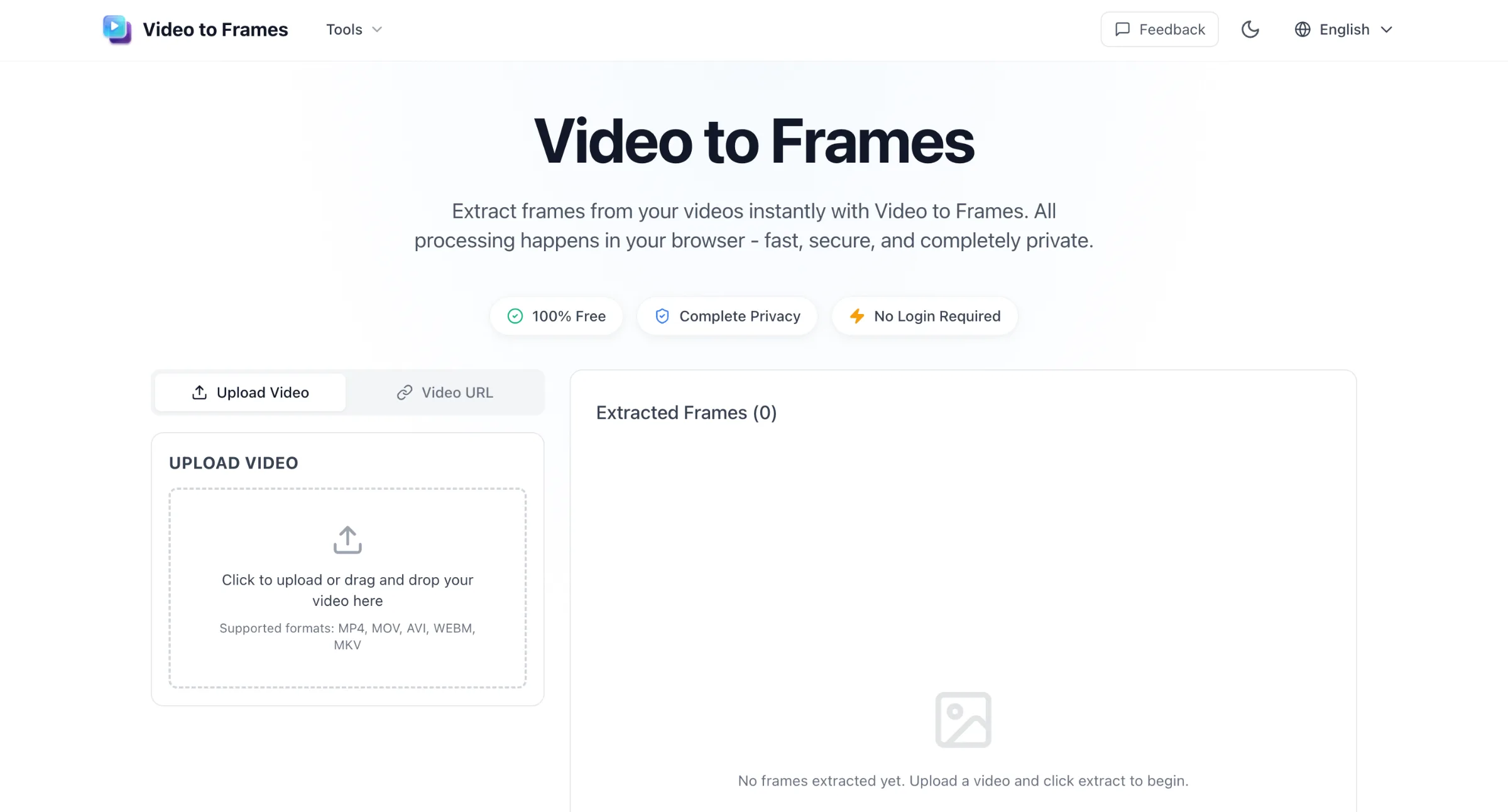
Extract frames from your videos instantly with Video to Frames.
Screenshot 2026-09-10 at 14.51.03.png
Overview
What is Video To Frames?
Pull still images from MP4, MOV, AVI, WebM, or MKV in the browser. Free, no signup, and the video never leaves the device.
What makes your tool useful
Video to Frames turns a video file into downloadable still images without installing software or uploading the clip to a server. Processing runs in the browser on the user’s machine, which suits private footage, client work, and quick one-off jobs.
Workflow
- Add a video from disk (or a direct file URL where CORS allows).
- Choose how to sample: frames per second, a target number of images across the clip, a start/end time range, or manual capture while scrubbing.
- Export as PNG (quality) or JPG (smaller size), then download individually, as a zip, or save straight to a folder.
Distinctive capabilities
- Local processing: no account, no cloud queue for the source video.
- Flexible extraction modes for thumbnails, contact sheets, sprite-style sequences, and single-frame grabs.
- Common containers supported when the browser can decode them (MP4, MOV, AVI, WebM, MKV, and similar).
Useful limitations
- Very long videos or very high frame counts can stress browser memory; starting with low FPS on long clips is safer.
- Desktop browsers handle large files more reliably than phones.
- Streaming sites (e.g. YouTube) are not supported as inputs—use a file on disk.
- It extracts frames; it is not a full video editor or cloud render service.
Platforms and languages
Video To Frames Availability
Platforms
Languages
Capabilities
Video To Frames Key Features
Local frame extraction in the browser
Upload MP4, MOV, AVI, WebM, or MKV and pull stills without sending the video to a server. Extraction runs on the device, so private or client footage is not stored on a third-party upload queue.
Flexible sampling and export
Set frames per second, a target image count, a time range, or capture single frames while scrubbing. Save as PNG or JPG, download one by one, zip a batch, or write frames directly to a folder on disk.
Best for
Who uses Video To Frames?
Content creators and social media editors
Pull thumbnail stills, cover images, and carousel frames from short clips before posting to YouTube, TikTok, Instagram, or X. The video stays on the device, so drafts and unreleased footage are not uploaded to a cloud converter just to grab one frame.
Educators, researchers, and QA reviewers
Sample a lecture, demo, or screen recording at a chosen FPS or time range to inspect motion, slides, or UI states frame by frame. Export PNG or JPG stills for slides, reports, or documentation without installing desktop extraction software or sending the full video to a server.
Plans and access
Video To Frames Pricing
Free
Free for all users
Common questions
Video To Frames FAQs
Is Video to Frames completely free to use?
Yes! Video to Frames is 100% free with no hidden costs, no subscriptions, and no limits on how many videos you can process. All features are available to everyone, no registration required.
Do I need to create an account or sign in?
No account needed! You can use Video to Frames instantly without any registration, login, or personal information. Just upload your video and start extracting frames immediately.
Compare similar tools
Video To Frames Alternatives
 AIEnhancerAIEnhancer is an AI-powered productivity platform that helps users enhance, optimize, and automate digital tasks with intelligent AI tools.AI Creation GenerationAI Audio Tools
 AI Photo EditorEdit photos with a prompt. Upload a photo or start from text, generate a draft in the browser, and download it. Sign in for 5 credits a day.AI Image GenerationAI Design ArtAI Content Creationphoto editorimage generationprompt
Reviews
See what the community thinks and share your experience.
—
Based on 0 ratings
Rating distribution
Community reviews
No reviews
No written reviews yet.