AI-powered comparison of text, documents, PDFs and API requests
DiffFind side-by-side document comparison
Overview
What is DiffFind?
AI Document & Text Comparison
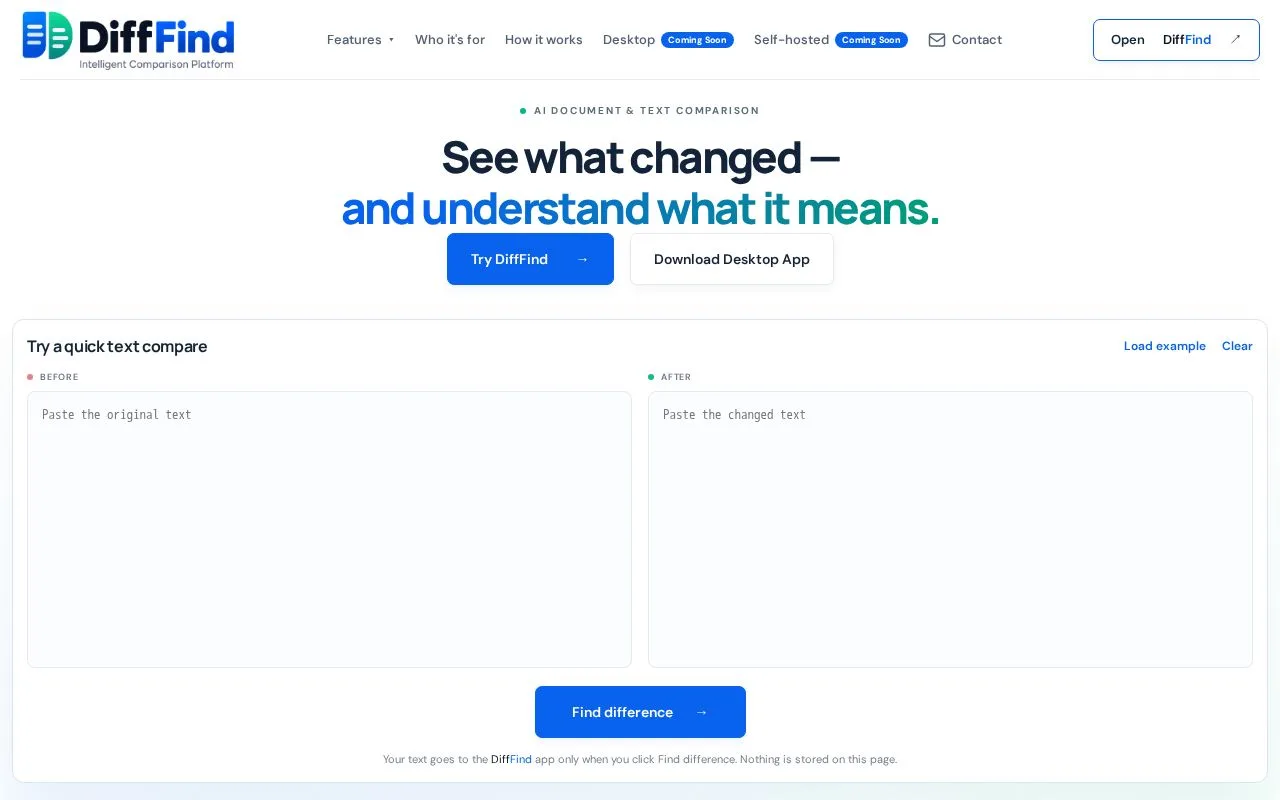
DiffFind is an AI-powered tool for comparing text, documents, PDFs, and structured data. It shows precise differences and offers optional semantic analysis to explain the implications of each change.
What makes it useful
- Precise, side-by-side differences for text, documents and PDFs
- Optional AI analysis of what the changes mean
- Works for business users, everyday users and developers, including API request comparison
Platforms and languages
DiffFind Availability
Platforms
Languages
Capabilities
DiffFind Key Features
Side-by-side diff
Shows precise differences between two texts, documents or PDFs, highlighting what was added, removed or changed.
Semantic change analysis
Optional AI analysis that explains the meaning and implications of the changes, not just what changed.
Multi-format support
Compares plain text, documents, PDFs and structured data such as API requests in one workflow.
Best for
Who uses DiffFind?
Business users and developers
Comparing contract or document revisions and checking API request changes.
Plans and access
DiffFind Pricing
Freemium
Freemium: a free tier to compare documents and text, with paid plans for higher usage. See the official website for current plan limits.
Common questions
DiffFind FAQs
What can DiffFind compare?
DiffFind compares text, documents, PDFs and structured data, showing precise differences and optional AI analysis of what the changes mean.
Compare similar tools
DiffFind Alternatives
Reviews
See what the community thinks and share your experience.
—
Based on 0 ratings
Rating distribution
Community reviews
No reviews
No written reviews yet.