AI image-to-image generator: upload a photo, describe the change, and get a new image.
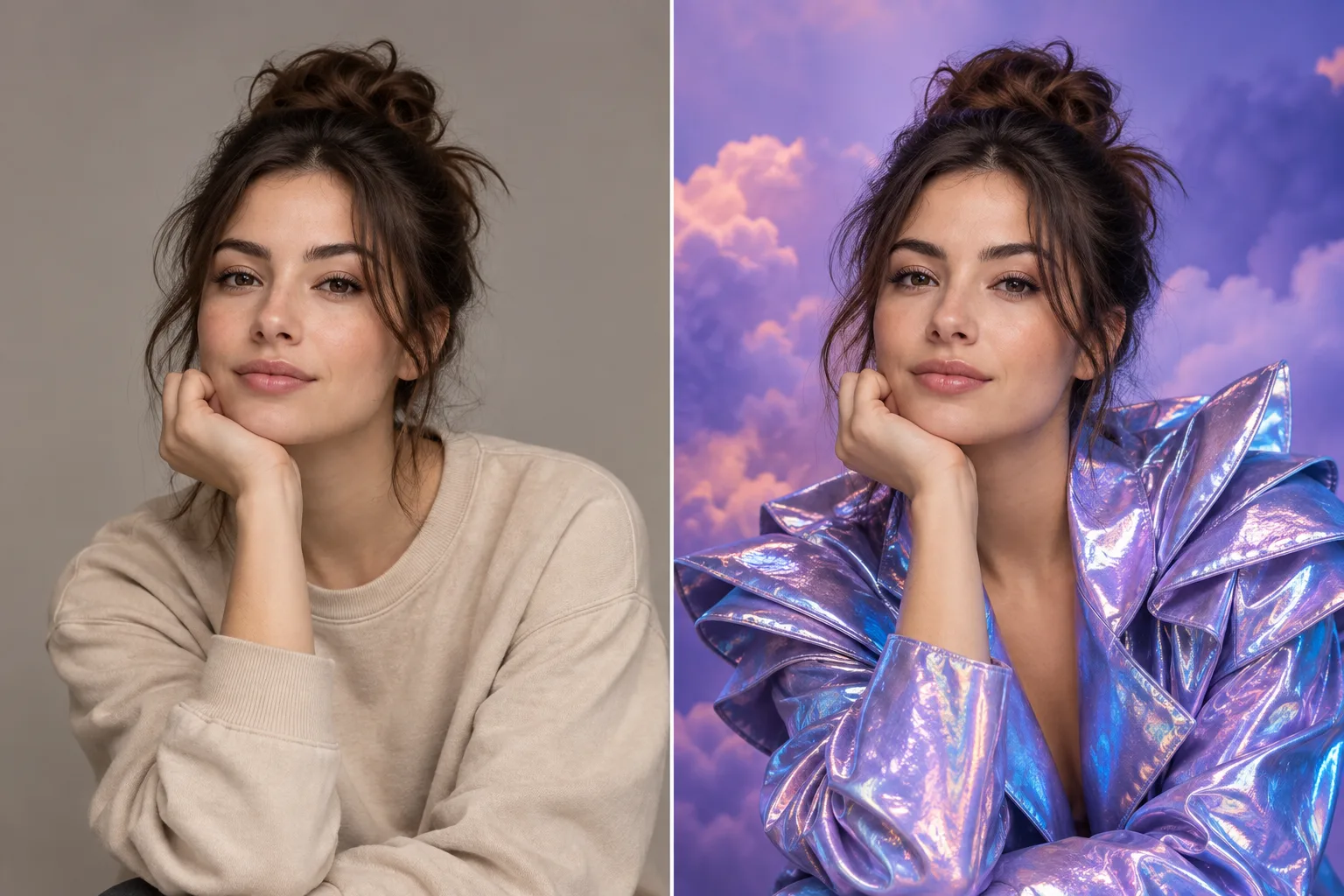
ImageToImageAI editor — upload, describe, generate
Overview
What is ImageToImageAI?
Turn any photo into a new image by describing the change.
ImageToImageAI is a web-based AI image-to-image generator. Upload a photo, describe your edit in plain language, and the AI recreates it while preserving the details that matter — no design skills required.
How it works
The flow is simple: Upload → Describe → Generate. It works for product photography, room redesigns, portraits, style trends, and sticker creation.
Models
It runs on leading image models including GPT Image 2 (free to try), Nano Banana 2, and Nano Banana Pro, so you can compare results from different models on the same input.
Honest limitations
Faces can drift slightly on complex edits, text inside images still breaks sometimes, and free usage is limited to the free model.
The site is available in English and Simplified Chinese, works right in the browser with Google sign-in, and offers flexible credit-based subscriptions and one-time packs. Official site: https://image-to-image-ai.app
Platforms and languages
ImageToImageAI Availability
Platforms
Languages
Capabilities
ImageToImageAI Key Features
Describe edits in plain language
Type the change you want — lighting, outfit, background, style — and the AI regenerates the photo while keeping key details.
Multiple image models
Compare results from GPT Image 2, Nano Banana 2 and Nano Banana Pro on the same input.
Free model to try
GPT Image 2 is available for free so you can test the flow before buying credits.
Bilingual web app
English and Simplified Chinese interfaces, works in the browser with Google sign-in.
Plans and access
ImageToImageAI Pricing
Freemium
GPT Image 2 is free to try. Subscriptions: Starter $19.99/200 credits, Pro $39.99/600, Max $69.99/1,150. One-time packs: 200/$25.99, 600/$49.99, 1,200/$83.99.
Common questions
ImageToImageAI FAQs
What is ImageToImageAI?
A web-based AI image-to-image generator: you upload a photo, describe the change in plain language, and the AI creates a new image that keeps the details that matter.
Is it free to use?
The GPT Image 2 model is free to try. Higher usage runs on a credit-based subscription or one-time credit packs.
Do I need design skills?
No. The flow is upload, describe, generate — everything runs in the browser with Google sign-in, in English or Simplified Chinese.
Compare similar tools
ImageToImageAI Alternatives
Reviews
See what the community thinks and share your experience.
—
Based on 0 ratings
Rating distribution
Community reviews
No reviews
No written reviews yet.