Voice dictation app for Mac and Windows that turns speech into clean, ready-to-send text at your cursor, in 90+ languages, plus meeting minutes.
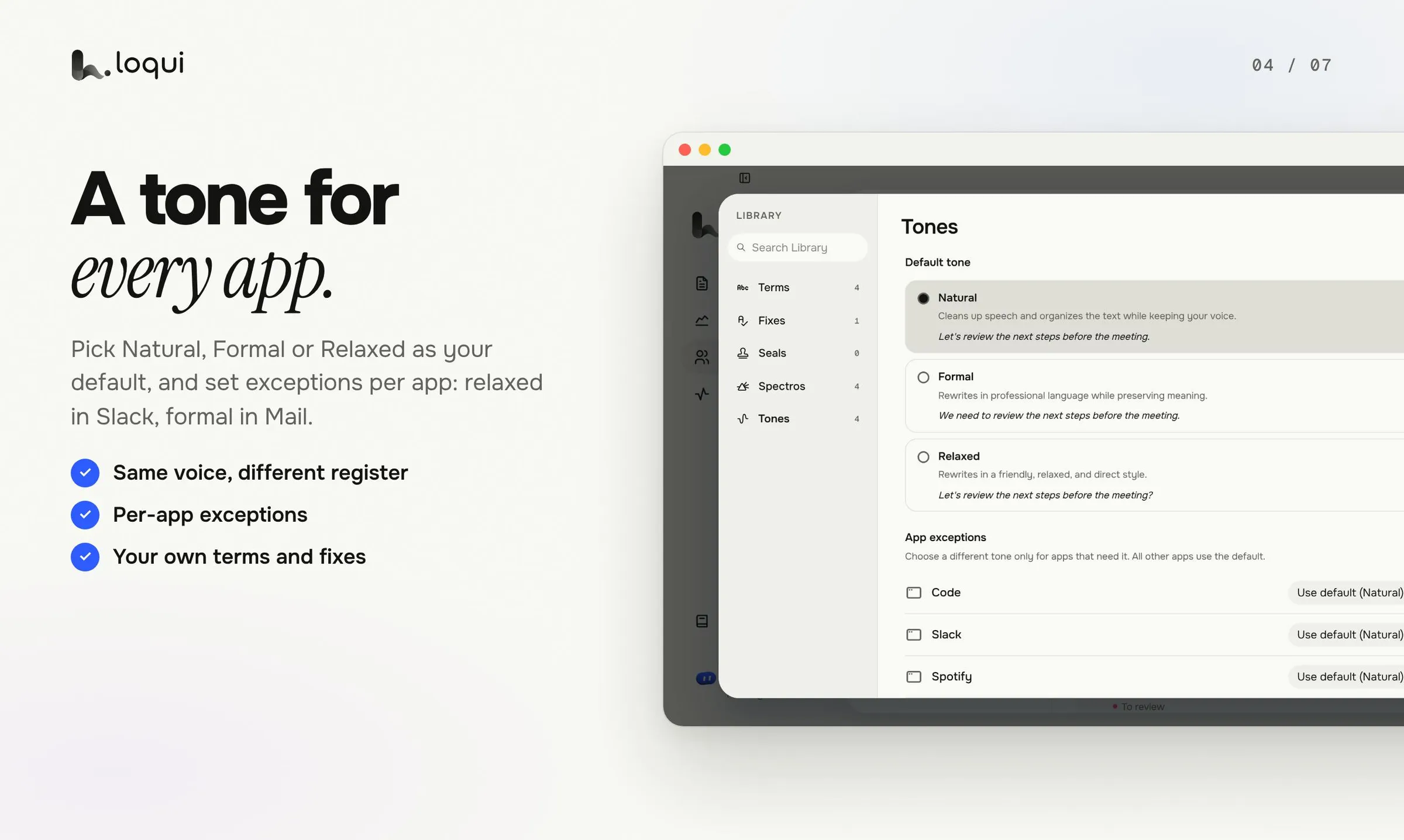
Loqui product screenshot from the Product Hunt launch gallery
Overview
What is Loqui?
Turns your voice into ready-to-send text in any Mac app
Loqui is a voice dictation app for Mac and Windows: hold a key, talk the way you talk, and clean, ready-to-send text shows up wherever your cursor is, in any app you can type in. It drops fillers, understands corrections, formats amounts, dates and lists, and adapts its tone to the app — loose in chat, careful in email, direct in docs. It works in over 90 languages, and extras include translation, summarization and email rewrites, saved phrases you can call up by voice, and hands-free mode. Meetings get separate voice tracks and minutes that separate decisions, actions, risks and open questions, with a contradiction radar that flags when a new decision retires an earlier one — nothing changes until you choose. Audio is discarded on the servers once it becomes text, and history lives only on your computer.
Platforms and languages
Loqui Availability
Platforms
Languages
Capabilities
Loqui Key Features
Dictation wherever your cursor is
Hold a key and talk; the text lands in any app you can type in, with no plugin and no copy and paste.
Clean text, not raw transcript
Fillers are dropped, corrections understood, and amounts, dates and lists formatted, so you never have to say comma or period.
One tone for every app
Loqui notices where the text is going and writes the way people write there: loose in chat, careful in email, direct in docs.
90+ languages
Pick a language or let Loqui figure out which one you are speaking.
Meeting minutes with contradiction radar
Meetings are transcribed with separate voices and tracks, and minutes separate decisions, actions and risks; a contradiction radar flags when a new decision retires an old one, and you approve what counts.
Learns your vocabulary
Names, acronyms and jargon go into a dictionary, and every correction teaches Loqui not to miss again.
Audio does not stay on servers
Audio passes through servers to become text and is discarded there; dictation history is kept only on your computer and sync starts off.
Best for
Who uses Loqui?
people who write all day and want to stop typing
dictate emails, docs, chats and code comments in any app, in the right tone
professionals who live on calls and meetings
get searchable minutes with decisions and actions, and catch contradicted decisions
Plans and access
Loqui Pricing
Freemium
Free $0 forever (weekly dictation quota, 1h meetings one time); Pro $8/mo; Pro + Meetings $16/mo.
Common questions
Loqui FAQs
Does Loqui work in any app?
Yes. The text goes wherever your cursor is, in any app you can type in, with no plugin needed.
How many languages does Loqui support?
Over 90 languages. You can pick one or let Loqui figure out which language you are speaking.
What happens to my audio?
Audio passes through the servers to become text and is discarded there; no audio is kept, and your dictation history lives only on your computer.
How do meeting minutes work?
Each voice gets its own track, and minutes separate decisions, actions, risks and open questions. A contradiction radar flags clashes with earlier decisions, and you approve what counts.
What do the plans cost?
Free costs $0 forever with a weekly dictation quota; Pro is $8 per month and Pro + Meetings is $16 per month.
Reviews
See what the community thinks and share your experience.
—
Based on 0 ratings
Rating distribution
Community reviews
No reviews
No written reviews yet.