AI notes-and-tasks workspace that turns scattered notes into scheduled tasks, with your approval first.
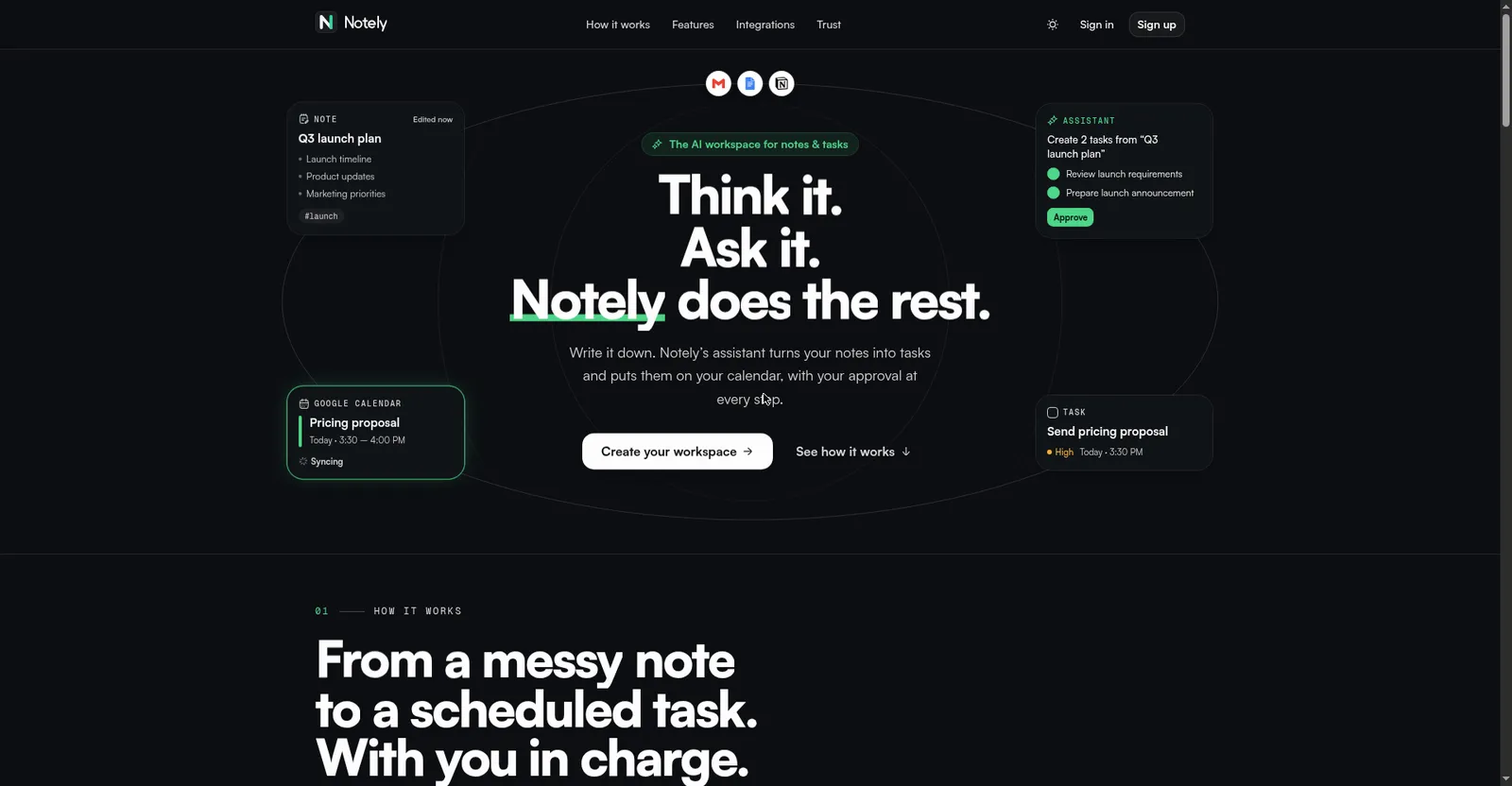
Notely homepage hero
Overview
What is Notely?
Think it. Ask it. Notely does the rest.
Notely is an AI workspace that turns scattered notes into tasks, calendar plans, and follow-ups. Its AI assistant searches your notes and connected apps, proposes the next steps, and waits for your approval before making any change — nothing happens without you.
Notes, tasks, and calendars live together: a rich editor with folders and tags, task management with two-way Google Calendar sync, and automations that run on a schedule or on triggers. It connects to Gmail, Google Workspace, Outlook, Notion, Slack, and dozens more apps.
No pricing was shown on the official site at launch; Product Hunt lists it as free.
Platforms and languages
Notely Availability
Platforms
Languages
Capabilities
Notely Key Features
AI assistant with approval gate
The assistant searches your notes and connected apps, plans multi-step work, and waits for approval before every change.
Rich note editor
Folders, tags, favourites, reminders, version history, and sharing in one editor.
Task management
Dates, priorities, bulk actions, and two-way Google Calendar sync turn notes into scheduled work.
Automations
Scheduled or trigger-based automations with a safe test-before-running step.
Deep integrations
Connects Gmail, Google Workspace, Outlook, Zoom, Notion, Slack, Teams, Jira, Asana, and any MCP server.
Best for
Who uses Notely?
Knowledge workers juggling notes, tasks, and calendars
Turn messy notes into scheduled tasks with an AI assistant that asks first
Common questions
Notely FAQs
Does the AI act on its own?
No. Every proposed change waits for your approval, and an activity log records everything the assistant runs.
Is my data secure?
Credentials and AI keys are encrypted at rest, never sent back to the browser, sign-in supports two-factor authentication, and app connections use each vendor's official consent screen.
Which apps does it connect to?
Gmail, Google Calendar, Docs, Drive, Sheets, Outlook, Zoom, Notion, Slack, Microsoft Teams, Jira, Asana, ClickUp, Todoist, and any MCP server.
Is there a mobile app?
The site describes a web-based workspace saved to your account on every device; no native iOS or Android apps were shown.
Reviews
See what the community thinks and share your experience.
—
Based on 0 ratings
Rating distribution
Community reviews
No reviews
No written reviews yet.