Usage Meter
Every AI coding limit, on the edge of your screen. Free, for Windows 10 and 11.
Free Windows edge pill that shows live usage limits for Claude, Codex, Cursor, Copilot and other AI coding tools at a glance.
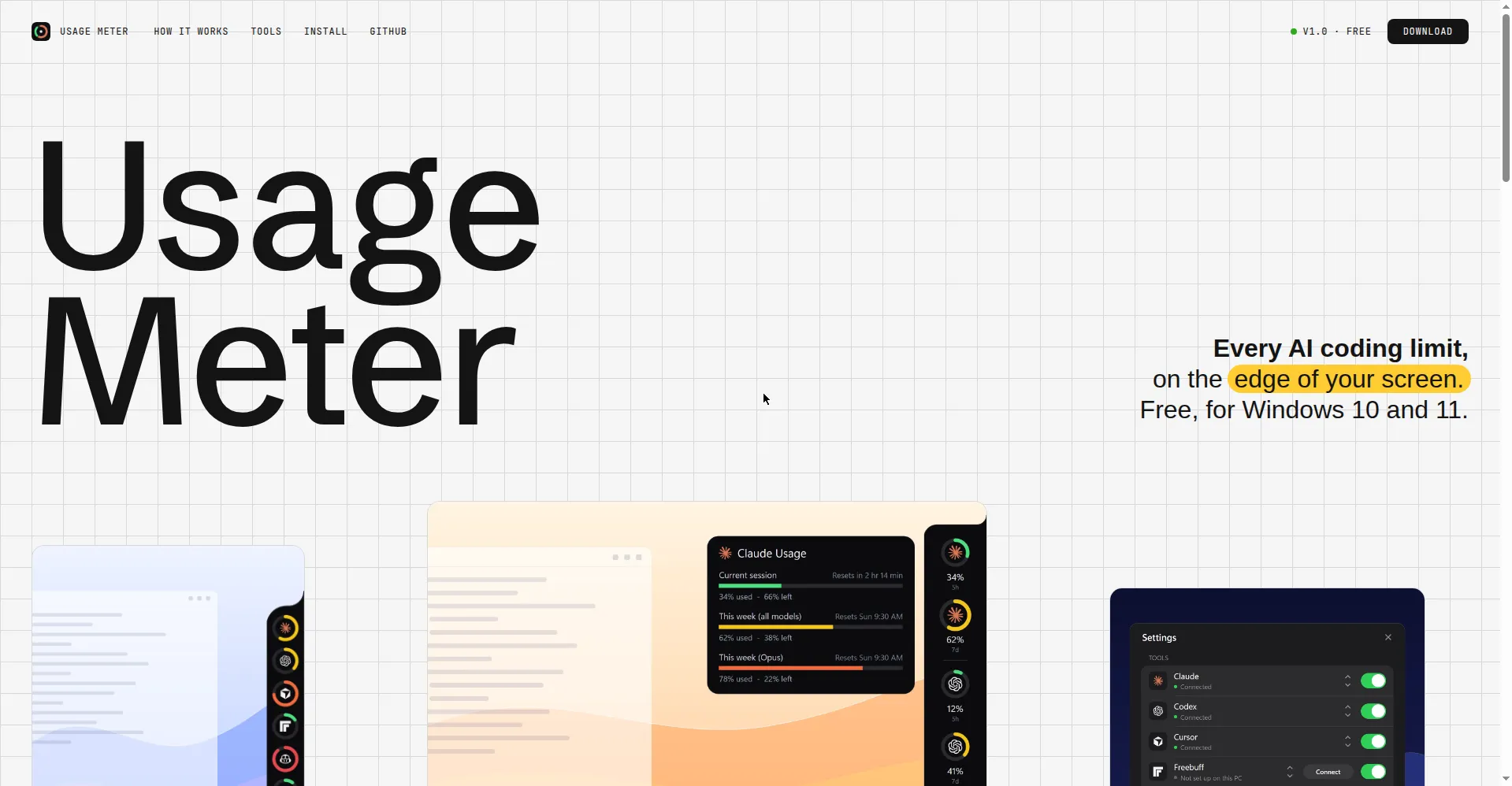
Usage Meter homepage
1 / 2Overview
What is Usage Meter?
Every AI coding limit, on the edge of your screen. Free, for Windows 10 and 11.
Usage Meter (listed on Product Hunt as "AI Usage Tracker") is a free, open-source utility for Windows 10 and 11 that keeps every AI coding tool's usage limit visible at a glance. It lives as a slim pill on the edge of your screen: each tool gets a ring showing its main usage limit, shifting from green to yellow, orange and red as usage climbs, and blinking past 90%.
Hovering expands a panel with every limit window, remaining percentage, credits left and reset time for each tool. The pill can be dragged along the screen edge or snapped to the left, top or right, and it remembers its position. It auto-discovers tools you are already signed into on the machine, so there is nothing to configure; settings let you show, hide, reorder and size the capsule from 70% to 160%.
It is privacy-first by design: tokens are read only from your own local profile folders and sent only to each tool's own service - nothing is stored and the app has no server of its own. The whole application is a single open-source PowerShell script under the MIT license. One caveat from the maker: it uses undocumented usage APIs, so providers may change them; when numbers look off, trust the provider's own usage page.
Supported tools include Claude, Codex, Cursor, GitHub Copilot, Freebuff and Antigravity.
Platforms and languages
Usage Meter Availability
Platforms
Languages
Capabilities
Usage Meter Key Features
Always-visible usage rings
A slim pill sits on your screen edge; each AI coding tool gets a ring showing its main usage limit, changing color green to red and blinking past 90%.
Detailed hover panel
Hover to expand a panel with every limit window, remaining percentage, credits left and reset time per tool.
Flexible edge placement
Drag along the screen edge or snap to left, top or right; position is remembered, and capsule size scales 70%-160%.
Zero-config auto-discovery
Detects tools you are already signed into on the machine with zero configuration; show, hide, sort tools or connect unsigned ones in settings.
Privacy-first, open source
Tokens are read only from your local profile folders and sent only to each tool's own service; nothing stored, no own server; the whole app is one open-source PowerShell script (MIT).
Best for
Who uses Usage Meter?
Windows 10/11 users subscribed to multiple AI coding tools
See all AI coding-tool usage limits at a glance without opening each provider's usage page
Plans and access
Usage Meter Pricing
Free
Common questions
Usage Meter FAQs
Is it free?
Yes, completely free. The site marks it V1.0 / FREE and the code is MIT licensed.
What platforms does it support?
Windows 10 and 11 only. There is no macOS, iOS, Android or web version (a Mac-only sibling called Codenotch inspired it).
How do I install it?
Download the zip or clone the GitHub repo, unzip, and run Install.cmd - the maker says it takes about a minute.
Is it safe to give it access to my accounts?
Your logins stay yours. Tokens are read from your own local profile folder and sent only to each tool's own service. Usage Meter never stores them and has no server of its own.
How accurate are the numbers?
It reads usage through undocumented provider APIs, which suppliers may change. If a number looks wrong, check the provider's own usage page and open an issue on GitHub.
Reviews
See what the community thinks and share your experience.
—
Based on 0 ratings
Rating distribution
Community reviews
No reviews
No written reviews yet.