Jolene.pro
AI for spreadsheet analysis. A surprisingly normal use of AI.
Analyze entire workbooks with AI, compare sheets, trace changes, and build charts.
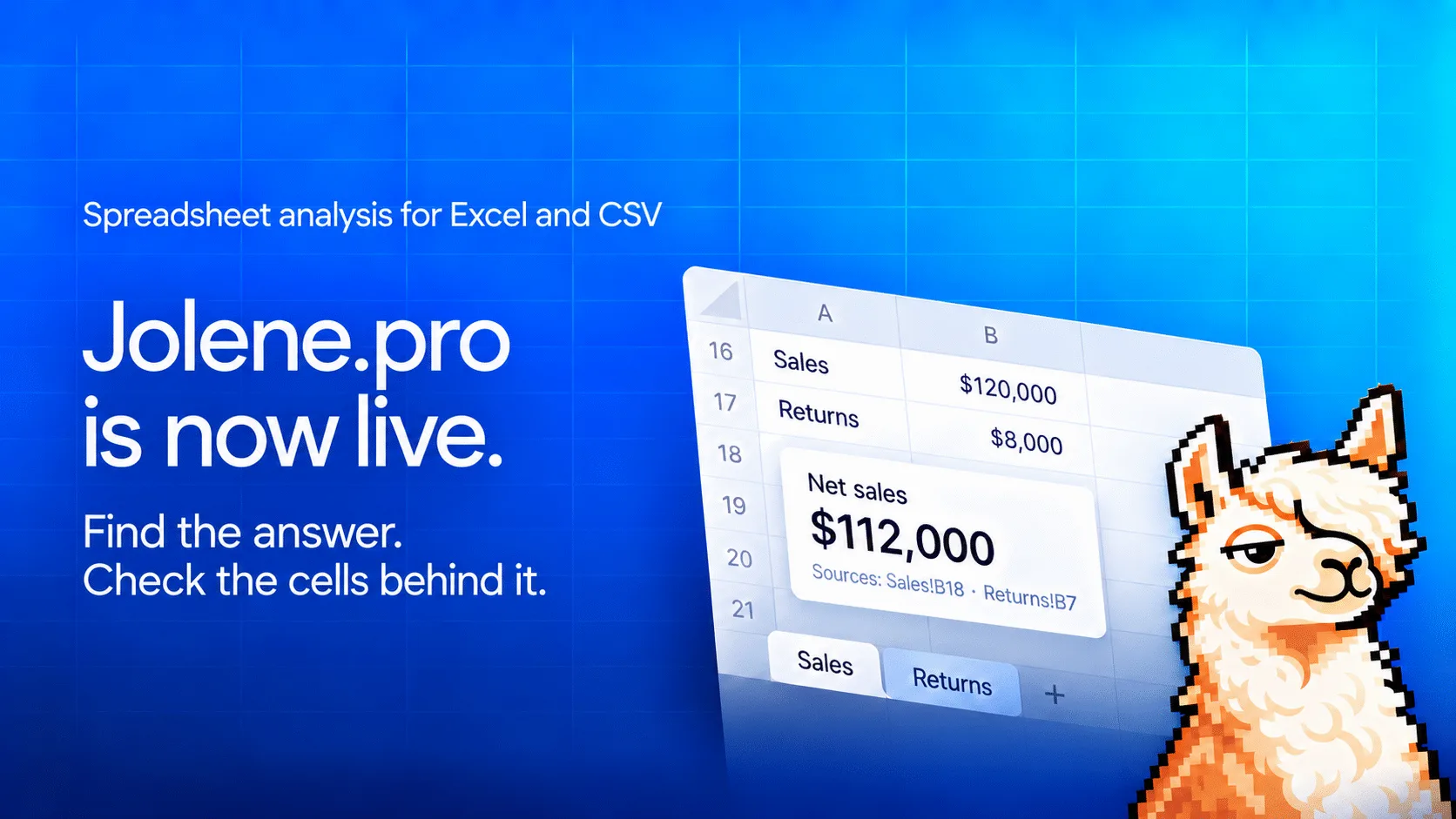
Jolene_pro_spreadsheet_launch_under_1MB.png
1 / 3Overview
What is Jolene.pro?
AI for spreadsheet analysis. A surprisingly normal use of AI.
Analyze the workbook, not just one table
Jolene.pro is an AI spreadsheet analysis tool for Excel and CSV files. It helps users investigate data across multiple sheets, compare records, explain changes, create charts, and inspect the source cells behind each finding.
Upload a workbook and describe what you need in plain English. Jolene.pro can work with multi-sheet files, separate tables within the same sheet, and irregular business layouts without requiring you to reorganize the workbook first.
What Jolene.pro can do
- Compare records and totals across multiple sheets
- Investigate discrepancies and explain what changed
- Analyze budgets, actuals, forecasts, invoices, payments, inventory, sales, and operational data
- Create KPI cards, charts, heatmaps, and dashboards
- Show references to the sheets, rows, and cells supporting a result
- Save an analysis and rerun it with the next weekly or monthly file
- Warn when renamed sheets, columns, or other structural changes could affect the analysis
Who it is for
Jolene.pro is designed for finance and FP&A teams, operations teams, business analysts, consultants, bookkeepers, founders, and managers who regularly work with spreadsheet reports.
Common uses include budget-versus-actual reviews, invoice and payment reconciliation, inventory analysis, monthly reporting, performance comparisons, duplicate detection, and investigating differences between reports.
What makes it different
ChatGPT, Gemini, and Copilot can analyze spreadsheets too. Jolene.pro is built specifically for working across a workbook. It can compare records across sheets, investigate changes, produce charts, and attach the exact supporting cells to its findings.
The result is not only an answer. It is an answer that can be checked against the workbook.
Free plan
New users receive 2,000 credits without providing a payment card. Failed file processing or analysis does not consume credits.
Platforms and languages
Jolene.pro Availability
Platforms
Languages
Capabilities
Jolene.pro Key Features
Analyze complete workbooks
Read multiple sheets, separate tables, and irregular layouts across Excel workbooks and CSV files.
Compare data across sheets
Match records across sheets, reconcile totals, investigate discrepancies, and identify what changed between reports.
Ask questions in plain English
Request calculations, summaries, comparisons, charts, KPI cards, and dashboards without writing formulas or code.
Verify the supporting records
Inspect references to the exact sheets, rows, and cells used to produce a finding or calculation.
Save and rerun analyses
Repeat a saved analysis with the next weekly or monthly workbook and receive a warning when the file structure changes.
Best for
Who uses Jolene.pro?
Finance and FP&A teams
Compare budgets with actuals, investigate variance drivers, reconcile payments and invoices, review forecasts, and trace every reported figure back to its supporting spreadsheet records.
Operations and supply chain teams
Analyze inventory, orders, deliveries, suppliers, and operational performance across multiple sheets. Identify shortages, delays, exceptions, and records that require follow-up.
Data and business analysts
Investigate multi-sheet exports, validate business metrics, compare reporting periods, find discrepancies, and turn workbook findings into charts with supporting source references.
Consultants and bookkeepers
Review client workbooks, find duplicate or inconsistent records, reconcile invoices and payments, prepare reports, and rerun saved analyses when the next monthly file arrives.
Founders and managers
Get direct answers, KPI summaries, comparisons, and charts from business workbooks. Inspect the records behind important numbers without manually working through every sheet.
Plans and access
Jolene.pro Pricing
Free
Common questions
Jolene.pro FAQs
Analyze complete workbooks
Read multiple sheets, separate tables, and irregular layouts across Excel workbooks and CSV files.
Compare data across sheets
Match records across sheets, reconcile totals, investigate discrepancies, and identify what changed between reports.
Ask questions in plain English
Request calculations, summaries, comparisons, charts, KPI cards, and dashboards without writing formulas or code.
Verify the supporting records
Inspect references to the exact sheets, rows, and cells used to produce a finding or calculation.
Save and rerun analyses
Repeat a saved analysis with the next weekly or monthly workbook and receive a warning when the file structure changes.
Compare similar tools
Jolene.pro Alternatives
Reviews
See what the community thinks and share your experience.
5.0
Based on 1 ratings
Rating distribution
Community reviews
No reviews
No written reviews yet.