AmosVid is an AI whiteboard animation video generator that turns your script into a hand-drawn explainer video with voiceover in one click.
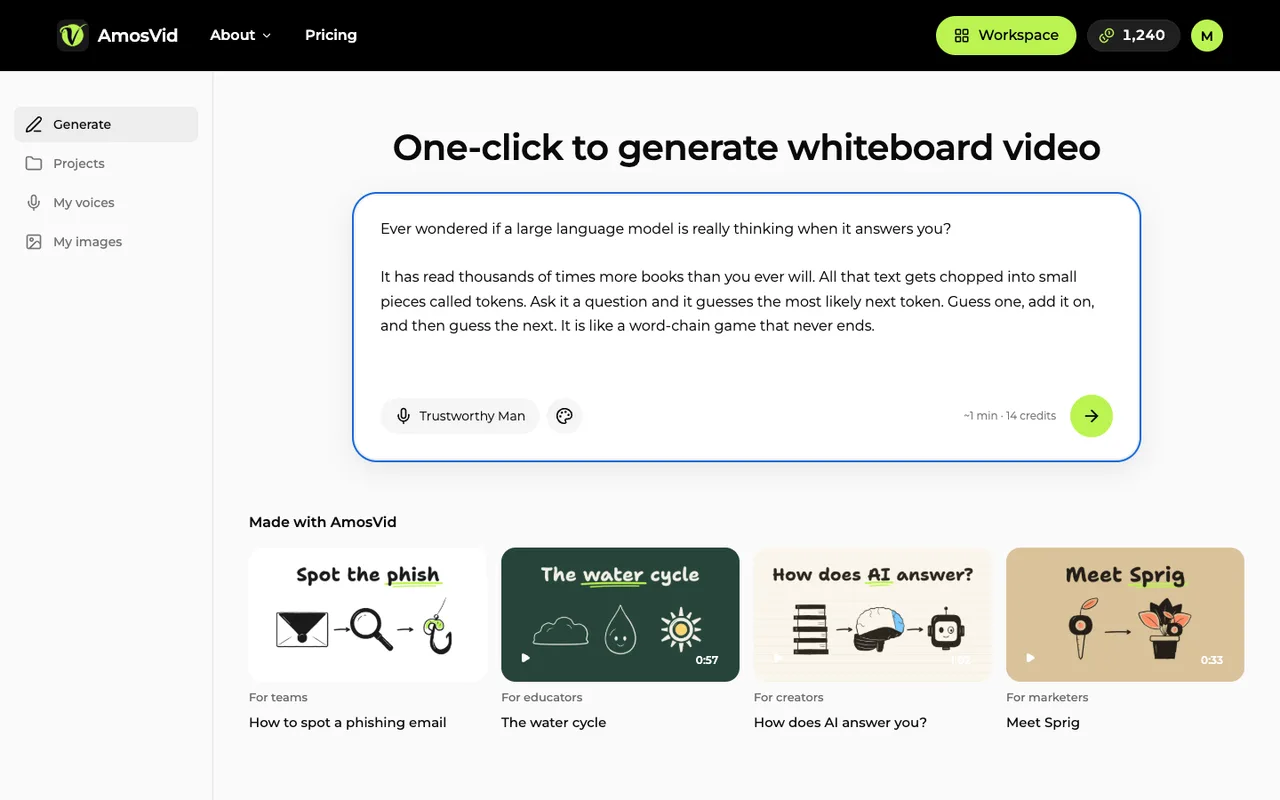
Write or paste a script in AmosVid
1 / 3Overview
What is AmosVid?
Turn any text into a whiteboard explainer video
AmosVid is an AI whiteboard animation video generator that turns your script into a hand-drawn explainer video in one click.
Explaining an idea on video used to mean drawing every frame, recording a voiceover and lining it all up on an editing timeline. With AmosVid you paste your text and the rest is done for you: it plans the scenes, draws a sketch for every line, and records a voiceover in the language of your script, English or Chinese. Pick a preset voice or clone your own voice with permission.
You stay in control of the result. If one scene isn't right, swap its image or fix just that scene instead of regenerating the whole video. When you're happy, export a 1080p MP4 that you can use commercially.
AmosVid is built for people who explain things: teachers and course creators turning lessons into videos, marketers and founders making product explainers, YouTubers and educators publishing to their channels, and trainers and HR teams producing training videos.
Videos can run up to 30 minutes each on Pro. New accounts get free credits to try it, no credit card needed. Credits are only used when you generate; exports and image swaps are free, and failed videos are refunded automatically.
AmosVid is built by founder Amos Young. Questions or feedback: [email protected]
Platforms and languages
AmosVid Availability
Platforms
Languages
Product video
AmosVid in action
Capabilities
AmosVid Key Features
Script to whiteboard video
Paste your script and AmosVid plans the scenes and draws a hand-drawn sketch for every line, then assembles a whiteboard explainer video in one click.
AI voiceover in English or Chinese
The voiceover is recorded in the language of your script, English or Chinese. Pick a preset voice or clone your own voice with permission.
Fix a single scene
If one scene is not right, swap its image or fix just that scene instead of regenerating the whole video.
1080p MP4 export
Export a 1080p MP4 that you can use commercially. Exports and image swaps do not use credits.
Best for
Who uses AmosVid?
Teachers & course creators
Turn lessons and course material into whiteboard explainer videos.
Marketers & founders
Make product explainer videos without hiring an animator.
YouTubers & educators
Publish hand-drawn explainer videos to their channels.
Trainers & HR teams
Produce training and onboarding videos from existing scripts.
Plans and access
AmosVid Pricing
Freemium
Free credits to start; Pro from $20/month
Free to start with free credits. Pro is $20/month or $120/year (save 50%), with about 40 minutes of video per month. Videos can run up to 30 minutes each on Pro. Credits are only used when you generate; exports and image swaps are free, and failed videos are refunded automatically.
AmosVid Alternatives
 SynthesiaAI video platform: avatars, voiceovers, and dubbing in 140+ languages.
Reviews
See what the community thinks and share your experience.
—
Based on 0 ratings
Rating distribution
Community reviews
No reviews
No written reviews yet.