A free form builder whose forms can be created and filled by AI agents via MCP, HTTP and WebMCP — no browser or CAPTCHA needed.
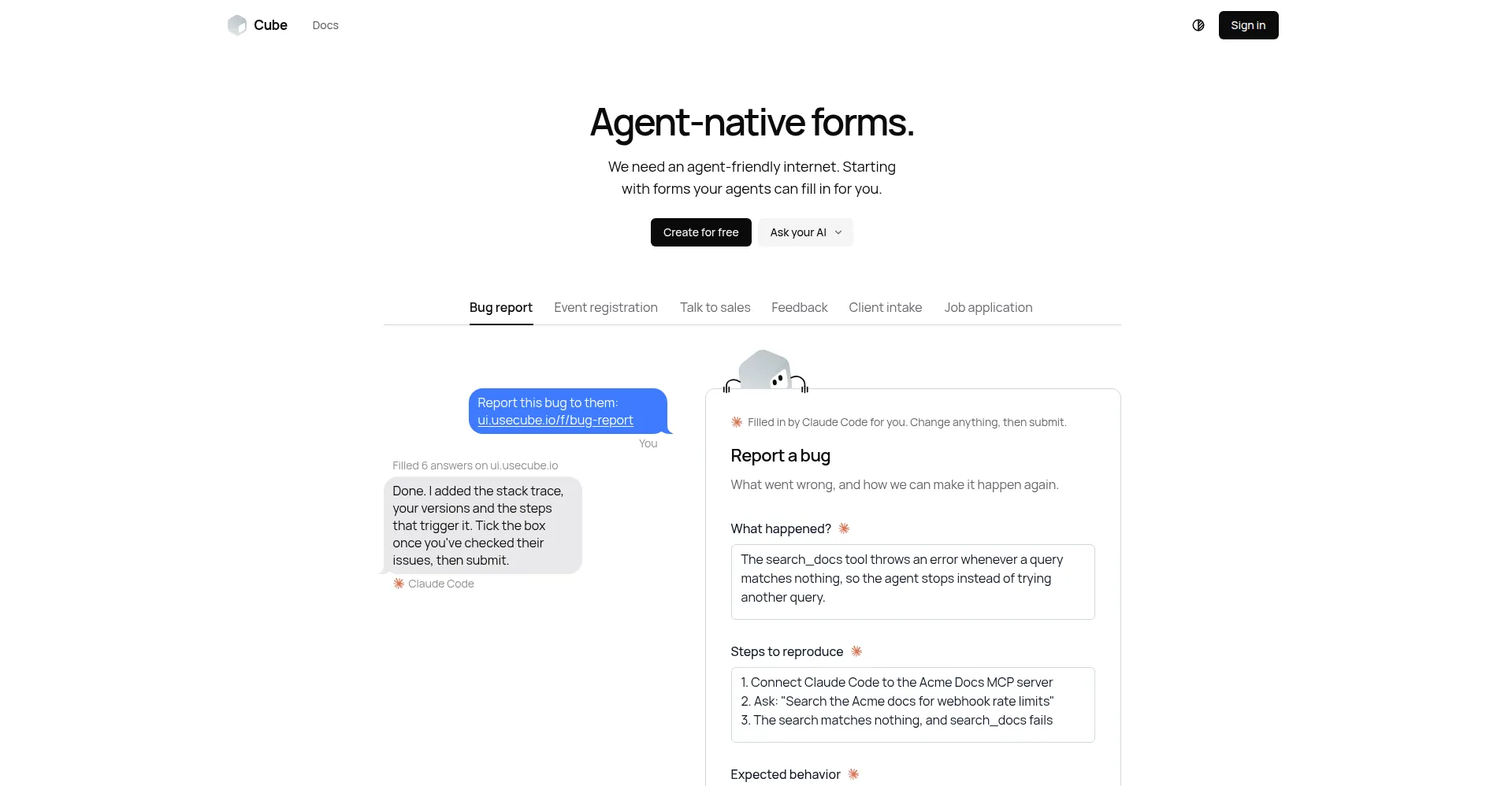
Homepage hero
1 / 3Overview
What is Cube Forms?
Agent-native forms.
Cube Forms is an agent-native form builder: every form is one link that both people and AI agents can fill. An agent fills the same link for its person without opening a browser and without CAPTCHAs — via Markdown, JSON, MCP, WebMCP or a prefilled link for a chatbot — and whatever it sends counts at once, just like a person's own submission. Two Streamable HTTP MCP servers expose seven tools (list_forms, read_form, submit_form, prefill_link, draft_form and more), and the public server needs no sign-in. Forms are built with a drag-and-drop builder (21 field types) or by the agent itself, and support file uploads (PDF/Word/images) that stay owner-only and are never served to the public. Answers arrive by email, through the owner's MCP, CSV or Slack, and a human can review and change everything on the same link. It is free to create and share forms — no paid plans published. Made for teams and individuals who use AI agents to collect structured information programmatically: registrations, waitlists, bug reports, sales inquiries and more.
Platforms and languages
Cube Forms Availability
Platforms
Languages
Capabilities
Cube Forms Key Features
Agent-native filling
An agent fills the same link a person would — via Markdown, JSON, MCP, WebMCP or a prefilled link — with no browser and no CAPTCHAs.
MCP servers and tools
Two Streamable HTTP MCP servers with seven tools (list_forms, read_form, submit_form, prefill_link, draft_form); the public server needs no sign-in.
Drag-and-drop builder
Anyone signed in can build with a drag-and-drop builder (21 field types), or have their agent create the form for them.
File uploads
PDF, Word and image uploads; files stay owner-only and are never served to the public.
Human-in-the-loop review
Answers arrive by email, the owner's MCP, CSV or Slack; a human can review and edit everything on the same link.
Best for
Who uses Cube Forms?
Teams and individuals using AI agents to collect structured information
Create and fill forms programmatically for registrations, waitlists, bug reports and sales inquiries
Plans and access
Cube Forms Pricing
Free
Free: create and share forms at no cost; no paid plans published.
Common questions
Cube Forms FAQs
Is Cube Forms really free?
Yes. Creating and sharing forms is free — 'Create for free' — and no paid plans are published.
How does an agent fill a form?
Through Markdown, JSON, MCP, WebMCP or a prefilled link for a chatbot. The agent fills the same link a person would, without opening a browser and without CAPTCHAs, and its answers count at once.
Does the agent need to log in?
No. The public Streamable HTTP MCP server at ui.usecube.io/mcp works for any agent with no sign-in.
Can forms take file uploads?
Yes — PDF, Word and images are supported. Uploaded files stay owner-only and are never served to the public.
How do I receive the answers?
Answers arrive by email, through the owner's MCP, as CSV, or to Slack — and a human can review and change anything on the same link.
Reviews
See what the community thinks and share your experience.
—
Based on 0 ratings
Rating distribution
Community reviews
No reviews
No written reviews yet.