Chrome extension that cross-checks answers from ChatGPT, Claude, and Gemini side by side in one tab, with 30+ models for second opinions.
Cuey product overview
Overview
What is Cuey?
Compare ChatGPT, Claude & Gemini answers in one tab.
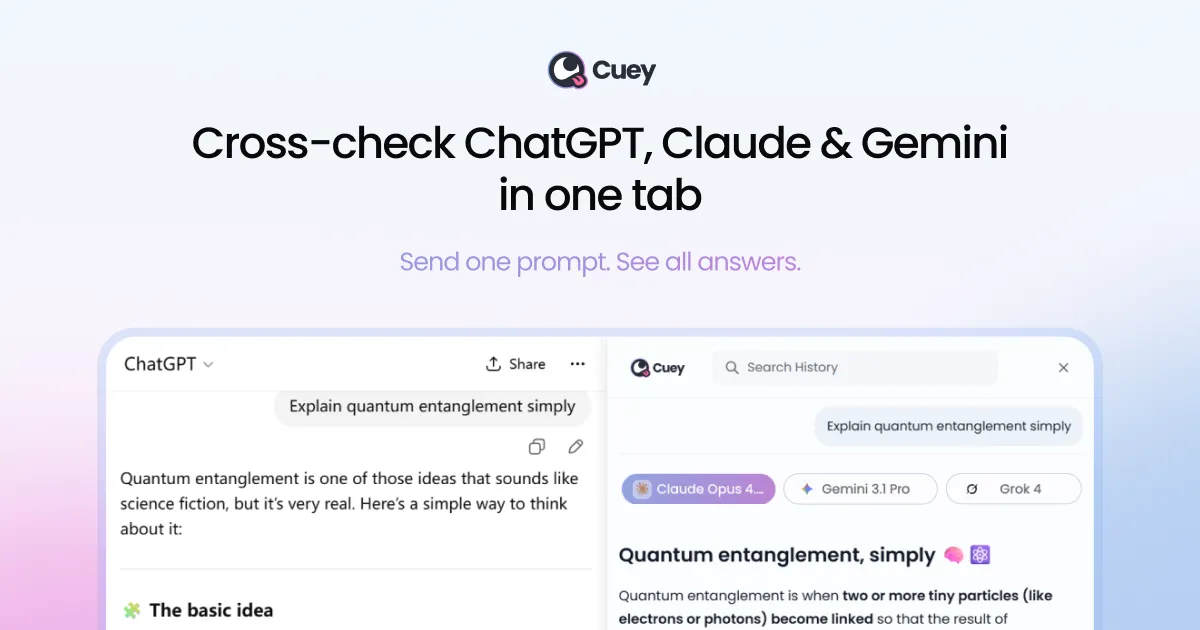
Cuey is a Chrome extension that works inside the ChatGPT, Claude, and Gemini pages you already use — not a separate app. Send one prompt and compare answers from up to 3 models side by side in a sidebar, so you can cross-check AI answers without leaving your tab.
Beyond side-by-side comparison, Cuey cross-checks against 30+ models for background second opinions (with a daily free limit), highlights where models agree, diverge, or where yours missed something, and carries portable memory and context by importing chat history across ChatGPT, Claude, and Gemini. No extra AI subscriptions or API keys are needed — the extension works with the accounts you already have.
Cuey is freemium: a Free plan for casual use and a Pro plan for daily workflows with 500MB file storage. Dollar prices are not listed on the pricing page. Support: [email protected]. Privacy policy at cuey.io/privacy (the company states it never sells user data).
Platforms and languages
Cuey Availability
Platforms
Languages
Capabilities
Cuey Key Features
Side-by-side comparison
Send one prompt to up to 3 models and view their answers side by side in a sidebar, without leaving ChatGPT, Claude, or Gemini.
Cross-checking across 30+ models
Background second opinions from 30+ models (daily free limit) catch confident-sounding errors before you act on them.
Disagreement highlighting
See exactly where models agree, where they diverge, and what your preferred answer missed.
Portable memory and context
Import chat history and memories across ChatGPT, Claude, and Gemini so context follows you.
No-switching workflow
Works with the AI accounts you already have — no extra subscriptions or API keys.
Best for
Who uses Cuey?
Power users of ChatGPT, Claude, and Gemini
Get second opinions and catch errors before acting on AI answers
Plans and access
Cuey Pricing
Freemium
Free plan for casual use; Pro plan for daily workflows with 500MB file storage. Dollar prices not listed.
Common questions
Cuey FAQs
Do I have to pay for Cuey?
The core comparison features are free for casual use. A Pro plan exists for daily workflows with extras like 500MB file storage; exact dollar prices are not listed on the pricing page.
Do I need API keys or separate AI subscriptions?
No — Cuey works inside the ChatGPT, Claude, and Gemini accounts you already have. No API keys or extra AI subscriptions are needed.
How does the comparison work?
Type one prompt and Cuey sends it to up to 3 models, showing their answers side by side in a sidebar. It can also cross-check against 30+ models for second opinions and highlights where models agree or disagree.
What does Pro add?
Pro is aimed at daily workflows and adds 500MB of file storage on top of the free comparison features.
What about my privacy?
Cuey states it never sells user data; details are in the privacy policy at cuey.io/privacy.
Reviews
See what the community thinks and share your experience.
—
Based on 0 ratings
Rating distribution
Community reviews
No reviews
No written reviews yet.