A small AI companion for your Windows desktop that answers questions, looks at your files, and learns new skills when you need them.
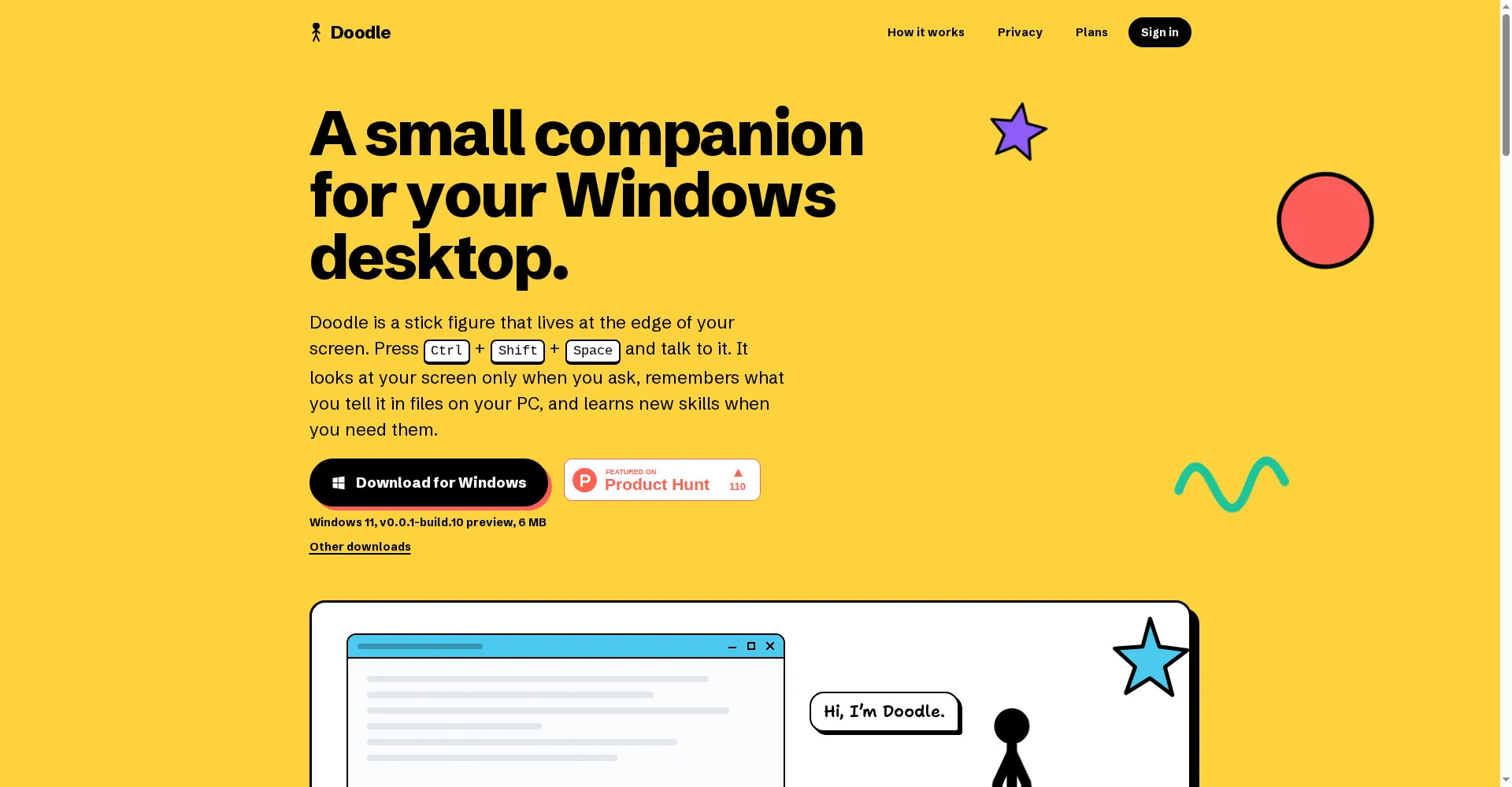
Doodle homepage
1 / 2Overview
What is Doodle?
The stick figure on your taskbar that answers questions
Doodle is a small companion for your Windows desktop. A stick figure sits on the edge of your screen: press Ctrl, Shift, and Space and talk to it. It looks at your files only on your PC, answers your questions, and learns new skills when you need them. The free plan includes 800 credits a month, with Pro at £12 a month and Ultimate at £55 a month. Doodle runs on Windows 11.
Platforms and languages
Doodle Availability
Platforms
Languages
Capabilities
Doodle Key Features
Always-on desktop companion
A stick figure that lives on the edge of your screen, ready whenever you need it.
Ask with a shortcut
Press Ctrl, Shift, and Space and talk to Doodle from anywhere on your desktop.
Looks at your files locally
Doodle looks at your files only on your PC, and learns new skills when you need them.
Free plan included
Start free with 800 credits a month, and upgrade to Pro or Ultimate for more.
Best for
Who uses Doodle?
Windows 11 users who want quick AI help
Ask questions and get help without leaving the desktop
Plans and access
Doodle Pricing
Freemium
Free plan with 800 credits a month; Pro £12/month, Ultimate £55/month.
Common questions
Doodle FAQs
Which Windows version do I need?
Windows 11. Doodle is in preview.
Does Doodle send my files to the cloud?
No. Doodle looks at your files only on your PC.
How much does Doodle cost?
The free plan includes 800 credits a month. Pro is £12 a month and Ultimate is £55 a month.
How do I talk to Doodle?
Press Ctrl, Shift, and Space, then type or talk to it.
Reviews
See what the community thinks and share your experience.
—
Based on 0 ratings
Rating distribution
Community reviews
No reviews
No written reviews yet.